Amazon Improves the Integrity of the Customer Review System

Image from ShutterStock.

Image from ShutterStock.

AMAZON IMPROVES CUSTOMER REVIEWS

What makes customer reviews helpful to other customers, and thereby also helpful for sellers, businesses, authors, and even Amazon?

It’s when other customers can trust the review system. Without that trust, reviews become utterly useless.

BOOK REVIEW CHANGES IN 2012

Amazon made its first major improvement to the customer review system in late 2012.

That’s when Amazon blocked and removed countless reviews from probable friend and family members of authors.

Whatever Amazon did in 2012 was highly effective—perhaps not perfect, but definitely effective. If you watch indie community forums regularly, you know that on a weekly basis new authors complain about missing reviews, and it almost invariably turns out that the reviews were left by friends or family members.

Prior to the Great Purge of 2012, Amazon’s customer review system had been getting out of hand, with the problems publicized in the WSJ and NYT. Starting in 2013, the customer review system improved immensely. But it took much longer for word of the improvement to spread.

http://www.theguardian.com/books/2012/nov/05/amazon-removes-book-reviews

It’s now fairly well-known that customers who are friends or family members of authors generally can’t leave reviews no matter how hard they try, and Amazon is very good at discerning probable relationships. Occasionally, Amazon is a little too good, blocking or removing a review of a stranger who proceeded to interact in the author’s social circles. A casualty of war.

AMAZON SUES FAKE REVIEW SITES

Amazon has recently gone a step further toward improving the integrity of the customer review system.

Now that friend-and-family reviews are very much under control, the next major problem is the paid review.

It’s a clear violation of Amazon’s terms of service for authors to pay for reviews.

Examples of reviews that Amazon doesn’t allow.

Unfortunately, unethical authors have done this anyway, which hurts the integrity of the customer review system for everyone.

Authors often feel pressured into seeking reviews. For one, if the book isn’t selling, an author’s first thought is that maybe it’s because the book doesn’t have any reviews. For another, many popular book promotion sites require a minimum of 20 or so reviews just to receive consideration.

The reality is that the best way to get reviews is free and low-cost marketing combined with compelling content. Nothing is better than the natural variety of reviews that you get from just getting sales. Drive sales and the reviews will come with them.

But since there are authors seeking reviews, there are also services looking to fill this need.

Including unethical businesses and people looking to sell reviews. Again, this is a clear violation of Amazon’s terms of service. Both the business or person selling reviews and the author paying for reviews should fully expect to have their reviews removed, their accounts suspended, and to be at risk for a potential lawsuit from Amazon.

And that’s finally happening.

Amazon has begun the process by suing 1100 fake reviewers.

http://www.thesundaytimes.co.uk/sto/news/uk_news/Tech/article1621058.ece

Who’s at risk?

  • Companies selling paid reviews.
  • People selling paid reviews thru sites like fiverr.
  • Authors paying for reviews.

Who benefits from this?

  • Customers will be able to trust the review system more.
  • Authors who adhere to the review guidelines will benefit from this improved trust.
  • Companies selling products on Amazon benefit similarly.
  • Amazon benefits, too. It’s a win-win-win-win situation, with the sole exception of those who have been violating the review guidelines.

Write happy, be happy. 🙂

Chris McMullen

Copyright © 2015

Chris McMullen, Author of A Detailed Guide to Self-Publishing with Amazon and Other Online Booksellers

Click here to view my Goodreads author page.

  • Volume 1 on formatting and publishing
  • Volume 2 on marketability and marketing
  • 4-in-1 Boxed set includes both volumes and more
  • Kindle Formatting Magic (coming soon)

Follow me at WordPress, find my author page on Facebook, or connect with me through Twitter.

Comments

Click here to jump to the comments section.

Goodreads Giveaways: Recent Changes

Image from ShutterStock.

Image from ShutterStock.

GOODREADS GIVEAWAYS

Goodreads has recently improved their Goodreads giveaway program.

Authors who sign up with Goodreads can run Goodreads giveaways for their books.

  • It must be a print book. (CreateSpace is great for self-publishing a paperback.)
  • Goodreads sends the author a list of winners. The author ships author copies directly to the winners.
  • You can give away as little as 1 copy, so you can get some good exposure for a reasonable price.
  • If you give multiple copies away, it improves your chances of getting reviews at Goodreads (but winners are less likely to post a review on Amazon).
  • One benefit of the giveaway is that hundreds of readers are likely to add your book to their to-read list, which makes your book’s Goodreads page seem somewhat more popular.
  • The giveaway may not have a noticeable direct impact on sales. It can help with exposure and to generate some activity on your book’s Goodreads page.
  • Most of the contest traffic comes on the first and last days. However, the days in between add up, so you get the most exposure for your contest by running it for at least 30 days. You might as well generate as much exposure for it as you can.
  • Many giveaways seem to start on the 1st of the month and end at the end of the month, so if you avoid those days, you might be able to avoid the crowd somewhat. The first and last days of your contest give you the most exposure, so plan these dates wisely.

Goodreads has recently updated its giveaway program. Here are a few changes that they have made:

  • You now choose up to two categories instead of entering tags. This will make it easier for giveaway hunters to find the kinds of books they like to read (unfortunately, you still see the tag system when searching for giveaways, but it seems like this should change over soon).
  • The book no longer needs to be a new release; they have removed the 6-month restriction. When you enter the release date, you choose from a dropdown menu that goes back to the early 1900’s. However, if you run a contest for an older book, you might want to make this clear in the giveaway description so as to avoid possible confusion.
  • You must now schedule your Goodreads giveaway at least 7 days in advance, so plan ahead.
  • The terms and conditions now appear in a pop-up window. You must scroll down and click the Agree button at the bottom.

Want to enter for a chance to win a free book? Here are some sample Goodreads giveaways (these authors don’t know that I’ve given them a little exposure here on my blog, but these caught my eye when I was browsing for giveaways—though you may remember I also featured Jenny Pearson’s coloring book on my blog a couple of posts ago):

Coloring Book for Teens or Adults by Jenny Pearson

Click here to find Coloring Book for Teens or Adults on Amazon.

Chick Lit {And Other Formulas for Life} by Abby Rosmarin

Click here to find Chick Lit on Amazon.

A Bit Witchy by Danielle Fisher

Click here to find A Bit Witchy on Amazon.

The Dust in Sunlight by Christopher Rees

Click here to find The Dust in Sunlight on Amazon.

Camille’s Itchy Twitchy Eczema by Candis Butler

Click here to find Camille’s Itchy Twitchy Eczema on Amazon.

4,500 Multiplication Problems with Answers Practice Workbook by Chris McMullen, Ph.D.

Click here to find 4500 Multiplication Problems with Answers on Amazon.

More Goodreads Giveaways

Click here to see all Goodreads giveaways. If you’ve browsed for giveaways in the past, check it out to see how it’s changed.

Write happy, be happy. 🙂

Chris McMullen

Copyright © 2015

Chris McMullen, Author of A Detailed Guide to Self-Publishing with Amazon and Other Online Booksellers

Click here to view my Goodreads author page.

  • Volume 1 on formatting and publishing
  • Volume 2 on marketability and marketing
  • 4-in-1 Boxed set includes both volumes and more
  • Kindle Formatting Magic (coming soon)

Follow me at WordPress, find my author page on Facebook, or connect with me through Twitter.

Comments

Click here to jump to the comments section.

Kindle Unlimited Pages Read Rate for August, 2015

Image from ShutterStock.

Image from ShutterStock.

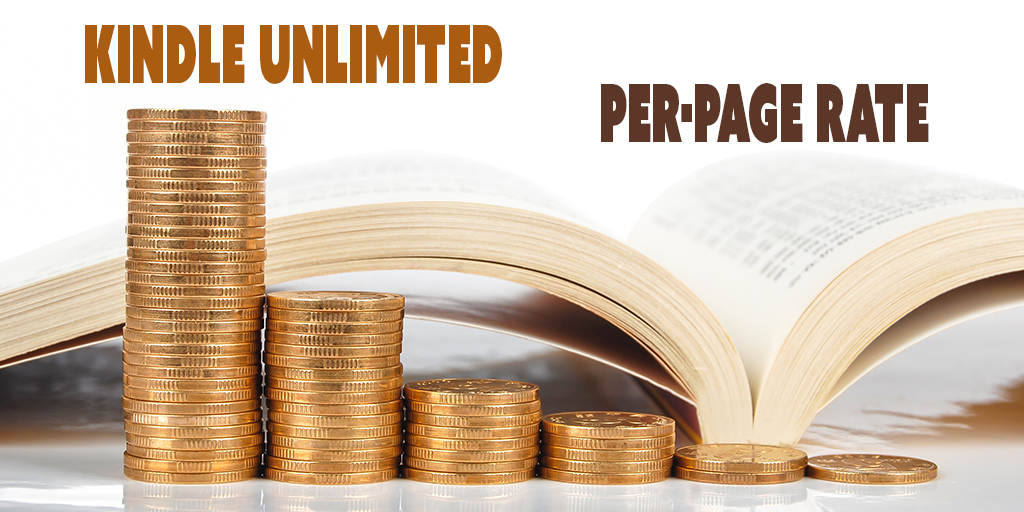
KINDLE UNLIMITED PAGES READ

Amazon paid $0.00514 per KENP read in August, 2015.

Compare that to the $0.005779 pages read rate in July, 2015.

That’s a drop of 11%. If you had 10,000 pages read in July, would earned $57.79, but for the same 10,000 pages read in August, you only earned $51.40.

On the one hand, an 11% drop is significant, but on the other hand, unless you had a million pages read through Kindle Unlimited and Amazon Prime, that 11% doesn’t amount to a whole lot.

And if you had a million pages read, you’re thriving in the program (compared to most authors).

But the concern really isn’t over one drop in the payout of 11%.

The concern extends beyond that. 11% is a pretty sizable change. It’s not a small fluctuation.

So one concern is stability.

If it drops 11% in August, another 11% in September, another 11% in October, and so on, that would really add up.

Since these are the early days of KENP, we don’t have much data to go on. We don’t yet have a pattern of KENP payouts established to lend us a feeling of stability.

What we really need is more data. But authors also want to make sound decisions now. And it will take a few months to get solid data.

I expected the pages read rate to drop toward $0.0050. What I didn’t expect is for it to jump straight there in one fell swoop.

And hence stability is in question.

But I think it’s premature to run for the hills.

One drop of 11% isn’t too much for me. Maybe stability will be there. I need a few months’ more data to assess this.

If it levels off around $0.0050, that will be what I had been expecting anyhow; it will just have gotten there faster than I was predicting.

If it drops even below $0.0050, the question will be how much below. What’s your magic number, where if it goes below that, you feel like KDP Select isn’t worth it? This magic number will be different for everyone, but it’s worth thinking about. We’re not near my magic number yet.

And what’s your backup plan for the worst-case scenario? It wouldn’t hurt to sketch out a backup plan and store it in a safe place. If you’re not below your magic number, I wouldn’t initiate the backup plan yet. But it’s smart to have a plan in mind, just in case.

I feel I’ve given too much attention to this lone 11% drop. Who knows what next month will bring? We don’t have enough data yet to see a pattern emerge.

POSITIVE INDICATORS

But there are other positive indicators that may help offset that 11% drop. Let’s look at a few of these.

GLOBAL FUND STABILITY

The KDP Select Global Fund is suddenly more stable than ever.

It was approximately $11M for May, June, July, and now $11.8M in August.

It’s starting at $11M for September.

They used to commit a mere $3M to the pot, and then raise it to $8M or more.

Now they commit to $11M on a regular basis.

So while the pages read rate may have dropped 11%, the KDP Select Global Fund has been very stable, more stable than ever.

KINDLE UNLIMITED IS THRIVING

KDP Select authors are earning a combined $10M per month just from KENP read.

Amazon has paid out over $100M in royalties just for KDP Select borrows in 2015.

Approximately 2 billion pages of KDP Select books are read through Kindle Unlimited and Amazon Prime per month.

That’s a huge readership. And it’s been a consistent readership (if anything, it appears to be growing).

And this readership supports indie books. Not every indie book, but the top KDP Select books are thriving in Kindle Unlimited.

Most of these readers are reluctant to buy books any other way.

AMAZON PAID MORE ROYALTIES OVERALL

Although the per-page rate dropped from $0.005779 to $0.00514, the KDP Select Global Fund rose from $11.5M to $11.8M.

Amazon paid $300,000 more in KDP Select royalties in August than they paid in July.

Overall, KDP Select authors earned more than ever.

So although they paid 11% less per page, there were more than enough additional pages read to compensate overall, enough such that Amazon actually paid more money in royalties overall.

Either there were (A) more Kindle Unlimited subscribers or (B) Kindle Unlimited customers are reading more than usual.

Either way, in general, KDP Select books benefited from this additional reading and the extra $300,000 paid in KDP Select royalties in August compared to July.

MORE BOOKS IN KINDLE UNLIMITED

Another sign that the program is thriving is that the number of books in Kindle Unlimited steadily rises.

Even through the new Kindle Unlimited 2.0.

Even through the 11% drop in the per-page rate.

The number of books in Kindle Unlimited keeps climbing.

It’s up to 1.1M presently. It was about 1M just a few months ago, but despite the new program and even the drop in the per-page rate in August, still 100,000 more books have added in the past few months than have dropped out.

127,000 books were added to Kindle Unlimited in the past 90 days. Whereas only about 27,000 have dropped out during this same time. For every book that has dropped out, 4 more were added in.

44,000 books were added just in the last 30 days. The number of books added to Kindle Unlimited each month keeps rising.

There is plenty of content for customers, and plenty of new content each month.

The top KDP Select books are thriving with millions of pages read per month, and the customers enjoying those top books want more top books to read. And those authors feel motivated to write more similar books. And other authors want to become KDP Select All-Stars, so they’re working to try to please Kindle Unlimited customers.

Many books benefited from the extra pages read and higher KDP Select Global Fund for August.

For many books, overall, this made August better than July, even though the per-page rate dropped.

WHAT IF YOUR BOOK DIDN’T BENEFIT?

If your book didn’t benefit from the extra pages read and the higher KDP Select Global Fund, there are a number of possible reasons:

  • There are many complicating factors involved in a book’s sales. Most books go through sales slumps at some time all on their own. If your book’s sales slumped in August, it’s quite possible that it had nothing to do with Kindle Unlimited. In fact, more pages were read through Kindle Unlimited than ever, and the payout was $300,000 more than in July.
  • August is typically a slow season for very many books. If your book’s sales slumped in August, it may just be a seasonal effect. The interesting thing is that more pages were read in Kindle Unlimited in August, even though sales often slump in August. Overall, this seasonal effect didn’t impact KDP Select borrows (although it surely did for some KDP Select books, overall there were more pages read in August than July).
  • Many authors changed their publishing and marketing strategies when Kindle Unlimited 2.0 rolled out. Many authors believed that Kindle Unlimited 1.0 favored short books, and now many authors believe that Kindle Unlimited 2.0 favors long books. What Kindle Unlimited 2.0 favors is reader engagement. As many other authors adjust their marketing strategies, that impacts other books.

Here are a few proactive ideas:

  • Marketing, of course. For a book that has appealing content, the trick is to get more customers to learn about your book. Learn free and low-cost marketing strategies, and try them out.
  • Marketability is another factor. Are you writing the kinds of books that appeal to Kindle Unlimited customers? Are the cover, blurb, and Look Inside helping to close sales? If so, your book is more likely to benefit from KDP Select borrows in addition to sales, and those borrows can help your sales rank.
  • Are you making the most of Kindle Countdown Deals? Just scheduling the promotion isn’t apt to be as effective as searching out websites that can help you promote the Countdown Deal.
  • Are you using AMS wisely? Most authors tend to overbid. The safer route is to bid very low, wait a few days, raise your bid only slightly if necessary, wait a few more days, and use patience and frivolity to your advantage. It may take a month or more to generate significant activity, but it’s less risky that way. Also, once you have several similar books out, with good marketability, that improves your prospects for advertising success.
  • Personal interactions can go a long way. When you interact with your target audience, a personal interaction is more likely to inspire a sale during a slow period, and it’s also more likely to lead to a review. Get a few sales in a slow period and it can help you rebound.
  • Write more books. And do some research to see what kinds of books are selling. Which are a good fit for you to write. For which customers are likely to support indie books.

THE OTHER SIDE OF THE FENCE

Is the grass greener in KDP Select or outside of it?

That’s a good question, and it may depend in part on the particular book, as well as the marketing capabilities of the author.

If you can build a strong following all on your own, you stand better prospects of growing a readership outside of KDP Select. But it’s not easy to do.

Another big factor is sales momentum.

If you start in KDP Select, once you get initial borrows and sales, you have sales momentum. Each Kindle Unlimited or Amazon Prime borrow helps your sales rank.

If you now opt out of KDP Select, you lose that benefit on sales rank. You lose your momentum.

Sales momentum is really tough to build. Once you have it, you don’t want to lose it. But you lose part of it when you switch to the other side.

Similarly, if you have sales momentum on several sites and join KDP Select, you lose it on those other sites.

Kindle Unlimited has a huge readership (2 billion pages read per month of KDP Select), which supports very many indie books (through KDP Select).

This audience can potentially benefit new authors. (But it takes a marketable book and marketing to improve your chances.)

Hence, it’s appealing to start out in KDP Select.

You can opt out after 90 days (but you must uncheck the auto-renewal box to do this successfully). But you risk losing that sales momentum.

Unless, of course, you hardly have any sales to speak of. But Kindle is the main market. If you hardly have any sales to speak of, the sales aren’t likely to be found elsewhere. But it can happen, and you might feel like there is nothing to lose in trying. (The real problem may be with the marketability of the book, or with marketing.)

One intriguing idea floating around is to write multiple series (or similar books) under multiple pen names, and rotate one (or more) of these series in and out of KDP Select. One idea behind this is diversification, and to try to reach customers on the other side of the fence.

But the risk in this strategy is that rotating a title in or out of KDP Select will hurt sales momentum.

It is wise to have a backup plan in place. But I wouldn’t do anything to risk hurting sales momentum unless and until the per-page rate goes below your magic number.

I’M STILL IN

KDP Select has been good to me.

I have pages read, but where I’ve seen the largest increases are (A) Kindle sales and (B) paperback sales.

I have no doubt that this is largely due to KDP Select.

First, all those KDP Select borrows improve my sales ranks.

Secondly, I’ve learned how to make effective use of AMS. It took a couple of months of overbidding to develop my low-bid strategy, and to refine my targeting, and it’s begun to pay dividends.

Not every one of my books has benefited (nor are they all in ‘my’ name), but overall my Kindle sales and paperback sales have improved.

Not all authors are thriving in KDP Select. But many are, and the potential is there.

Write happy, be happy. 🙂

Chris McMullen

Copyright © 2015

Chris McMullen, Author of A Detailed Guide to Self-Publishing with Amazon and Other Online Booksellers

  • Volume 1 on formatting and publishing
  • Volume 2 on marketability and marketing
  • 4-in-1 Boxed set includes both volumes and more
  • Kindle Formatting Magic (coming soon)

Follow me at WordPress, find my author page on Facebook, or connect with me through Twitter.

Comments

Click here to jump to the comments section.

All about Adult Coloring Books: For customers (stress relief) and authors (how to publish)

Image used with permission from artist Jenny Pearson.

Image used with permission from artist Jenny Pearson.

ADULT COLORING BOOKS

Coloring books for grown-ups are all the rage these days.

  • 2 of the top 5 books overall on Amazon are adult coloring books.
  • An adult coloring books has been #1 overall on Amazon periodically for the past few months.
  • 994 adult coloring books have been published in the last 30 days.
  • It takes about a sale per day to be in the top 500 of all adult coloring books, which shows that very many are selling. The top books are selling several copies per day.
  • At least one of the bestselling adult coloring books has sold over a million of copies.

STRESS RELIEF & RELAXATION

Adult coloring books have much appeal:

  • They provide stress relief: You get absorbed in coloring the design, getting your mind off your problems.
  • They are relaxing. Don’t try to overthink it. 🙂
  • Almost everybody can color.
  • It seems like a simple activity, yet many of the designs are complex, and you yourself can make it complex with your choice of color. Or you can keep it simple.
  • People like to get together and have coloring parties, contests, etc. It can be something fun to do together.
  • They make great gifts, too.

EXAMPLES OF ADULT COLORING BOOKS

Secret Garden by Johanna Basford has been #1 overall in all of books on Amazon, and has received national publicity for it.

Balance by Angie Grace lists CreateSpace Independent Publishing Platform in the publishing field and is #29 overall in all of books (and #1 in two different subcategories).

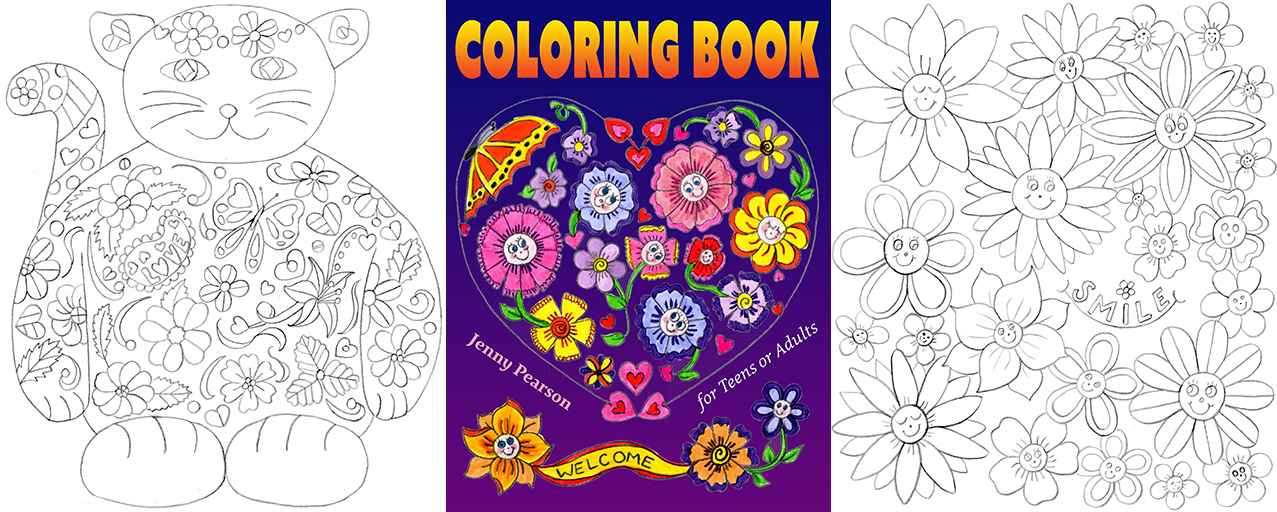
Coloring Book for Teens or Adults by Jenny Pearson is among the many new releases. It was published just a few days ago.

There are all kinds of adult coloring books:

  • mandalas
  • anatomy (cool concept)
  • cats
  • animals
  • flowers
  • Christmas
  • cultural
  • there is even one featuring “ugly sweaters” (that’s what it says)

HOW TO PUBLISH A COLORING BOOK

Many artists are tempted to try and publish an adult coloring book.

  • The top books are selling very well.
  • As of today, there are only 3700 books listed under coloring books for grown-ups.

However, it’s not easy; sales aren’t automatic.

  • 994 books were added to the coloring books for grown-ups category in the last 30 days. This category is presently being flooded.
  • Most customers gravitate toward the top sellers. It’s not easy to gain exposure.
  • Even if you click the last 30 days filter, there are still 86 pages of adult coloring books. A newly published book will be on page 86. Nobody will find it there.
  • Indeed, I discovered some adult coloring books that have never sold a single copy (there was no sales rank).
  • Most of the books have appealing designs on the cover, in my opinion. It will take more than just making a great book to get sales.

Yet it can be done:

  • There are self-published adult coloring books ranked in the top 100 overall in all of books on Amazon.
  • A few of the 994 published in the last 30 days are already selling well (even though many are not).

As always, the trick is learning how to be among the few that sell well, rather than the many that don’t sell much.

I have some tips to help with that:

  • Interact with people, do some pre-marketing, build some buzz. You need some early support to give you a few sales in the first few weeks, to search for your book on Amazon through various keywords. It will take some traffic to your product page and sales to help stand out among the other 1000 adult coloring books published in the last 30 days, and the 3700 (and rapidly growing) other adult coloring books.
  • Study other successful adult coloring books. You want to see a few bestsellers to try to understand why they sell. Look at a few that don’t sell to try to learn the difference. Check out books that are selling that either list CreateSpace or a publisher you’ve never heard of, as they gained traction without the support of a giant publisher. Check out books that were recently published that somehow managed to get early sales.
  • In your research, look at cover design ideas (layout, color schemes, font styles), product descriptions, front matter, thickness and darkness of the lines used in the designs, categories the books are listed in, even author biographies. Customers are checking out other books, so you should know what customers will see.
  • What’s your angle? What makes your book unique? Which features will readers appreciate most? Use this to help choose your second category (see below for the main category suggestion) and to choose one or two of your keywords. It will help differentiate your book from others (starting with the title and cover image). It will give you ways to get discovered, e.g. when people search for “cats,” or “aliens,” or “fairies,” or whatever it is that makes your book unique. Remember to play your angle in your marketing (beginning with your description, and in your personal interactions, too).
  • Make copies of sample pages. These are valuable marketing assets. (Be sure to put the book title and author name somewhere on the page, but unobtrusively.) Distribute these to senior centers and all kinds of local organizations where people may appreciate this stress relief activity. Put a free PDF of one or two pages on your author website or blog.
  • Learn other marketing techniques and interact with your target audience. For example, you can organize coloring events for adults.
  • Look for local support in small bookstores and other stores that aren’t primarily bookstores (bring some evidence that adult coloring books are really hot right now).
  • If you self-publish through CreateSpace, don’t sweat the BISAC category too much. Pick what you think is best there. But just after you click Approve Proof, contact CreateSpace support and request the two categories that you’d like your book listed in at Amazon. One should be Books > Crafts, Hobbies & Home > Crafts & Hobbies > Coloring Books for Grown-Ups.
  • If you self-publish through CreateSpace, you can only choose keywords and keyphrases of up to 25 characters. Tip: Don’t put a space after each comma, or that will waste a character. If you want one keyphrase to be coloring books for grownups, you’ll have to remove the “s” from grownups to make it work. If you want to add coloring books for teenagers, you must choose between coloring books for teens and coloring books teenagers. (I’m not suggesting it’s worth expanding into the teen market. I’m just giving an example of making the best use of the 25-character limit.) Note that any words already in your title or subtitle don’t need their own separate keywords.

FREE COLORING PAGE

Here is a free coloring page courtesy of author Jenny Pearson.

Click the following link to open a free PDF file featuring a cool cat drawn by Jenny Pearson.

Adult Coloring Cat

Thank you, Jenny, for letting me include a few of your images with my coloring book post.

Feel free to check out Jenny Pearson’s author page.

Write happy, be happy. 🙂

Chris McMullen

Author of A Detailed Guide to Self-Publishing with Amazon and Other Online Booksellers

  • Volume 1 on formatting and publishing
  • Volume 2 on marketability and marketing
  • 4-in-1 Boxed set includes both volumes and more
  • Kindle Formatting Magic (now available)

Great Suggestion for Friends & Family Reviews on Amazon…?

Background image from ShutterStock.

Background image from ShutterStock.

REVIEW SUGGESTION FOR AMAZON

Friend and family reviews are a touchy subject among both authors and customers:

  • For the customer review system to be effective, customers need to be able to trust the system. This is why Amazon removes and blocks reviews suspected of being posted by the author’s friends or family members.
  • For the customer who posted the review, having it blocked or removed is time wasted, and discourages the customer from posting reviews in the future.
  • For the self-published author, an invaluable part of marketing entails creating personal relationships. Sometimes, the occasional personal interactions with a fan who didn’t previously know the author causes a book review to be blocked or removed.
  • Unlike the big publishers, self-published authors and indie presses can’t afford to send out hundreds of review copies to strangers. They can get friends to help get the ball rolling, except that friend reviews often get blocked, and they can interact with their target audience in person, although that sometimes leads to blocked reviews, too.
  • Amazon itself thrives on content engagement, one of their best marketing tools. Amazon wants to get customers (and authors) to frequently return to their website. Blocking or removing reviews discourages customers from writing future reviews, which limits their content engagement.
  • Although Amazon frequently blocks and removes 4- and 5-star reviews, Amazon almost never removes a 1- or 2-star review, which brings the average star rating down and discourages sales overall. It allows jealous authors and spiteful exes to prevent sales of books at Amazon that may otherwise sell.

Lighthouse24, a member of the CreateSpace community forum who provides frequent helpful posts, offers a great compromise. (Check out Lighthouse’s website for Helpful Links with valuable self-publishing info.)

  • Instead of blocking or removing the review, Amazon should keep the review, but clearly mark it as having detected a possible relationship with the author.
  • Let each individual customer decide how that matters to them. Some customers may see that designation and discard the review completely, a few may feel disgusted and move on, but in this way, Amazon would let the customer make the decision. Other customers won’t be put off by the designation, and may appreciate the comments. Yet other customers will approach those designated reviews cautiously. One thing we know is that every customer interprets reviews in a different way. So why not let each customer choose what to do with a potential friend or family review?
  • In addition to clearly marking such reviews as being from customers with potential relationships with the author, they could separate those reviews so they show in a slightly different area (perhaps one set above the other, or a different column) so that customers can easily tell the difference.
  • There is a precedent at Goodreads, which allows reviews from friends and family, but which clearly denotes reviews from friends. Surely, Amazon could do this, too.
  • Amazon could first give the customer the opportunity to disclose the relationship, then mark the review as a Family Review, Friend Review, or Fan Review, for example. If the customer doesn’t check one of these boxes, Amazon could then include a note that they discovered a possible relationship with the author and give that review yet another name (e.g. Reviewer May Know the Author).

This would solve a few key problems with the current customer review system:

  • Customers would see that X number of reviews were left by friends or family members. This is disclosed up front. Presently, customers assume that some reviews are from friends and family, without knowing how many, and customers don’t realize that most of those are actually blocked and removed. With full disclosure, customers will begin to realize that Amazon can often tell the difference.
  • Indie authors and small publishers won’t be so disadvantaged compared to big publishers who can send out hundreds of advance review copies. Amazon does want to give indie authors a fair chance, which is why indie authors now have pre-orders, AMS ads for KDP Select, and other new features that used to be only available for big publishers.
  • Amazon will enhance their customer engagement, i.e. have more activity on their website, which is one of their top marketing strategies. Customers won’t be discouraged by having their reviews removed, and thus will be more likely to post reviews in the future.
  • Authors who put the personal touch on their marketing, meeting new people in their target audience, won’t be penalized when Amazon discovers a possible relationship with the author, when in fact that customer had previously been a complete stranger until interacting with the author as a fan.
  • By not blocking and removing so many 4- and 5-star reviews, this would help to achieve a more balanced picture, and limit the effectiveness of jealous authors or spiteful exes striving to prevent a book from selling.

Lighthouse24 recommends that both authors and customers who like this idea should share this suggestion with Amazon. Sounds like a good plan to me.

Write happy, be happy. 🙂

Chris McMullen

Copyright © 2015

Chris McMullen, Author of A Detailed Guide to Self-Publishing with Amazon and Other Online Booksellers

  • Volume 1 on formatting and publishing
  • Volume 2 on marketability and marketing
  • 4-in-1 Boxed set includes both volumes and more
  • Kindle Formatting Magic (coming soon)

Follow me at WordPress, find my author page on Facebook, or connect with me through Twitter.

Comments

Click here to jump to the comments section.

How about an * Optional * Pages Read for Sales?

Image from ShutterStock.

Image from ShutterStock.

PAGES READ FOR SALES?

Before you race to the comments field to say what a bad idea this is, please note the important word OPTIONAL. 🙂

If you still feel it’s a bad idea, then please do rush to leave a comment. 🙂

Here is what I’m proposing for Kindle sales (not to be confused with Kindle borrows):

  • Authors set one list price for outright purchase, just as usual. No change to this.
  • Authors also set an optional price per page. Emphasis on authors getting to choose this.

Example:

  • List price = $2.99. Customers can buy the book for $2.99.
  • Optional price per page = 3 cents per page. Customers can choose this option instead of buying the book. Remember, in my proposal, the author gets to choose this price.

Let’s say that the book in my example has 150 pages. Then the customer has two choices:

  • Buy the book for $2.99. Customer can read as little or as much of the book as desired.
  • Pay 3 cents per page (re-reads of pages already read are free). Just pay for how much you read. If you read the whole book in my example, this will cost you $4.50, but you could have just bought the book outright for $2.99.

In my proposal, the author receives the usual royalty rate, 35% or 70%, the same as for sales (though the delivery cost has to be factored in somehow for the 70% plan, maybe divide the delivery charge for the book by the number of pages and subtract this from the per page royalty).

So, in my example, the author earns more if (A) the customer chooses to pay by the page and (B) the customer eventually reads the whole book.

Amazon isn’t going to take a credit card payment for one page read: The fees would cost more than 3 cents. What Amazon would do is charge the customer, say, 99 cents up front, then bill the customer for every $9.99 spent, or some other increments, kind of like they do for AMS advertising. In the long run, Amazon might make more money with such a billing program than when they sell 10 books for 99-cents each and have 10 separate credit card fees. (They could do the billing up front if ‘credit’ is a concern.)

WHY DO THIS?

This might impact reference books and cookbooks, for example. These are books where customers sometimes only need to read part of the book now. Maybe they will want the rest later, maybe not.

Let’s say the customer doesn’t want to pay the list price for the whole book. If pages read isn’t an option, the customer will walk away. If so, it’s a lost sale for the author.

Would the author have been willing to set a per-page price so that the customer could read, say, just Chapter 4? Maybe if the author could set a high enough per-page price, the author would be okay with this. It’s better than nothing, right? And the transaction improves the book’s sales rank, a nice little perk.

It might impact fiction, too. With the option to pay for pages read, even though you might spend more when reading a whole book, it gives you some flexibility to try a book out that you’re strongly interested in, but don’t want to commit to for its list price.

Based on the Kindle Unlimited model, Amazon seems interested in tracking customer engagement. They are probably measuring pages read for sales, even though it presently only matters for borrows. It’s possible that in the future visibility on Amazon will be based in part on successful customer engagement (i.e. getting a higher percentage of pages read). That’s purely speculative. I have no reason to believe that’s in place now, nor have I heard that it’s coming. But it is possible, isn’t it? It wouldn’t be good for some types of books, like reference books and cookbooks. But that doesn’t mean it won’t happen.

Heck, they could change the payout for sales to a pages read scheme and not even make it optional. Amazon determines the rules, right?

Presently, pages read doesn’t impact paid sales in any way. It’s only for Kindle Unlimited and Amazon Prime borrows. I haven’t heard anything to suggest that it might change, so don’t panic.

I’m just curious. What you do you think about this idea? As an author, or as a reader.

To be honest, I’m not even sure if I’m in favor of it or against it. I am curious about it, though.

Write happy, be happy. 🙂

Chris McMullen

Copyright © 2015

Chris McMullen, Author of A Detailed Guide to Self-Publishing with Amazon and Other Online Booksellers

  • Volume 1 on formatting and publishing
  • Volume 2 on marketability and marketing
  • 4-in-1 Boxed set includes both volumes and more
  • Kindle Formatting Magic (coming soon)

Follow me at WordPress, find my author page on Facebook, or connect with me through Twitter.

Comments

Click here to jump to the comments section.

Advertising: Amazon vs. Goodreads

Image from ShutterStock.

Image from ShutterStock.

ADVERTISING e-BOOKS

Since KDP introduced Advertising Marketing Services (AMS) for KDP Select books earlier this year, I’ve placed 50 ads on a variety of nonfiction Kindle e-books.

I’ve also placed over a dozen ads with Goodreads. It’s interesting to compare the two options for advertising e-books.

AUDIENCE

There are two great things about advertising right on Amazon’s website or on a Kindle device (both are possible with AMS via KDP):

  • Many of the customers who see your ad are already shopping for other books, i.e. they are looking for books to read, they have their wallets out, and they are ready to spend money.
  • Since they are already on Amazon, your ad isn’t interrupting some other activity and trying to persuade customers to leave one site to visit another.

If you advertise at Goodreads with a link to your Amazon product page, you’re asking readers who were busy doing something else at Goodreads to stop what they were doing and visit another site all together.

You could instead advertise at Goodreads with a link to your book’s Goodreads page or a giveaway page, but if your ultimate goal is a sale, that’s an indirect way to go about it.

However, the way the self-service advertising options are presently setup, Goodreads ads seem to have an advantage with branding. We’ll return to this important point later.

TARGETING

The targeting options are considerably different with Amazon and Goodreads advertisements.

Amazon offers two kinds of targeting with AMS via KDP:

  • Interest targeting competes for ads based on category. Amazon has recently improved interest targeting by adding subcategories. Some books do fall nicely into one of those subcategories, but those subcategories are still too broad for other books, especially in nonfiction.
  • Product targeting lets you search for specific books or other products by keyword. Amazon has an advantage here, as Goodreads doesn’t offer keyword targeting, nor does Goodreads let you target specific books, nor does Goodreads let you target other products besides books (like movies).

Goodreads also offers two main kinds of targeting:

  • Goodreads also has categories to choose from, but these tend to be very broad.
  • I prefer not to select any categories, but to target by author instead. Visit Amazon and search for very popular books that your specific target audience is likely to read. Then enter those author names at Goodreads to target readers of those authors.

A great thing about Goodreads is that when you target specific authors, they will show your ad to Goodreads readers who have given those authors high ratings.

Imagine if you could target customers at Amazon who rated similar books 4 or 5 stars. You have to love Goodreads for this option.

I try to avoid other targeting options at Goodreads, such as gender, age, or country, since some accounts may not have selected an option.

COST

Advertising with AMS via KDP requires a minimum $100 budget. You’re not required to spend your whole budget: You can pause or terminate your ad at any time. But if you bid high, you could blow through your budget quickly without knowing it because the ad report sometimes has significant delays.

I find that I can get very low-cost advertisements with effective results at Amazon. I have several ads with average CPC bids of a dime or less.

In comparison, I find that I must bid much higher at Goodreads.

My strategy with AMS is to bid very low in the beginning, and always wait at least 3 days before raising my bid, knowing that the ad report can be delayed. When I do raise my bid, I only raise it a little. I’m in no hurry, but after a few weeks, I finally start to generate impressions, clicks, and sales at a good rate, and my strategy minimizes my expenses (and lets me opt out before spending too much, if necessary).

IMPRESSIONS > CLICKS > SALES

Both services charge by the click. Impressions are free. Click-through rates (ctr) can be quite low (clicks divided by impressions): You might get 0.1% (1 click for every 1000 impressions), which is typical of much online advertising these days. But the ctr doesn’t really matter, since those impressions are free. Every impression helps with branding; you only pay for clicks.

While I often generate impressions at a good rate with AMS with average CPC bids of 10 cents or less, I often must spend 50 cents or more to generate impressions at a good rate at Goodreads.

AMS seems better for generating sales directly, while Goodreads seems better for branding, generating activity at Goodreads (followers at Goodreads, getting on to-read lists), and generating interest in a Goodreads giveaway. That branding issue is big.

BRANDING

Most companies who pay big money for advertisements don’t expect to generate immediate sales from it; they use advertisements to help with branding.

When you drive by a billboard, see a commercial on television, or hear an advertisement on the radio, do you stop what you were doing and race over to the store to buy a product that sounds great? Probably not.

But the next time you’re shopping for a product, see if you favor products you’ve heard of before. If so, branding has worked on you. And even if it didn’t work on you, it does work on the majority of consumers.

It’s not easy to break even in the short-term from advertising. The bigger goal is long-term, through branding.

That said, I do have some advertisements through AMS that have paid for themselves or brought a profit short-term, and I have benefited indirectly through more sales of paperbacks, similar books, and Kindle Unlimited pages read. This is partly because I apply a low bidding strategy, and partly because these ads aren’t asking customers to stop doing one thing to start doing another (they’re already shopping for books on Amazon).

But I also feel that I get better branding out of Goodreads, and this is an important long-term goal. However, you don’t want to lose too much short-term with branding hopes. Unlike AMS, it’s not as easy to gauge short-term ROI at Goodreads. You can see how much the ad is costing you, and you can see the clicks, but you don’t know how many of those clicks lead to sales.

If you use AMS, you can find out what your conversion rate is (sales divided by clicks). If it’s around 1% to 3%, that’s pretty low; if it’s 8% or higher, that’s pretty good. But if you spend too much on your clicks, or draw a low royalty, you can still lose out even with a nice conversion rate. You want to look at your royalties earned compared to money invested, but also want to consider possible indirect benefits like Kindle Unlimited borrows, print sales, sales of similar books, and potential for future sales through branding.

TAG LINE

Both AMS and Goodreads let you enter a short tag line. This is text that will appear alongside your ad to help generate interest. Goodreads lets you enter a longer tag line.

Put some time and thought into how to use this valuable advertising space. It can make a big difference.

FACTORS

Advertising isn’t for all books. It probably won’t be the cure for a book that isn’t selling.

Here are some factors that can impact the effectiveness of an advertisement:

  • content has a significant audience
  • wise targeting choices
  • wise bidding strategy
  • tiny thumbnail of cover attracts target audience
  • how likely blurb, Look Inside, price, reviews, etc. help in closing the deal
  • how much royalty you will earn for each sale
  • effectiveness of your tag line

OTHER ADS

There are many places to advertise on the internet.

Ideally, you want to be able to target readers, namely your specific target audience. You want to generate impressions and clicks at a good rate, but with little cost.

Some services, like Bookbub, E-reader News Today, and a host of similar sites, can help to advertise short-term promotional prices. In this case, the short-term promotion can help create a compelling impulse to buy now. But you need an external promotional service that can help your book reach its specific target audience to get the most out of this strategy.

Write happy, be happy. 🙂

Chris McMullen

Copyright © 2015

Chris McMullen, Author of A Detailed Guide to Self-Publishing with Amazon and Other Online Booksellers

  • Volume 1 on formatting and publishing
  • Volume 2 on marketability and marketing
  • 4-in-1 Boxed set includes both volumes and more
  • Kindle Formatting Magic (coming soon)

Follow me at WordPress, find my author page on Facebook, or connect with me through Twitter.

Comments

Click here to jump to the comments section.

A Pleasant Surprise from @bookSCREAM #bookpromotion 99-cent #CountdownDeal

Image from ShutterStock.

Image from ShutterStock.

bookSCREAM

I received a pleasant surprise this morning.

I found myself mentioned in a tweet from @bookSCREAM:

@ChrisDMcMullen Another great deal! We featured HOW TO SELF-PUBLISH A BOOK in today’s newsletter! bkscr.me/9P9Um

Cover design by Melissa Stevens at theillustratedauthor.net

What a cool surprise.

I clicked on the link mentioned in the tweet and found my original self-publishing book featured with one of four non-fiction books on the bookSCREAM page.

  • How to Self-Publish a Book on Amazon.com
  • by Chris McMullen
  • Informative, Tips, Advice
  • $0.99 was $2.99

I like the concise description that they included with the ad: “informative, tips, advice.”

This was totally unexpected:

  • I didn’t contact or approach bookSCREAM.
  • I haven’t advertised my Countdown Deal anywhere. This is the first I’ve mentioned it just now.
  • bookSCREAM discovered my Countdown Deal all on their own.
  • bookSCREAM advertised my book promotion all on their own.
  • I only discovered their advertisement after they had placed the ad.

Very cool! Thank you, bookSCREAM.

What’s the opposite of being rejected by BookBub? Being featured by bookSCREAM out of the blue.

I was just testing out the Countdown Deals. My intention was to let it run unadvertised and see how it does.

However, I don’t mind that it picked up an external promotion all on its own. I don’t mind at all. 😉

Partly, I was also testing out the lower price. In the past, I haven’t had any success with 99 cents on any books (which is why you’ll find my Kindle e-books priced between $2.99 and $7.99, except for rare deals like this).

How to Self-Publish a book on Amazon.com is my original book on self-publishing. I originally published this back in May, 2009. A lot has changed since then, which is why I updated this book significantly in 2014, but it’s also why I have since published A Detailed Guide to Self-Publishing (Volumes 1 and 2). (I also have a four-book boxed set, which includes all of these.)

Of course, you can find a ton of FREE information about self-publishing right here on my blog.

I wouldn’t mind dropping the prices of my self-publishing books. But like I said, I haven’t had much success with 99 cents or $1.99. I wouldn’t mind making it more affordable to learn about self-publishing. (Again, you can learn much for free right on my blog. I would even make one or more of these books perma-free—these books are more about sharing knowledge and helping other authors—but it seems ridiculous that I would have to publish these books outside of Amazon to get them free on Amazon.)

But I thought I would test out lower prices with a few Countdown Deals to see if things may have changed recently.

And that’s when I received this pleasant surprise from bookSCREAM.

Unexpected free marketing for fellow authors is a great thing. It makes self-publishing better for everyone.

If it happens to you, pay it forward.

It’s about reading. All authors work together to inspire more quality reading.

Write happy, be happy. 🙂

Chris McMullen

Copyright © 2015

Chris McMullen, Author of A Detailed Guide to Self-Publishing with Amazon and Other Online Booksellers

  • Volume 1 on formatting and publishing
  • Volume 2 on marketability and marketing
  • 4-in-1 Boxed set includes both volumes and more
  • Kindle Formatting Magic (coming soon)

Follow me at WordPress, find my author page on Facebook, or connect with me through Twitter.

Comments

Click here to jump to the comments section.

Optimizing Amazon’s Free Kindle Textbook Creator Publishing Tool

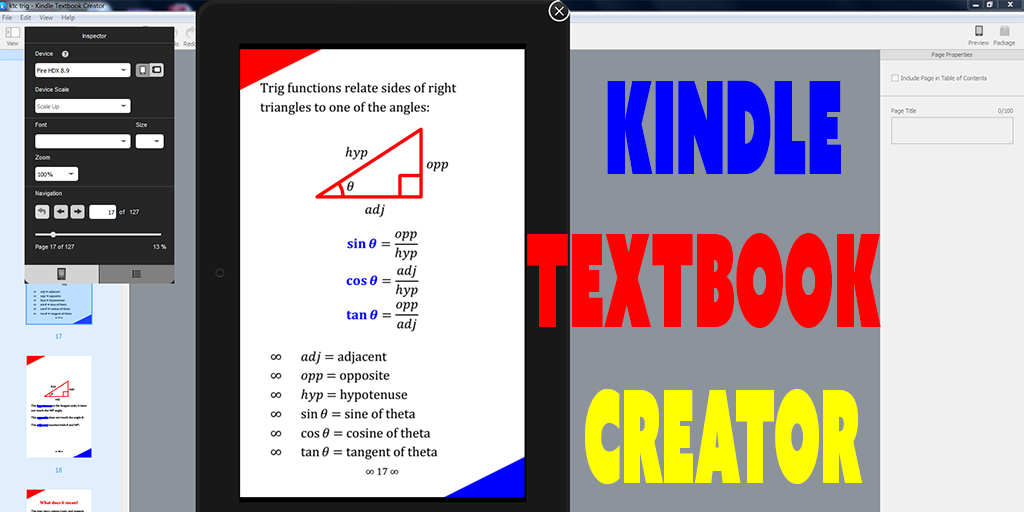
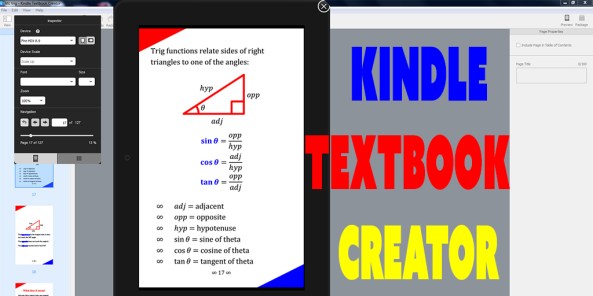
KTC Trig

KINDLE TEXTBOOK CREATOR

Amazon’s new free tool, the Kindle Textbook Creator, is very convenient for e-textbooks and other e-books with rich formatting and complex layouts.

(Illustrated children’s e-books work better with another free tool, the Kindle Kids’ Book Creator, and comic books work best with the free Kindle Comic Creator. However, books that primarily consist of paragraphs of text, such as novels, function best as a simple conversion following Amazon’s free guide, Building Your Book for Kindle.)

I recently published my trigonometry book, Learn or Review Trigonometry: Essential Skills, using the Kindle Textbook Creator.

I did more than simply upload my print PDF to the Kindle Textbook Creator. I spent a little time modifying my file in order to optimize it for the Kindle Textbook Creator. Later in this article, I will show you exactly how I did this.

If you would like to see an example of an e-textbook created using the Kindle Textbook Creator, feel free to check out my trigonometry e-book and see how it looks: https://amzn.com/B0106X7NL4. Note that the Look Inside shows the paperback edition. (Update: That may change soon, as KTC published books are beginning to generate automatic Look Insides.) If you want to explore the Kindle e-textbook, download the free sample to a device, or download the free sample with one of the Kindle apps (like Kindle for PC); you’ll get the best experience with a Kindle Fire HD.

But remember, your book won’t look quite the same unless you take similar steps to optimize your file before publishing.

PROS AND CONS

Here are the benefits of using the Kindle Textbook Creator to format an e-textbook:

  • The strongest benefit is convenience. You put a PDF in and very quickly get a Kindle-friendly e-book out. (Unlike conventional Kindle e-books, PDF actually converts very well in this context.) The alternative, converting a complex layout with rich formatting into a reflowable e-book, is very tedious and time-consuming. Many e-textbooks don’t sell frequently enough to warrant weeks of work on the e-book conversion (or paying a hefty fee to have the conversion done for you).
  • The output is amazingly good for starting from a PDF file (usually, PDF is the worst file to begin with to create an e-book, but this is an exception). The structure of each page is preserved, which preserves the complex design and layout of most textbooks, yet it’s much better than just converting every page to a picture. The device will recognize the text on each page, which would never happen in an image. In my experience, images can come out nice and sharp, much better than converting each page to an image (but you need good quality to begin with).
  • Students can highlight text, make notes, and use similar features that are very handy with e-textbooks. For example, if you highlight a word on the screen, the device will pull up windows for a dictionary, Wikipedia, and even translation. There is even the potential for flashcards.
  • The e-book will support pinch-and-zoom. This is a necessity when text or images wouldn’t be readable on the screen, which is possible, since the screen size may be much smaller than the page size of the printed textbook. Pinch-and-zoom is what makes the Kindle Textbook Creator viable.
  • You can add navigation to your PDF file so that Kindle devices will have a working table of contents on the device (but not a clickable table of contents in the e-textbook).
  • Audio and video clips can be added into the e-textbook using the Kindle Textbook Creator. That’s pretty cool.
  • A new feature recently added is an image pop-up. Most of your images you probably want to show on the page rather than to pop-up, but if for some reason you want to insert an image file and have the image pop-up, that is possible now.

Not everything is ideal, of course:

  • E-textbooks created using the Kindle Textbook Creator are only supported on limited devices:
    • Kindle Fire HD 8.9″
    • Kindle Fire HD
    • iPad
    • Android Tablet
    • PC/laptop using Kindle for PC
    • Mac using Kindle for Mac
    • Smartphones: maybe (Kindle for iPhone and Kindle for Android Phone are listed on my product page, but these options were removed from the Kindle Textbook Creator’s preview, so they may not be available for all e-textbooks made this way)
    • First and second generation Kindle Fire: maybe (these formats are listed on my product page, but again, they don’t show up in the preview)
    • The Kindle Textbook Creator does not support e-Ink devices, such as Kindle DX and Paperwhite
  • Audio and video features are not yet fully supported. Presently, they are only supported on third-generation Kindle Fire tablets.
  • No Look Inside is available for e-textbooks created using the Kindle Textbook Creator. Update: As of December, 2015, KTC published books are beginning to generate automatic Look Insides. I published a KTC book on December 18, and on December 19 it had its own Look Inside on Amazon’s website (FYI: there is no print edition, and it has no ISBN). The Look Inside is an important selling feature. Customers can download a free sample to supported devices, though it’s not nearly as convenient as a Look Inside. The remainder of this paragraph may now be irrelevant. [However, if you have a print edition of your textbook (you can make one using CreateSpace), you can get the print and Kindle editions linked, in which case customers will see the Look Inside of the print edition. (This may not be automatic. You might have to place a request through the Contact Us feature of KDP. It can also take weeks for this to be activated. Be very clear in your request. If they think you’re asking for a Look Inside, they will tell you that e-books made with the Kindle Textbook Creator don’t get a Look Inside. What you want is instead for the Look Inside of a linked print edition to show for your Kindle e-textbook on Amazon.)]
  • If the text is so small that customers must pinch-and-zoom to read, this can become quite tedious if customers must pinch-and-zoom to read every page of the e-textbook. Some textbooks are very expensive in print, so substantial savings with an e-textbook may help to offset possible inconvenience. However, if the text is somewhat small, it’s not too hard to enlarge the text. I’ve done this and will show you how later in this article.
  • Kindle’s page numbering may differ from your page numbering, so if your pages have numbers or if you include a table of contents with page numbers, this can be confusing. However, it’s not too hard to either remove your page numbers all together (as you don’t really need them in an e-book) or at least change your page numbering to match Kindle’s page number assignment in the navigation. I go into further detail later in this article.
  • File size is a possible issue, but it depends. I just published a 127-page trig e-textbook with about 60 images, and file size wasn’t an issue for me. My PDF file was 3 MB, the Kindle Textbook Creator made a 6 MB file, but all that really matters is that the final converted .mobi file size was back down to 3 MB. (It’s common for the final .mobi file size that you find on page 2 of the publishing process at KDP to be significantly smaller than the .kpf file that you upload to KDP. When you see the .kpf file size, don’t worry about it: Wait until you reach the pricing info page to find out what the file size really is.) If you have a very large .mobi file size, the file size will cut into your delivery cost if you choose a 70% royalty (for an extremely large file size, you might see if the 35% royalty is actually better since that involves no delivery fee); the delivery cost is 15 cents per MB (subtracted from your 70% royalty; the customer doesn’t pay a delivery fee) in the US. You can upload a file as large as 650 MB. I’ve never had a file larger than 50 MB; I suppose if you add a bunch of video clips that generous limit will come into play (and that would be a hefty delivery fee, definitely needing the 35% royalty option). It’s not just the delivery fee that matters. At some point, it takes significantly longer for customers to download and takes up more room on the customer’s device. A few MB aren’t a problem. 50 MB is rather significant. Somewhere in between, maybe around 20 MB, is where you might start to have concerns, but if your book provides good features, like awesome images or video clips, the content may make it worthwhile.

OPTIMIZING TEXT FOR THE KINDLE TEXTBOOK CREATOR

With regard to text, I changed a few things (see the list at the end of this section for more details):

  • larger font size for easier reading without having to pinch-and-zoom to read
  • removing the gutter (i.e. it looks funny to have a larger inside margin in the e-book)
  • narrower margins to maximize the use of the space on a limited screen size
  • narrower page size to more closely match the target e-reader device
  • use of color to help key terms stand out better

Many textbooks have 8.5″ x 11″ pages with a size 12 font. That’s great for the printed page, but just imagine if that page gets compressed onto a smaller screen. In that case, the text would be unreadable on many devices except when the customer uses pinch-and-zoom. If the customer must pinch-and-zoom (and then scroll around to read left to right, top to bottom) to read every page in a long e-textbook, that will quickly become tedious.

For many textbooks, it wouldn’t be too much work to reformat the file with a larger font. It depends in part on the complexity of the design and in part on how much attention you like to put into typographic features like widow and orphan control. (A nice thing about using the Kindle Textbook Creator is that you can use the same font from your print book—though you should check on the font licensing, which may be more strict for an e-book than it is for print books—and you can preserve typographic features like kerning and hyphenation. However, it wouldn’t be suitable for a book that mostly consists of text, like a novel.)

I originally published two print editions. One of the print editions has large print. The cool thing about increasing the font size and making a second version of your print file is that you can use it (A) for a large print paperback edition and (B) optimizing the text for the Kindle Textbook Creator.

However, I still made some changes to the file from my large print paperback edition to my Kindle Textbook Creator edition. I’ll get to that shortly.

My original file was a Word document (.docx). I first formatted this for a 6″ x 9″ paperback, and converted this to PDF.

Next, I saved my Word file with a new filename, increased the font size for the large print edition, went page by page through the file to improve the formatting (since the layout changed significantly after increasing the font size—I also made the large print edition 8.5″ x 11″, which is very transparency and document camera friendly on top of having larger print), and converted this to PDF for the large print paperback.

Finally, I saved my Word file with a third filename, and reformatted this for the Kindle Textbook Creator edition. Here is what I did to optimize the text:

  • I made the font size very large. I used a font size of 24-pt for the body text. This may have been overkill: Size 16 or 18 pt may work well enough, depending on the font style. Try out a test page, convert the test page to PDF, upload that to the Kindle Textbook Creator, and preview how it looks on different screens; and repeat as needed until you’re satisfied with how the size looks. If the font size is readable across most devices, customers won’t have to pinch-and-zoom on every page just to read your e-book.
  • If you used Word’s built-in styles (in 2007 and up for Windows, you find these on the top right half of the Home ribbon), changing font size is very simple. I simply changed the body text styles to 24 pt and those sections updated automatically, then I changed headings to size 36 pt, and so on. Presto, Change-o!
  • I also changed the page size from 8.5″ x 11″ to 7″ x 11. Most print textbooks are 8.5″ x 11″, but that’s much squarer than most e-readers. The result will be large gaps at the top and bottom of the screen on a Kindle device. 7″ x 11″ is close to the aspect ratio of the Kindle Fire, but may be a little too narrow: It leaves small gaps at the right and left sides on an iPad. Obviously, you can’t get the aspect ratio to match every device, since e-readers have a variety of aspect ratios. 6″ x 9″ is common among trade paperbacks and probably comes out right without any adjustment. What’s your target device? You could either make the page size match your target aspect ratio, or you can compromise and use an aspect ratio that’s somewhere in the middle of what e-readers have to offer.
    • Kindle Fire HD’s have an aspect ratio of 5:8. Starting with an 8.5″ x 11″ book, if you change your page size to 6.875″ x 11″, it will match the Kindle Fire HD.
    • iPads have an aspect ratio of 3:4. Starting with an 8.5″ x 11″ book, a page size of 8.25″ x 11″ matches the iPad. It’s probably not worth the hassle if your main target is iPad, but 8.5″ x 11″ will look very square on the skinny Kindle Fire.
    • Somewhere in between, like 7.5″ x 11″ may offer a good compromise.
    • Another option is to find a Mac, format a separate file for iBooks designed around the iPad, and publish a Kindle edition designed for the Kindle Fire HD. (Note that iPad users do buy Kindle e-books and use the Kindle for iPad app, though if you use a Mac to format an iBook, this gives you some nice formatting options for iBooks.)
  • I made the margins narrower for the e-textbook than I did for the print editions. Wider margins come in handy for making notes in a print book; that margin is pretty useless in an e-book (where you can add notes without having to use the margins). I left a small margin for aesthetic reasons.
  • Most print books have a larger inside margin than outside margin, sometimes referred to as a gutter (though Word lets you make a wider inside margin, add a gutter, or both). This looks funny in an e-book. If your print book is like this, you can adjust your inside margin to match the outside margin (with the gutter field in Word set to zero).
  • In the print edition, I used boldface to help key terms stand out. In the Kindle edition, I used color text to make them stand out even more.
  • I removed the page headers from the Kindle edition. I could have kept them: Sometimes it’s nice to look at the top of the page to see what chapter you’re reading. But it would be silly to have the name of the book on odd-numbered pages and the chapter title on even-numbered pages in the e-book. If I had opted to keep the page headers, I would have made every page header show the chapter name (which really isn’t hard to change).
  • I plan to add video clips for a separate interactive edition at some point. Presently, it looks like video is only compatible with third-generation Kindle Fire devices, so I’ve saved my interactive edition for last since that narrows the audience significantly. On the other hand, there aren’t many e-books with video, which could help yours stand out. (You might want to add clear notes in the description and near the first video clip so that customers on other devices aren’t surprised to learn about features not working for them.)
  • I also made changes for images and for navigation, as I describe in the following sections.

If you have a very complex layout, or if you are meticulous with the subtleties of typography, changing font size, page size, or margins can become very tedious. But for many books, it’s not too much work to make a better reading experience.

Toward the end of this article, you can find some images that illustrate the changes that I made to my file for the e-textbook version. And, of course, you can check out my Kindle e-book (find the link in the first section—see above, and also read the note near the link regarding the Look Inside and sample).

OPTIMIZING IMAGES FOR THE KINDLE TEXTBOOK CREATOR

Amazingly, KDP’s FAQ’s for the Kindle Textbook Creator don’t specify a recommended image size.

I’ve spoken with the Kindle Educational Team, and with a few other authors who have asked Amazon, and those recommendations were insane, like 4000 pixels, which is overkill. I suspect those recommendations are made with future-proofing in mind. Even in the reasonable future, 2000 pixels should be ample resolution, maybe even that’s too much. Many images 1000 pixels across forced to display full-screen appear fine on a screen 2000 pixels across, and right now it’s hard to find a screen measuring more than 2000 pixels across.

Most authors using the Kindle Textbook Creator already have a PDF file for their print book, and almost all print books require or recommend 300 DPI. If your image is 300 DPI, even a small book size like 5″ x 8″ will be 2400 pixels along the longest dimension if the image is full-page. You don’t really need 300 DPI.

But let me back up. Forget DPI for a moment.

Here’s what I do: I take my print-ready PDF, upload it to the Kindle Textbook Creator, save it as a .kcb file (you don’t have a choice), don’t change the file at all, check how the images look in the preview, package the book for publishing (this creates a .kpf file; you don’t have a choice), login to KDP, upload the .kpf file, preview the images there also, complete the minimum info so that I can move onto page 2 of the publishing process, and look underneath the pricing table to find the converted .mobi file size. (Don’t waste time doing anything to your file or filling out the fields carefully. All this work is just to see what the file size is, to help you determine whether or not it’s even worth fussing with the images. We’ll go back to square one and do everything right later.)

If your print PDF was 300 DPI and your converted .mobi file size that you see on page 2 of the publishing process is reasonable, leave well enough alone. 300 DPI on paperback sized pages should have ample resolution for your e-book, and if the file size is reasonable, it’s probably not worth a lot of effort redoing images to try to trim the file size. (But if you noticed problems with how your images appeared in your preview, that might be worth addressing. It could be because the device you’re viewing the preview on has limited resolution, though most monitors should measure enough pixels across for that not to be an issue, so chances are that if your images look blurry, it’s worth looking into the cause. Do they look sharp in print?)

In most cases, your print-ready PDF’s images will be fine for your e-textbook, and you won’t need to resize them.

Of course, what really matters for an e-book is the number of pixels. DPI is irrelevant for e-books. But what I’m saying is that if you already have 300 DPI images suitable for a print book, that’s probably plenty of pixels for the e-book.

Now forget the file that you just made. Go back to your source file, save it with a new filename for your e-book version, and touch it up for the e-book. At the end of the previous section, I listed a variety of features that you might change for the Kindle edition. If you also want to adjust any images, make these changes when you change the page size, margins, font size, or anything else that you elect to change.

If you want full-screen images for the e-book, first you have to realize that it’s inherently impossible for them to fill the screen on every device because different devices have different aspect ratios. The best you can do is choose on device to target, like the Kindle Fire HD 8.9″, which is 1200 x 1920. But that will look narrow on an iPad, which is 1536 x 2048. But the iPad size will look short and wide on the Fire.

For the image to be full-width or full-height on a device, it must be full-page in your PDF file, i.e. there should be no margins around it. Unlike a print book, you can actually have pages of different size. So you could take your .jpeg image file and convert it to PDF, then insert that PDF image into your .kcb file with the Kindle Textbook Creator, and that image size can be, say, 6.875″ x 11″ (with the Kindle Fire HD aspect ratio), while your other pages are 8.5″ x 11″. (It might look a little funny to suddenly see a different size page though. That’s something you can test out and get feedback on. I’m not saying you should do this; just that you can.)

In most cases, what images are good enough for print are more than good enough for e-books, so you probably don’t have much work to do with your images. Unless… unless you have a lot of square images, like for an 8″ x 8″ book, and you want to redesign them to be tall and narrow like the Kindle Fire. Square images don’t make effective use of the narrow Kindle Fire screen, so this could be worthwhile. But then you have a lot of work to do. It might not be worth all that work if you have many images. (Don’t just change the aspect ratio as that will distort your pictures: You need a redesign, or just accept the square images and leave it at that.)

Design Tip: Browse for print replica e-textbooks on Amazon and check them out. You can see the different possibilities. You’ll probably see some samples (remember, any Look Inside may be showing the print edition; if so, you need to download the sample to check the formatting out). Traditional publishers don’t use the Kindle Textbook Creator, so you may find some print replica files that were made another way, but you’ll be able to find design ideas. And you’ll probably encounter some design problems, too. Sometimes it’s good to experience those as a customer before designing your own e-book.

The absolute best measure of how your images look comes from actually seeing your e-textbook on a device. The preview helps, but nothing is better than the real thing. Once you publish your e-book, the best thing is to be your own first customer and see exactly how it looks. (In the worst-case scenario, you can quickly unpublish until you can resolve the issue.) Of course, there are many different devices, but something is better than nothing. If you don’t have a Kindle or iPad, maybe you can find a family member, friend, or even a coworker who does.

OPTIMIZING NAVIGATION FOR THE KINDLE TEXTBOOK CREATOR

Note that there is a distinction between a table of contents and navigation.

  • A table of contents is an actual page in your book. In many e-books, the table of contents has clickable hyperlinks (but not when you use the Kindle Textbook Creator).
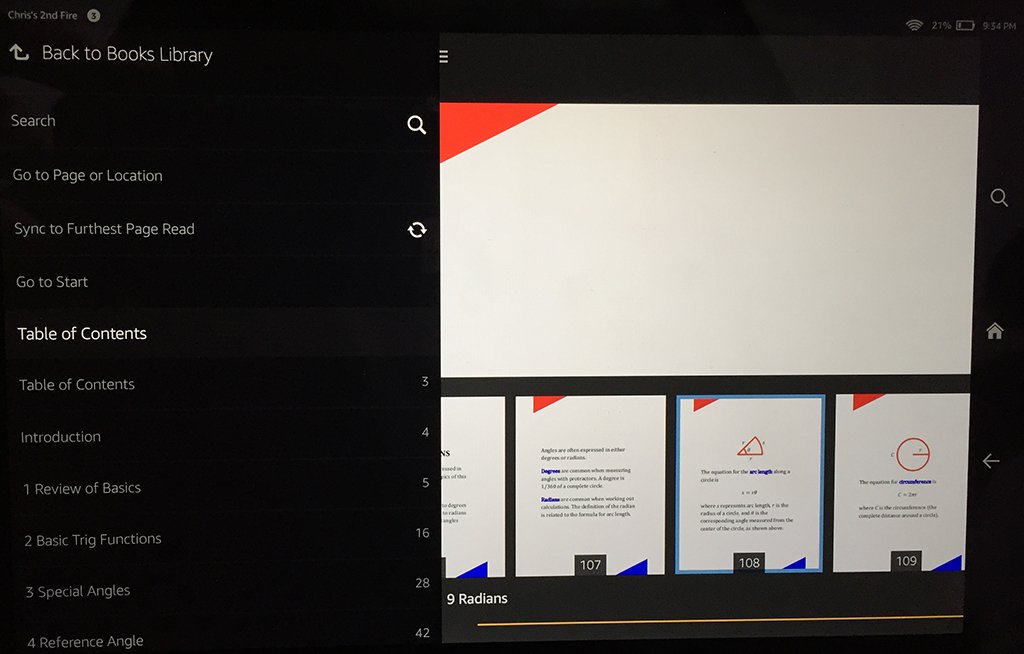
  • Navigation refers to a different sort of table of contents. Not one appearing as a page in your book, but one that shows up on the device itself when the customer accesses the navigation feature. Customers can click on the navigation links to jump to any chapter of the book.

Note that Amazon refers to Table of Contents in the Kindle Textbook Creator when it’s really talking about device navigation.

This causes some confusion. You can’t make a clickable table of contents with the Kindle Textbook Creator. Update: The latest version of the Kindle Textbook Creator now supports hyperlinks (provided that you upload a PDF with fully functional hyperlinks), though this is still different from device navigation.

What you can do is build in navigation for the device. This is what Amazon is referring to when they mention Table of Contents in the Kindle Textbook Creator.

Adding device navigation is easy. Don’t bother trying to do this in your PDF; most likely that won’t translate to the Kindle Textbook Creator anyway.

When your PDF is ready for Kindle publishing, open it up in the Kindle Textbook Creator.

Go to the pages you’d like to bookmark for navigation, such as pages with chapter headers (like Chapter 5), and important front or back matter sections, like the Introduction. On that page, you’ll find a checkbox on the right side of the Kindle Textbook Creator, which says, “Include page in Table of Contents.” Check that box on any page you’d like to work in device navigation. In the space below the box, type the name of the chapter or section (like Chapter 4 or Introduction). Check your spelling carefully; you’d hate to have a typo in the navigation menu.

Remember, this won’t give you a physical table of contents as a page in your book, and this won’t give you a clickable table of contents. (You can still have a physical table of contents page in your e-textbook; that’s up to you. If you want one, you should put it there before you make your PDF. For the e-book, it’s not as helpful as a print book, since there is device navigation. But you can’t make the table of contents page clickable.)

Now there is a peculiarity in the way that the Kindle Textbook Creator numbers pages for the device navigation: The Kindle Textbook Creator numbers every page in order starting with 1. But many print textbooks number the front matter with Roman numerals (while some pages typically aren’t numbered at all), and then call page 1 the first page of Chapter 1. If your print book follows that convention, the page numbers shown on the pages won’t match the page numbers shown in the navigation menu.

You may not like Kindle’s page numbering, but you can’t change that (well, you can send in a suggestion to KDP). You can, however, change your book.

Here are your options:

  • Eliminate the page numbers from your file before uploading your PDF. E-books don’t really need page numbers. Unless your textbook frequently says things like, “See page 42.” Then you either need page numbers, or you need to change it to say something like, “See Chapter 2,” or, “See Sec. 4.2.1.”
  • Renumber your pages to match what the Kindle Textbook Creator does. (You don’t have to number every page. If there is a page number, change the numbering.)
  • Leave it the way it is. Many customers probably won’t even realize that there is a difference. I wouldn’t pick this option unless changing the page numbers would be a major hassle. If you have many instances of page references like, “See page 101,” it could turn into a major hassle. (I now have the habit of writing textbooks where I’m very reluctant to refer to pages by number. I generally prefer to write things like, “as shown in Chapter 8,” as it’s more Kindle-friendly.)

Here is one more thing to consider: Did you insert any pages into, or remove any pages from, your file for the Kindle edition? If so, that will add to the challenge of making actual page numbers match up with the navigation page numbers.

Personally, I prefer to use Roman numerals for front matter, but then call Chapter 1’s first page whatever that number happens to be. For example, if I have 8 pages of front matter, they would be pages i thru viii, and the first page of Chapter 1 would be page 9 (but I don’t put actual numbers on all of those pages; check some traditionally published books to see what some of the common conventions are). Then this matches up with the Kindle Textbook Creator. Many textbooks begin Chapter 1 with page 1, however, and then it’s an issue.

You can check the navigation functionality in the Kindle Textbook Creator’s built-in preview function (but don’t expect to find it in KDP’s preview after you upload your .kpf file).

ADDING SPECIAL NOTES TO CUSTOMERS

You don’t have to, but you can add a note to customers, either in the description, a page in your e-book, or both.

Not all customers know how to use their devices. Not all customers are familiar with print replica format (that’s what the resulting e-textbook created from the Kindle Textbook Creator is called).

I would avoid including a note about the format or features unless there is a specific issue in your e-book that makes this worthwhile.

Let’s say that you have images that look great when the e-textbook is held in landscape mode, but on most devices are hard to make out in portrait mode. Some customers are in the habit of holding the device only one way, and it just doesn’t occur to them to try it a different way. On the page after your first picture where this is significant, you could insert a new page with note suggesting that a better reading experience will result from holding the device in landscape. (For most books, that won’t be the case; this is just an example.) You could even add a picture showing the device held both ways as a visual illustration of this.

Or maybe you’re using the new audio or video features that are only available on limited devices. You might want to clarify both in the description and in the e-book where the first audio or video clip is reminding customers that these features only work on certain devices (to try to prevent frustration).

EXAMPLE ILLUSTRATIONS

Here are some illustrations of how I modified my print file to create a different PDF to use with the Kindle Textbook Creator.

KTC Trig Q4

The image above shows a few differences:

  • I used grayscale for the paperback, but color for the Kindle edition.
  • The page numbering is different with my Kindle version redesign.
  • I removed the page header for the Kindle edition.
  • The image appears slightly larger on the Kindle screen.
  • (Although the text appears slightly larger in the Kindle edition, it’s actually more than it seems in this side-by-side picture.)
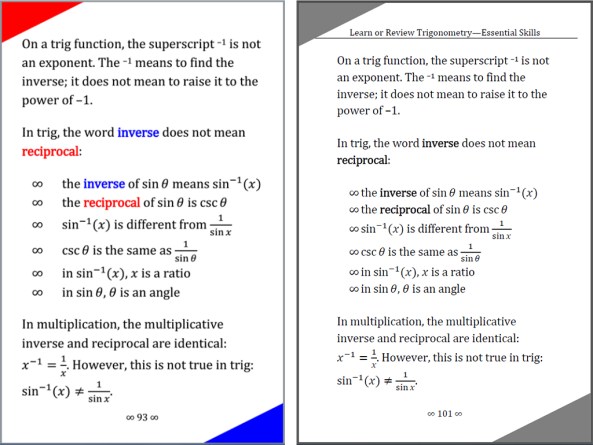
KTC Trig m

In the above image, you can see that the Kindle edition has narrower margins than the paperback. That’s not automatic. I specifically changed my file to have narrower margins on the Kindle edition, where those margins are less relevant, but which waste valuable space.

KTC Trig p

The print edition includes practice exercises at the end of the chapter. You can write in the paperback, so customers may want space here for their solutions. However, you can’t write solutions in an e-book, so I removed this extra space from the Kindle edition, as shown above.

Also, the answer key for the paperback is at the end of the book, which is inconvenient for the Kindle edition, so I put the answers on the page after the problems for the Kindle version. Customers just have to turn the page to find the answers in the e-book. It’s easy to bookmark the answer key for the paperback though, so I tabulated the answers in their own section for the paperback.
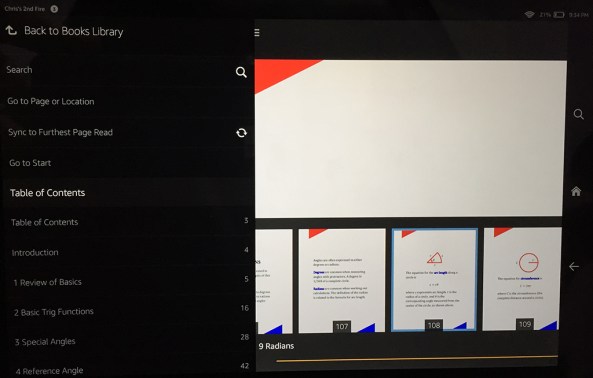
KTC Trig F

You can see what I mean about navigation built into the device in the above illustration. I took this picture with my iPhone’s camera; it shows my Kindle Fire HD 8.9″ with the navigation window open. On the bottom left, you can see the Introduction followed by the chapter names, with corresponding page numbers to the right. Note that these page numbers are automatic, and only match the actual numbers shown on your pages if you go to the trouble to make them match.

Inside Outside Margins

The above picture isn’t a Kindle Textbook Creator e-book. It’s a paperback book showing that some print books have a wider inside margin than outside margin. That might look funny if not changed for the Kindle edition of an e-textbook made using the Kindle Textbook Creator.

Write happy, be happy. 🙂

Chris McMullen

Copyright © 2015

Author of A Detailed Guide to Self-Publishing with Amazon and Other Online Booksellers

  • Volume 1 on formatting and publishing
  • Volume 2 on marketability and marketing
  • 4-in-1 Boxed set includes both volumes and more
  • Kindle Formatting Magic (now available)

Book Marketing Magic: What You Can Learn from Amazon

Image from ShutterStock.

Image from ShutterStock.

BOOK MARKETING MAGIC

It would be hard to find anybody who can sell books better than Amazon.

At first, this seems like a great benefit of self-publishing. Just throw your book on Amazon, and the word’s greatest bookseller will sell your book for you, right?

Too bad it doesn’t work that way. Even though you may have heard others speak of book marketing, you stubbornly cling to the hope that you won’t need to learn it.

You just have to see for yourself to realize that you need to market your book.

And then book marketing seems like magic. Only you can’t find the right magic words. Or if you do, apparently you don’t pronounce them quite right. When you try using smoke, mirrors, and sleight of hand, it just doesn’t work the way it’s supposed to.

But it’s not really magic. You want easy and instant success. That really would be magic. That’s not marketing. That’s too-good-to-be-true luck that will never happen to you.

Book marketing is work. Think and plan long-term, learn effective long-term book marketing strategies, keep writing, and gradually add to your marketing with sights on a professional author platform several months in the future.

You can learn by watching others. And who better to watch than Amazon?

LEARN FROM AMAZON

It’s amazing how much you can learn about book marketing from Amazon.

This is where the fact that Amazon is an exceptional bookseller can help you.

You’re trying to sell books. You want to learn how. Watch the pro.

Obviously, I don’t mean you should create a website, pour millions of dollars into website development and advertising, and sell books yourself.

I mean to study Amazon’s marketing and make connections between how Amazon markets and what you can do to help market your own books.

Some examples follow.

CONTENT ENGAGEMENT

In my opinion, this is Amazon’s #1 marketing asset: content engagement.

The first step is that Amazon has amazing selection, convenience of shopping at home, and good prices.

With all that, plus good customer service, and already the top bookseller, you might think Amazon wouldn’t need to market at all.

Yet, Amazon does market, and markets very well. It shows you that even if you have a great book, you still need to market.

Amazon is exceptional at motivating customer engagement. Here are a few examples:

  • Customers engage with the website as they browse Look Insides and read customer reviews.
  • After the purchase, they are further engaged with customers-also-bought list recommendations.
  • The customer review platform brings customers back to Amazon after the purchase to engage with the site again. A few customers return again to check on voting and comments.
  • Kindle Unlimited motivates customers to return time and again to browse for books. With the habit of shopping at Amazon, some subscribers begin to check Amazon first when they need to buy other products besides books.
  • Amazon Prime similarly engages customers. Although Prime customers can only borrow one book per month, Prime also engages customers with Amazon Prime Video, for example. Prime customers also tend to shop at Amazon first to take advantage of fee two-day shipping.
  • Amazon frequently releases new programs or revises current programs. Each revision or new program is news, so Amazon is often in the media. Many of the programs spark debate among authors or publishers, which creates additional free publicity. The internet is almost always buzzing with the latest developments at Amazon.
  • Customers (and authors) can subscribe to a variety of email newsletters. If those emails engage your interest, well, you’re hooked. You’ll be aware of the next development. You’ll see an advertisement for a new service. But the emails aren’t just advertisements. The KDP newsletter, for example, includes a variety of tips and success stories. Good content is needed to make these work.
  • Promotional prices and exclusive offers bring customers back to Amazon. I’ve received offers such as: free $20 gift card when you buy $100 in gift cards, exclusive offer for $15 appstore credit, and great sale prices on Kindle devices. Amazon offers a one-time discount on something that’s likely to hook customers by engaging them. Selling a Kindle device at a discount may lead to regular reading of Kindle ebooks, and a free appstore credit can hook you on apps—or just get you in the habit of using Amazon from your phone.
  • Customer discussion forums encourage customers to return and engage on the site.
  • The KDP community forum engages many self-published authors. It’s not just readers Amazon is engaging.
  • The sales and royalty reports also engage authors. Once you dive into self-publishing, it’s a challenge to not check on those reports constantly. Kindle Unlimited’s new pages read policy makes the reporting even more engaging, since pages are likely to be read throughout the day. Sales rank is another number that engages authors.
  • Although Amazon has Twitter and Facebook accounts both for customers and for authors, direct social media posts are a minor component of Amazon’s marketing platform. These seem to be there more for the customers who love social media or who want some way to engage with Amazon. Though if you explore Amazon’s Twitter and Facebook accounts, you will see that they post regular content and there is customer engagement there. And although the following is large by a typical author’s standards, compared to how many hits Amazon gets per day, it’s tiny in that regard.
  • Amazon launched a new Amazon Giveaway program, where anyone can run a contest by purchasing a new product and having Amazon ship the product directly to the winner. Contest sponsors (for books, usually these are authors) tweet to announce the giveaway with the #AmazonGiveaway hashtag, and often other Twitter users retweet the contests. This way, authors and Twitter users who love to promote contests do all the promotional work, while the hashtag attracts contest lovers through Amazon’s name. It’s a clever and effective use of Twitter hashtags.

HOW DOES THIS HELP YOU?

For one, you too can thrive on content engagement. Obviously, not in quite the same way.

To start with, you should have more than just one kind of content:

  • Your books are content, of course. That’s your main content.
  • Additional content can come in the form of a content-rich website, for example.

Creating a content-rich website is relatively easy, and you can find relevant nonfiction content even if your book is fiction.

Start out with a simple free blog and make regular (don’t have to be too long or too frequent) posts that have content relevant for your target audience. Blogging can start out very slow, but after months things can really accelerate. If you succeed in generating search engine traffic, you can pull in 100+ visitors per day from your target audience who didn’t already know about your book. My website began as a simple, free WordPress blog, and after a couple of years of growing, it nets hundreds of visitors per day.

Content is king. That is, what really matters most is quality content that your target audience will appreciate. That’s true about your books and also about your website, and any other kind of marketing content that you create. Some people can fool search engines with SEO tricks in the short run, but content rules in the long run.

Once you have the content, you want content engagement. You want your target audience to interact with your content.

Engaging your target audience brings multiple benefits:

  • If your readers regularly interact with you, they will be aware of your future releases. But you need engaging content to attract them and hold their interest.
  • Lively interaction looks good to newcomers, and helps invite their participation, so that your engaging content reaches beyond your existing fan base.
  • Branding, a huge part of marketing, requires repetition. Content engagement gives you that repetition, helping your brand your name and image as author.
  • Your audience gets a chance to see your personality. That personal touch can help drive sales, and is more likely to inspire reviews.

Here are some examples of how, like Amazon, you can engage your customers with content:

  • It’s kind of funny, but creating new content also helps with content engagement. Each time you release a new book (or even a story), it gives you another chance to engage your audience with it (and grow your audience, too). It’s another chance to create anticipation, do a cover reveal, and invite feedback. You also get new exposure in Amazon’s new release categories each time you release a new book (or a different edition of the same book).
  • Blogging provides a regular supply of new content to help engage your audience. Amazon is constantly engaging customers with new products or new programs. Your blog helps you regularly (even once a week is regular) provide opportunities to get discovered by new potential readers and to interact further with current fans. If the content is rich, you have good long-term potential for search engine discovery.
  • Another way to engage your audience is to request feedback. Amazon seeks feedback from customers via reviews. Authors can ask for feedback on cover reveals, blurb reveals, ideas for future stories, etc. In addition to engaging your audience, this can help create buzz for new releases or works-in-progress.
  • You can create an email newsletter, following Amazon’s example. Amazon includes valuable content, like tips, stories, or promotional discounts, in its email newsletter to make it worthwhile to join the newsletter and to check it out. That’s what you need: an incentive for fans to subscribe and to keep checking it out once a month or so.
  • Amazon provides good customer service, with a good return policy. Authors can also supply good personal service. Content engagement lets you provide that personal touch, and show your personality and character. Personal interactions, online and in person, improve an author’s chances for sales and reviews.
  • Much like Amazon, authors can offer short-term promotional prices. But, unlike Amazon, which already has a large following, authors must either externally advertise their promotional prices, or must grow a large subscriber base (such as through an email newsletter or an engaged online following). One thing Amazon likes to do is offer a discount on a product that’s highly likely to lead to additional sales. Series authors, for example, can discount the first in a series, hoping that readers will want to read the rest of the series.
  • Amazon is often creating buzz. Some new program or revised program has Amazon in the news much of the time. What are you doing that’s new? What are you doing that’s newsworthy? If you get yourself some media coverage, you also get to mention your book in the news. Good old-fashioned media coverage can offer nice exposure. Start small and local, where you’re more likely to have opportunities, and work your way outward as you gain experience.
  • You can hold contests. You can run an Amazon Giveaway for a print book, or a Goodreads Giveaway, or hold some other kind of contest.
  • Follow Amazon, Amazon KDP, and CreateSpace at Facebook and Twitter. You’ll get good ideas for ways to use these tools to engage your audience. Study how often they post, whether to include images, how they use images, what size images they use, etc.

OTHER MARKETING YOU CAN LEARN

There is more you can learn from Amazon about book marketing. Here are a few more examples:

  • When you shop at Amazon, what you see are pages of cover thumbnails. Amazon strives to create visual interest. It’s a strong part of marketing. Your own cover thumbnail can help you with this. But so can the images that you use for blog or Facebook posts, for example.
  • If you read a long book description at Amazon, you’ll note that it often gets cut off. Customers must click a Read More link to read the rest. What Amazon is telling you is that customers have a short attention span, and won’t read too much just to decide which book to read. The Read More flag is saying, “Make sure your most important information comes before this part of your description.” (Otherwise, most people won’t see it.)
  • By organizing the bestsellers in subcategories, Amazon is the perfect repository for you to research how to write and sell a book in the genre or category of your choice. Study the covers, titles, blurbs, Look Insides, biographies, author photos, and product pages. Find those authors online and see what their author pages look like and learn their marketing strategies.

The next time you find yourself interested in a new product at Amazon, stop and think about how you got interested in that product. Is there a lesson that you can learn here? There probably is.

Write happy, be happy. 🙂

Chris McMullen

Copyright © 2015

Chris McMullen, Author of A Detailed Guide to Self-Publishing with Amazon and Other Online Booksellers

  • Volume 1 on formatting and publishing
  • Volume 2 on marketability and marketing
  • 4-in-1 Boxed set includes both volumes and more
  • Kindle Formatting Magic (coming soon)

Follow me at WordPress, find my author page on Facebook, or connect with me through Twitter.

Comments

Click here to jump to the comments section.