A Kindle Facelift

Facelift

FACELIFT

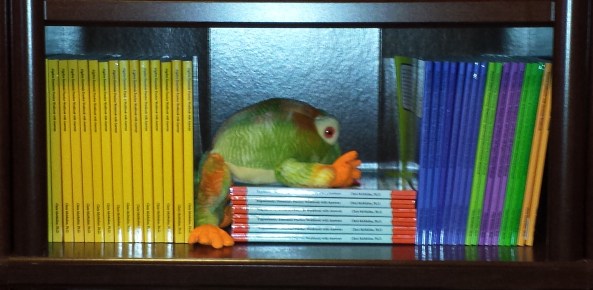
I just finished updating my Kindle e-books on self-publishing. (The last one, Formatting Pages, won’t be live for at least 12 hours.)

Having spent much of the year testing out various ways to format Kindle e-books and researching subtleties of the craft (especially, tweaking the HTML), I was finally able to apply these goodies—some of them subtle—to my books. (I haven’t updated my science e-books yet, but they’re on my to-do list.)

Here are some of the changes that I’ve made:

  • Restyling the entire e-book for consistency across all devices (especially, that all-important Look Inside).
  • Updating the endnotes and bullets of my Detailed Guide (Vol. 1); it had been on my to-do list for far too long. (I put in a request for KDP to enable auto-updates for Vol. 1, but so far I haven’t heard back.)
  • Manually cleaning up the HTML. Actually, this turned out to be amazingly simple, using the Replace tool. (There are automatic cleaners out there, but I prefer to know exactly what’s going on. There are also some things you don’t want to clean.)
  • Setting the paragraph indents in em’s instead of inches so that it looks good on any device with any font size (this had already been done on most of my books). Also, certain values don’t translate well to older devices.
  • Defining font size as a percentage instead of a value in inches.
  • Using special HTML characters that wouldn’t work in Word (like spades, hearts, diamonds, and clubs).
  • Padding certain images so that they don’t enlarge on older devices. This also controls the percentage for which smaller images fill the screen consistently across all devices. A glyph or small logo, for example, shouldn’t blow up to fill the screen of an older Kindle.
  • Applying 100% width for larger images to make them fill the screen.
  • Changing some images from jpeg to gif. Resizing a few images.
  • Removing contradictions where a “style” or “span” statement overrides the class definition. (This can be avoided with proper styling in Word. The big problem is highlighting paragraphs and formatting that highlighted selection, instead of using styles to do all formatting). This is important for perfecting the subtle touches for the Look Inside.
  • Content-wise, I also made some minor changes to my Detailed Guide.

Of course, I have a step-by-step guide coming out that explains exactly how to do this, like a cookbook, so there is no guesswork. It will be available for pre-order soon.

I sell over 10 times as many paperbacks each month as Kindle e-books, which is one reason my attention has been diverted toward paperback editions for quite some time. This year, I resolved to turn the tables somewhat. Eventually, I intend for my Kindle sales to better compete with my paperback sales (ideally, without the print sales sliding to do it).

BOXED SET

I’ve been waiting to release my self-publishing boxed set until each Kindle edition had been updated.

It turns out that the easy way to create the Kindle edition of the boxed set was to first apply consistent styling to each of the e-books.

My boxed set is finally ready to hit the market. It will be available for pre-order shortly. A paperback will follow, hopefully later this month. It will be a mammoth paperback, instead of a boxed set of individual volumes (which I realize would be convenient; something to consider in the future).

DYNAMIC

Today’s publishing world is dynamic. I don’t think a book is ever finished. Especially, nonfiction, as the content itself must be updated periodically. In addition, formatting capabilities change as technology evolves. Then everyone, from top to bottom, learns new things or develops a different sense of style. Customers develop a different sense of style and develop new expectations, which also entails a response.

Do your best to perfect your book the first time. But what seemed perfect two years ago may cause you to smack your forehead now. Fortunately, your book isn’t chiseled in stone. Update it!

When sales aren’t so hot, another thing to consider updating is your blurb. A change freshens your product page, lets customer see your book with a new look, and helps you progress toward the ideal blurb that we strive for.

FREE HELP

Of course, I provide a wealth of free articles about self-publishing here on my blog. That’s the purpose of my blog: to help.

Chris McMullen

Copyright © 2014 Chris McMullen, Author of A Detailed Guide to Self-Publishing with Amazon and Other Online Booksellers

  • Volume 1 on formatting and publishing
  • Volume 2 on marketability and marketing

Follow me at WordPress, find my author page on Facebook, or connect with me through Twitter.

Comments

Click here to jump to the comments section:

https://chrismcmullen.wordpress.com/2014/10/04/a-kindle-facelift/#comments

Authors’ Best Friend Is… Ape!

The Story Reading Ape

If man’s best friend is… dog,

Then authors’ best friend is… ape.

The Story Reading Ape, that is.

Chris, the Story Reading Ape, is an avid supporter of authors:

  • Frequently supporting authors with guest blogs and promotions.
  • Housing helpful resources for authors on his blog.
  • Posting words of wisdom for authors.
  • Supporting authors with reblogs.

The Story Reading Ape’s blog is very author-centric (and therefore quite reader-centric).

Check out the resources on the Story Reading Ape’s blog:

http://thestoryreadingapeblog.com

Once there, click Authors Resources Central. Check out:

  • Author Promotion
  • Guest Author
  • Information about CreateSpace, Kindle, and Smashwords
  • Proofreaders
  • Professional Editors
  • and more

Chris, the Story Reading Ape, had no idea that I was writing this post. He is just so generous in his support of authors, I thought we should do something nice in return. 🙂

Don’t get the two Chris’s mixed up. I’m Chris McMullen, not to be confused with Chris, the Story Reading Ape.

Copyright © 2014 Chris McMullen, Author of A Detailed Guide to Self-Publishing with Amazon and Other Online Booksellers

To Pre-Order, or not to Pre-Order

Pre Order

KINDLE PRE-ORDERS

Finally, Kindle has a pre-order option.

But should you use it?

That’s a good question!

SCHEDULING PRE-ORDERS

Making a Kindle e-book available for pre-order is easy:

  • Find this option in Step 4 when you publish with KDP. This is now called the Select Your Book Release Option.
  • Choose, “Make my book available for pre-order.”
  • Select a date. You can schedule your pre-order up to 90 days in advance of the release date.
  • You must upload a draft of your completed book at the time that you schedule your pre-order.
  • In Step 6, declare whether this is your draft or your final version.
  • Enter the description, choose your categories and keywords, upload a cover and the draft of your book, choose a price, and go through all of the usual steps to publish a book with KDP.
  • Click the “Submit for pre-order” button on page 2 of the publishing process.

IMPORTANT NOTES

The deadline for uploading and submitting the final version of your book is 10 days before the release date.

  • Upload the final version of your book at least 10 days before the release date. KDP will give you the precise date.
  • Check the option in Step 6 to indicate that this is your final version. Go onto page 2 and press the button to submit your pre-order.
  • Since this is your ‘final’ version, you shouldn’t expect to be able to make any further changes until your book goes live.
  • If you fail to upload your final version by the deadline, (1) your pre-order will be cancelled, (2) Amazon will notify customers that you didn’t publish your book, and (3) you will lose your pre-order privileges for one year.

You must be releasing a new book in order to take advantage of the pre-order option. Public domain books aren’t eligible.

PRE-ORDER BENEFITS

Here are ways that books can potentially benefit from pre-orders:

  • Scheduling a pre-order gives you a product page with your cover and description (but no Look Inside) for up to 90 days prior to the release date. This gives you something to link to when you proceed to build buzz for your book’s coming release.
  • You can preview how your description looks on the actual product page prior to the book’s release. Visit Author Central to update your description.
  • Your pre-order will show in Amazon search results. This helps customers discover your pre-order, and can help you build search visibility prior to your book’s launch.
  • Your book will show up in the Coming Soon filter (which appears beside the Last 30 Days and Last 90 Days filters). This gives your book a little extra exposure.
  • If you have other books, customers who discover your pre-order may also become interested in those books.
  • If you have an existing fan base, your following may give your book some initial support through pre-order sales.
  • If you succeed in generating many pre-order sales, your book can develop a strong sales rank to help give it some early momentum.
  • The more pre-order sales you make, the more customers who will read your book shortly after its release, which helps you get early reviews from actual customers. (Note that customer reviews can’t be posted until the book goes live.)
  • Highly successful pre-orders can gain additional exposure as Hot New Releases.

More than anything else, a pre-order provides you with a tool that you can use to help create buzz for your upcoming book. But much like sales, it takes effective marketing skills to reap the benefits.

PRE-ORDER DRAWBACKS

Not everything is golden in the pre-order world:

  • Sales rank is a double-edged sword. If you don’t succeed in generating many pre-order sales, a history of slow sales may hurt your book’s visibility.
  • If you upload a draft, what happens if some unexpected event comes up and prevents you from perfecting your book before the deadline (10 days before the release date)? That would be a disaster.
  • Deadlines can be quite stressful. Are you prepared for this?
  • There is a worst-case scenario. You may have read about an author on the KDP community forum whose draft evidently went live instead of the final version of the book. That would be a nightmare.

There is a simple solution to the last three points:

  • Don’t schedule your pre-order until you already have a ‘final’ version of your book.
  • This removes all the worry from pre-orders.

SHOULD YOU PRE-ORDER?

Whether or not you should schedule a pre-order for your Kindle book depends:

  • Do you have a large fan base? If so, these fans may help you with pre-order sales.
  • Do you have amazing promotional plans for creating buzz for your book? If so, this may also help with pre-order sales.
  • Is your book already finished? If not, I suggest perfecting your book before you schedule your pre-order.
  • Are you a new author? If you don’t have reason to expect pre-order support, it may be best not to do this. A history of slow or no sales can hurt sales rank.
  • Are you mostly relying on Amazon to sell the pre-order for you? If that doesn’t happen (there is much competition, and pre-orders don’t have a Look Inside), sales rank may count against you.

HOW LONG SHOULD YOUR PRE-ORDER BE?

You can schedule your pre-order up to 90 days in advance of the release date.

But that doesn’t mean you should.

  • The longer the pre-order duration, the more pre-order sales you must drive to build and maintain a strong sales rank.
  • You need a really large fan base or very powerful promotion in order to really benefit from a long pre-order duration.
  • If you schedule a pre-order for one month and just have a few sales, it won’t give you a very good sales rank.
  • If you schedule a pre-order for 10 days and generate many sales during this period, it will give you a healthy sales rank starting out.

Personally, I feel that some authors are going about this the wrong way:

  • I see some authors making the pre-order duration 30 to 90 days for the wrong reason: to give themselves more time to perfect their books.
  • Yes, they should take all the time they need to perfect their books. But they should do this before scheduling the pre-order.
  • More sales in less time gives you a better sales rank.
  • Now if you can really drive strong pre-order sales (large fan base or killer promotion), a high frequency of early pre-orders may help you drive more pre-orders and maintain this for a longer duration.

Gee, you could come up with a temporary, introductory low price and advertise the daylights out of this. If you have effective marketing skills, you can run a successful pre-order promotion.

PAPERBACK PRE-ORDERS

If you publish a print-on-demand paperback with CreateSpace, for example, you can schedule pre-orders through Amazon Advantage.

Visit the CreateSpace community forum. There is a very helpful, detailed post on how to do this by forum member Desire Success.

Chris McMullen

Copyright © 2014 Chris McMullen, Author of A Detailed Guide to Self-Publishing with Amazon and Other Online Booksellers

  • Volume 1 on formatting and publishing
  • Volume 2 on marketability and marketing

Follow me at WordPress, find my author page on Facebook, or connect with me through Twitter.

Comments

Click here to jump to the comments section:

https://chrismcmullen.wordpress.com/2014/09/22/to-pre-order-or-not-to-pre-order/#comments

Self-Publishing Expenses Gone Wild!

Editing Cloud

SELF-PUBLISHING EXPENSES

One of the major benefits of self-publishing is that you can do it (virtually) for FREE.

And, if you set a reasonable list price, the royalty rates are very high.

So with high royalties and minimal costs, if you can stimulate any sales at all, you should easily make something.

There is very little risk.

However, the number of authors who are investing big $$$ in self-publishing and who are losing big $$$ because their self-publishing expenses greatly outweigh their profits is staggering.

HOW MUCH DOES SELF-PUBLISHING COST?

It can cost next to nothing:

  • Zero set-up fees at print-on-demand indie publishing companies like CreateSpace.
  • Zero set-up fees at most major e-book publishing services like Kindle Direct Publishing, Nook, and Kobo.
  • Minimal cost to order one or more printed proofs for paperback books.

If it costs you next to nothing, you don’t have to sell many books to start making a profit.

But many authors aren’t spending next to nothing. Many are actually spending big money self-publishing their books.

  • Some are spending hundreds, like $200 to $500. This isn’t too bad, but it will take hundreds of sales just to break even. It’s a risk.
  • I’m amazed by how many spend $1000 to $5000. If they don’t sell thousands of books, it will be a bad investment. If they never sell 100 books, it will be a great loss. It’s a huge risk.
  • Can you believe that some indie authors spend more than $5000, sometimes over $10,000, publishing a single book? That boggles my mind.

INDIE PUBLISHING COSTS

One problem is that there are so many ways to invest money on self-published books.

Many authors are acquiring major expenses:

  • Cover design can cost $100 to $1000 (or more) for a custom cover. You can get one for $50 or less that’s pre-made. Or you can pay $5 and up for images and make your own cover. Or you can find free images that allow commercial use (but if you do, you really want 300 DPI, especially for a print book).
  • Professional illustrations inside the book cost additional money on top of the cover (though sometimes you can negotiate interior illustrations at a discount when purchased with the cover).
  • Editing can cost anywhere from $100 to $2000 (or more), depending on (A) the qualifications and experience of the editor, and (B) the type of editing services that you need. Simple proofreading is the least expensive option. You can even hire this from CreateSpace. If you need help with storyline suggestions, the writing itself, or formatting on top of editing, costs can grow significantly.
  • Book formatting is another major expense that one can invest in. It can be expensive. But you can also do it for free. Especially, if you plan to publish several books, you can save big $$$ by taking the time to learn and do this yourself.
  • Authors also invest in e-book conversion services. Learning to format your own books can save you money twice: once with the print edition, and again with the e-book.
  • You can also publish an audio book with the Audiobook Creation Exchange (ACX). If you write in a genre that appeals to truck drivers, for example, this can be a compelling option.
  • If you would like to have your book translated to Spanish, French, or Chinese, for example, you can pay good $$$ for translation services. Make sure the language is supported at Amazon before you spend the money! Definitely, do not rely on Google Translate to do this for you (it will be far from satisfactory to translate a book this way).
  • A variety of fees can come with designing a website (though you can get a free website at WordPress and design it yourself). You can register a domain name, pay money to avoid advertisements, upgrade for custom features, pay for web hosting, hire a web designer, or pay for a host of enticing services that many website builders offer.
  • Although much of the most effective marketing can be done by the author for free, there are many marketing expenses that one can acquire: advertising fees, press release distribution, video trailer design, bookmarks, promotional items, contest expenses, bookstore signing fees, etc. If you want to really spend big $$$ on marketing, hire a famous publicist.
  • If you publish with an imprint of your own choosing that isn’t simply your last name, you may need to register a DBA (doing business as) or starting an LLC. You can spend big money if you wish to trademark the name. (Legal Zoom can help with many legal issues, such as filing DBA’s or trademark applications.)
  • Authors can really break the bank publishing with vanity presses. You can publish for free with many self-publishing services, like CreateSpace, Kindle Direct Publishing, Nook Press, Kobo Writing Life, and Smashwords. Traditional publishers, if they accept your proposal, won’t charge you any fees (though maybe it would be worthwhile for you to hire a contract attorney once you receive a legitimate offer). Vanity presses, on the other hand, involve hefty start-up fees.

Even the little expenses can add up. The lower the cost, the easier it is spend the money, but after you pay for several of these, it can get expensive:

  • Paying for printed proofs plus shipping/handling. One proof can cost as little as about $7 if it’s short, black and white, and shipped in the United States. If it’s in color or several pages, the cost goes up, and for international authors, shipping can be quite expensive (Ingram Spark may be an attractive alternative for UK authors).
  • Some publishing services, like Ingram Spark or Lightning Source, charge setup fees.
  • Sometimes setup fees grow if you opt for additional features, like enabling additional sales channels (CreateSpace, though, now offers free Expanded Distribution).
  • It costs $35 (in the US) to register for a copyright. It’s not necessary: Your copyright starts as soon as your work exists in print, whether or not you register. But copyright registration entices many authors, as it’s one extra step toward protecting your rights, and it makes it easier to convince Amazon, for example, that you are indeed the copyright holder, should the question arise.
  • You can spend $9.99 to $575 buying ISBN‘s from Bowker (in the US), for example. (You can also get a free ISBN from CreateSpace, or a free ISBN for your e-book at Smashwords. Don’t use your CreateSpace ISBN for your e-book, and you shouldn’t use your Smashwords ISBN for Kindle, for example. You don’t need an ISBN for Kindle, though, as you’ll receive a free ASIN.) Some of these options are tempting. $9.99 at CreateSpace lets you use your own imprint. Buying in bulk with Bowker lowers your cost if you prefer the benefits of buying your own ISBN directly (or if you’re not publishing at CreateSpace). It can get really expensive if you publish several books, since each edition of your book needs a different ISBN. Then if you make major changes, you’re supposed to create a new edition with a new ISBN (perhaps not necessary with the free CreateSpace ISBN or free Kindle ASIN).
  • How about a Library of Congress Control Number (LCCN)? You can get one from CreateSpace for $25 (but be sure to do this before your proof is approved), for example. Of course, it’s hard for self-published authors to get into libraries…
  • Stocking up for a reading or signing, or to sell in person, requires purchasing several author copies in advance.

HOW MUCH SHOULD YOU INVEST?

If you invest in absolutely everything that you can invest in when self-publishing a book, you could easily spend tens of thousands of dollars. Very few books of any kind will recover such deep expenses.

Is this an expense that really makes sense? That’s a question you should ask yourself every step of the way.

You should try to lay off most of the expenses that I listed above, if at all possible.

Treat it like shopping at the grocery store on a limited budget:

  • Figure your total expense before spending any money.
  • Cross non-essential items off your list.
  • Find cheaper alternatives. (With grocery shopping, you might go with a non-branded alternative. Do the same with your publishing expenses.)
  • Set a reasonable budget. Stay within your budget no matter what.
  • Calculate how many books you must sell just to break even. If there aren’t reasonable prospects for this (do your research!), cross things off your shopping list.
  • If it’s not on your list, don’t buy it.
  • See the money-saving tips that follow. (It’s like shopping for groceries with coupons.)

Here are some money-saving tips:

  • Do all the formatting yourself. There is an abundance of free material (even on my blog) to help with this. When you need help, visit the CreateSpace or KDP community forum and politely ask a specific question. It’s amazing how often a formatting expert replies with a helpful response. Anything that you can do for free, and do reasonably well, will save you big money. Formatting will save you two ways with print and e-book editions. Extra effort spent on your first book will save you much more money in the long run when you publish several more books.
  • Do you really need a LCCN? Indie books are highly unlikely to wind up on library shelves unless you actively market for this channel and have great ideas for how to do this effectively. Throwing money out there and hoping is not a marketing strategy.
  • Market your books yourself for free. Throwing money at advertising isn’t a band-aid for marketing ignorance. The truth is, when it comes to book marketing (which doesn’t work the same as commercial advertising of brands seen on t.v., although branding is important), free and very low cost marketing done by the author tends to be far more effective than paid marketing services.
  • Many people and businesses are eager to accept your money. They definitely profit when you pay them. The more money you invest to self-publish your book, the more likely you’ll wind up in a deficit. They know your hopes and dreams (big sales, good reviews), and they know your fears (no sales, bad reviews, newbie mistakes), and they will use this effectively to sell you things that you don’t really need. Be wary.
  • Keep your expenses to a bare minimum until you have several books out. Don’t break the bank on your first book. (Yes, you want to make a great impression, but settle for making the best impression you can on a low budget. Yes, you can do this.) The more similar books you have out, the more effective marketing tends to be. Plus, if your first few books are getting some steady sales, this will boost your confidence that you can sell books (and it will give you a realistic guide for how much of your expense you can recover).
  • Most expenses can wait until you start making a profit (but not editing, as that will get you some bad reviews). Don’t bother with an audio book or translation, for example, until you’ve earned enough royalties to pay for these services without taking a net loss.
  • Start out with a free WordPress website. Don’t upgrade or pay for any fees until you’re making a profit from your book royalties, though you can grab your domain name in the initial stages, if it’s available.
  • Keep your business expenses to a minimum. In the beginning, you have no idea how many sales you will have. You can register for a DBA if you plan to publish many books, but LLC, trademark , or other expenses can wait until you see how sales are going (though if you want legal advice, you should consult with an attorney).
  • If you know people with great language skills, you may be able to recruit them to help with proofreading (perhaps for a reasonable fee). Especially, if they enjoy your writing, it can be a win-win situation. But don’t be a lazy writer (worrying about mistakes later: the fewer mistakes there are, the easier it will be to eliminate all but a few) and don’t rely on others to catch your mistakes (they are your responsibility). Use text-to-speech to listen to your book: It will help you catch mistakes that you don’t “see.”

WHAT SERVICES DO YOU NEED?

There are only two big expenses that I would recommend considering when you’re just starting out. Most other expenses can wait until you see how things are going.

Don’t dig yourself into a hole. Wait until you’re making a profit, then consider investing some of your profits. This way, you won’t suffer a loss.

These two services can make a huge difference in some cases, and therefore they are well worth considering:

  1. Cover design. It’s critical for marketing to have a cover that (A) appeals to your readers and (B) clearly signifies the precise genre or subject. If you can achieve these two goals yourself, that’s great. If you’re a nonfiction author, making the title clear (and relevant) in the thumbnail is more important than the picture, and thus it’s easier for nonfiction authors to design fairly effective covers by themselves. Most fiction authors who don’t have graphic design skills really need to spend $100 to $300 on a highly effective cover. But if the book is lousy, a great cover won’t sell it. If you have a great novel and don’t excel at graphic arts, then I do recommend finding an artist who can deliver a fantastic cover at a reasonable price.
  2. Editing. Most authors need to pay $50 to $200 for basic proofreading (and they need to do the research to find a proofreader who can do this job quite well). Those mistakes can deter your sales. The last thing you want is a review to complain about mistakes and to have a Look Inside that confirms what the review says. There are writers with excellent language skills, but even they often miss mistakes in their own writing because they read what they intended instead of what’s actually there. Text-to-speech can help to some degree. Use Word’s spellcheck to catch obvious mistakes, but don’t rely on it (there are many mistakes that it will miss). You definitely need additional pairs of eyes that can reliably help you out. Editors might convince you that it’s worth spending $500 to $2000, especially if you need storyline help, better character development, or serious writing help. But it’s a tough call. That’s a huge investment, and many books won’t make that $500 back. When you’re starting out, you really need to save where you can and invest wisely.

WISE INVESTMENTS

You may have heard that it takes money to make money, but what you might not have heard is that many authors are spending more money than they will ever earn from their royalties. By the way, this includes traditional authors, too.

Be smart with your money. Any investment is a risk. Wait until you’re making a profit, then investing some of the profits allows you to experiment with services without suffering a loss.

Be patient. Think long-term. Wait until you have several books out and history of sales to judge by before investing good money to self-publish a new book.

Do your research before investing money on a service. Check out the designer’s portfolio. Contact authors who’ve used their services and discuss their experience. Ask for a free sample (e.g. edit one chapter of your book), and consult help judging the quality. Do a cover reveal at various stages of the design. Seek brutal feedback on your writing and cover in the early stages. Ask questions before purchasing the service. Study your contract.

Remember that throwing money out there and hoping is not a marketing strategy.

Chris McMullen

Copyright © 2014 Chris McMullen, Author of A Detailed Guide to Self-Publishing with Amazon and Other Online Booksellers

  • Volume 1 on formatting and publishing
  • Volume 2 on marketability and marketing

Follow me at WordPress, find my author page on Facebook, or connect with me through Twitter.

Comments

Click here to jump to the comments section:

https://chrismcmullen.wordpress.com/2014/09/13/self-publishing-expenses-gone-wild/#comments

Is a Book Worth More than a Greeting Card?

Greeting Card

I was shopping for greeting cards at Hallmark a couple of days ago.

It really got me thinking about book prices.

At first, I was thinking, “$3.99 for a greeting card? I have a book that I spent months on selling for $2.99.”

But then I realized that I had paid $3.99 for greeting cards long before I published my first book.

It’s not that greeting prices have gone up so much.

It’s more that book prices have come down so much.

A greeting card is basically a book cover.

So surely if we squeeze a hundred or more pages into that space, it should be worth more… Right?

99-cent books. Think about it. Are these books not even worth as much as a greeting card?

At least, old-fashioned printed greeting cards.

There are many free e-greeting cards.

When print-on-demand greeting cards become popular, I guess those prices will drastically drop, too. At least, if indie p-o-d greeting cards ever become as popular as Kindle e-books.

A more popular comparison is between an e-book and a cup of coffee.

But greeting cards left a stronger impression with me. It’s basically a book cover!

I know, book covers are worth a lot of money. Great book covers often cost $200 to $1000 to make. Even so, those books still often sell for 99 cents to $3.99, much like greeting card prices.

It’s almost like writing a hundred thousand words is worth nothing at all.

(Now just wait until some ‘author’ publishes a fifty-word ‘book’ on Kindle and markets it as a ‘greeting card’ that you can ‘gift’ to friends and family. I hope I didn’t just give anyone a ‘bright’ idea…)

Chris McMullen

Copyright © 2014 Chris McMullen, Author of A Detailed Guide to Self-Publishing with Amazon and Other Online Booksellers

  • Volume 1 on formatting and publishing
  • Volume 2 on marketability and marketing

Follow me at WordPress, find my author page on Facebook, or connect with me through Twitter.

Comments

Click here to jump to the comments section:

https://chrismcmullen.wordpress.com/2014/09/07/is-a-book-worth-more-than-a-greeting-card/#comments

How to Use the New Kindle Kids’ Book Creator (Tutorial)

Kids 1

KINDLE KIDS’ BOOK CREATOR

KDP Kids features a new FREE, easy-to-use tool for designing illustrated children’s books. It’s called the Kindle Kids’ Book Creator.

Will this tool work well for your book?

  • If all (or most) of your book consist of illustrations, and some (or all) of the pages also have text, this tool provides an EASY way to create pop-up text for Kindle devices (and apps).
  • If your book reads more like a novel or chapter book where many pages have just text, I recommend creating a reflowable e-book instead.

First, I will tell you a little bit about the tool, and then I will show you how to use it. It really is easy!

BETTER FORMATTING

Kindle Kids’ Book Creator solves a major hurdle in creating Kindle e-books:

  • Pop-up text makes it much easier to read illustrated children’s books on small devices, such as cell phones.
  • As I’ll show you, it’s really EASY to use. And it’s FREE.
  • It respects the concept of a page, which is so important for children’s books, while still making the text readable on small devices.
  • It’s designed to work on Kindle Fire tablets, iPads, cell phones, and Android Kindle apps. You see the pattern here? These devices all support color. (Although Paperwhite comes up as an option in the previewer, I checked on a book published this way and it wasn’t available on the Paperwhite.)

Better and easier formatting will attract more children’s authors to create illustrated Kindle e-books.

Better-formatted children’s Kindle e-books will attract more parents and educators to the Kindle children’s market.

This may also increase parent participation in Kindle Unlimited. For $9.99, you can read unlimited Kindle e-books from 600,000 participating titles, which is a great value for bedtime stories, chapter books, early readers, and homework resources.

You might as well enjoy the benefits of KDP Select, since the output format only works with Kindle anyway.

KDP KIDS

Kindle Direct Publishing (KDP) has a new page just for kids, called KDP Kids: https://kdp.amazon.com/kids.

Visit the KDP Kids page to download the new Kindle Kids’ Book Creator tool. Click the Get Started button.

  • It’s available for both Windows and Mac.
  • For the PC, you need Windows Vista, 7 or later.
  • For Mac, you need OS X 10.5 or later.
  • Click the Learn More link for additional options (and to read the FAQ’s).

If you have any problems with functionality, first I would try using a different web browser (e.g. Mozilla FireFox instead of Internet Explorer). If switching browsers doesn’t resolve your functionality issue, visit the KDP help pages and look for the Contact Us button to explain your problem to KDP support.

I downloaded the tool without any problems. Everything was virtually automatic. I just had to check boxes for what to install (I selected everything) and agree to the terms of use.

It added itself to my start menu and also appears on my desktop. However, as a general rule, it’s wise to write down the location where you save it on your computer so that you can always find it, just in case.

GETTING STARTED

Before you open the Kindle Kids’ Book Creator, you’ll want to get your materials together.

You have a couple of options:

  • You can upload a PDF of your illustrated children’s book.
  • You can upload image files in JPG, TIF, PNG, or PPM format.
  • The images can include text, or you can add text later.

A partial PDF is okay, too: That is, once you upload a PDF, you still have the option to add additional pages as images later.

When you upload a PDF, the Kindle Kids’ Book Creator automatically converts every ‘page’ to an image.

Every ‘page’ should appear exactly how you want it to appear on the screen (but you can leave the text out now, if you wish, and add the text later).

If you already have a PDF of your illustrated children’s book for a print edition, that’s perfect.

If not, you need to first create the ‘pages’ for your book:

  • You can open a graphics program (find one that’s better quality than Paint) and create each page there (with or without the text—you can add text later, if you wish).
  • You can scan images onto your computer, but, if so, you’ll want high-quality scans that will look good on any device. If the scans don’t include text, that’s okay, as you’ll be able to add text later.
  • You can open Microsoft Word and put each image on a page (without text is okay, as you can add it later), and then you can save your Word file as a PDF. Making a PDF is unnecessary, though, as you can simply leave all of your images separate, and just upload your image files.

ADDING YOUR IMAGES

Here is how to add your images (or how to add a PDF):

  1. Open the Kindle Kids’ Book Creator.
  2. Click the button to create a new book.
  3. Read the directions, then press Continue.
  4. Enter the title for your book.
  5. Enter the author name(s).
  6. If you have a publisher name to use, enter it here.
  7. Select a language from the list. Note that not all languages are supported. Presently, it’s English, Spanish, German, French, Italian, Chinese, Russian, and Portuguese. (Someone should contact KDP and let them know that they misspelled Portuguese. Oops!)
  8. Click browse and find a location where you want to save your book. You’ll actually have to create an empty folder for your book. Right-click in the pop-up window and choose New > Folder, then right-click the folder to name it, and then select this folder. Press Select Folder.
  9. Choose landscape or portrait. The bottom options only apply if you choose landscape (they disappear if you pick portrait). If you’re using landscape, choose the options you want.
  10. Uploading the cover and pages: Only choose the top option if you’re uploading a PDF and the first page of the PDF is your book cover. (You don’t have to bother adding the cover to your PDF. Just pick the second option and you’ll be able to submit your cover file and PDF separately.) To submit your cover as a separate file, pick the bottom option.
  11. Browse for the files as instructed. You should be doing one of the following.
  12. One option is to upload a PDF that includes your cover and your pages. You can still additional pages later.
  13. Another option is to first upload a cover as an image file and then upload a PDF of your pages. You can still add additional pages later.
  14. A third option is to upload image files. In this case, each image file should contain one ‘page’ from your book (including any text that needs to appear on that page).
  15. Once you upload your files (and you wait a while for the program to assemble the pages of your book together), you will have the option to add images, add text, or add blank pages.

PERFECTING YOUR BOOK

You may wish to adjust the zoom from 100% to something else.

The main features you’ll need to perfect your book can be found on the toolbar above:

  • Add page.
  • Delete page.
  • Add text.
  • Add pop-up.
  • Add blank page (see the little arrow on the right side of the Add Page button).
  • Add multiple pages (see the little arrow on the right side of the Add Page button).

ADDING PAGES

It’s easy to insert pages:

  • Click on the page where you’d like to insert a new page.
  • Browse to find the image that you’d like to add.
  • Choose whether to add the image before the selected page, after the selected page, or at the beginning or end of the book.
  • If you choose before or after a page, you can also select the page number you’d like to have it placed before or after.

You can also add a blank page by clicking the little arrow on the right side of the Add Page button.

ADDING TEXT

It’s easy to add text to any page.

  • Select the page.
  • Click the Add text button.
  • This opens a rectangle. Grab any corner and drag it to resize. Grab any edge to move the rectangle.
  • Type your text in the rectangle. Place your cursor in the pop-up and look for a gray box just above the rectangle called View Pop-Up. Click View Pop-Up. This pulls up a white box that says Enter Text Here. Just start typing and you should see the text you type show up before Enter Text Here. Press the delete button to delete Enter Text Here.
  • Highlight selected text and use the toolbar above to change the font style, font size, boldface, italics, underline, font color, line spacing, letter spacing (kerning), or alignment.
  • Add as many textboxes as you’d like to any page.
  • Select the number at the top left of the textbox and press the delete button on your keyboard to delete a textbox. Or just right-click on the pop-up. You don’t want stray, empty pop-ups lying around.

Text added this way will automatically pop-up. You won’t need to do the next step unless you have text that was already part of the image (or if you uploaded a PDF).

ADDING POP-UP TEXT

If your text was embedded in your images, you’ll need to add pop-up text in order to make the text pop-up. It won’t be automatic if the text was embedded in the images that you uploaded (or if you uploaded a PDF), as opposed to adding text through the Kindle Kids’ Book Creator.

Here is how to make your text pop-up:

  • Select the page.
  • Click the Add Pop-up button.
  • This opens a rectangle. Grab any corner and drag it to resize. Grab any edge to move the rectangle.
  • Place your cursor over the rectangle and you’ll see a View Pop-up option. Click View Pop-up.
  • A white box will appear that says, “Enter text here.” Enter your text.
  • Highlight selected text and use the toolbar above to change the font style, font size, boldface, italics, underline, font color, line spacing, letter spacing (kerning), or alignment.
  • Add as much pop-up text as you’d like to any page. You can create a pop-up text for each text area.
  • Select the number  at the top left of the pop-up text and press the delete button on your keyboard to delete pop-up text.

EDITING THE HTML

A cool feature of the Kindle Kids’ Book Creator is that it allows you to edit the HTML. You don’t actually need to know HTML: just what to look for to change.

For example, if you wish to insert hyperlinks, such as the url for your author website, you can click View > HTML View. You would then find the text (which you probably don’t want to be in a pop-up, if you want a clickable link in the text; note that you can disable a pop-up if you wish), and place something like <a href=”http://www.website.com”>website</a&gt; where you would like to make a clickable link. The syntax is very important. Put the website url in the quotes, including the http:// part, and the text that you want to show between the > and </a> (that text can be the same as the url, if you want).

Be very careful with HTML, especially the syntax. If you’re not already fluent in HTML, research exactly what you want to do thoroughly before you try it out.

BOOK PREVIEW

Click Book Preview at the top of the screen to preview your book.

This opens your book in the downloadable Kindle Previewer tool.

Preview your book carefully in each device.

Click the Devices button at the top.

You need to check:

  • Kindle e-ink
  • Kindle Fire
  • Kindle for IOS

The e-ink option will only give you Paperwhite, but when I checked on a book published this way, it wasn’t available on Paperwhite. (Try finding a book published this way and see if this may have changed recently.)

When you select Kindle Fire, you’ll see three options:

  • Kindle Fire
  • Kindle Fire HDX
  • Kindle Fire HDX 8.9″

When you select Kindle for IOS, the previewer will create an AZK file that you can download. Connect your iPad or iPhone to your computer with a USB cable to preview your AZK file. If you’re not familiar with this, you may need to Google some help.

With view, you can also open the file in Kindle for PC.

SAVE FOR PUBLISHING

When your book is ready, go to File and click Save for Publishing.

This will create a .mobi file.

Find the .mobi file in the book folder.

Now you can log into KDP and upload your book file.

MORE HELP

Click the help button and choose user guide to explore all the possibilities.

VIEWING TIP

I would add a page near the beginning of the book that says:

This e-book features pop-up text:

Double-tap on text to open a text pop-up. The pop-up text displays in a large font size for easy reading.

This is especially convenient on small devices.

I would also include an image on the Viewing Tip page to make it look interesting. A picture of you actually doing this on a device with your book would be perfect. 🙂

Chris McMullen

Copyright © Chris McMullen, Author of A Detailed Guide to Self-Publishing with Amazon and Other Online Booksellers

  • Volume 1 on formatting and publishing
  • Volume 2 on marketability and marketing

Kindle for Kids Just Got Better!

Kids BooksKDP FOR KIDS

Amazon just announced the new KDP Kids website:

  • Visit Amazon’s PR page, http://amazon.com/pr, to read Amazon’s press release about KDP Kids and the Kindle Kids’ Books Creator tool.
  • Visit the new KDP Kids website, https://kdp.amazon.com/kids, to explore the new program and to check out the new Kindle Kids’ Books Creator.

Or keep reading here and I’ll introduce you to them. I might even mention a few things that you can’t find through the above links. 😉

KINDLE KIDS’ BOOK CREATOR

The main thing that I see so far is the new Kindle Kids’ Book Creator tool.

This tool is designed to help children’s authors prepare illustrated books for Kindle.

There are some very convenient, cool features:

  • You can upload a multi-page PDF file. Usually, PDF’s don’t convert well to Kindle, but this is different. This tool was designed to convert children’s paperback PDF files to Kindle-friendly files.
  • Kindle text pop-ups are designed to make the text more readable across all available devices (Kindle Fire tablets, iPads, and cell phones).
  • In addition to PDF, you can upload JPEG, TIFF, PNG, and PPM files. Most of these formats are to upload images.
  • Basically, you can add images, add text, and make the text interactive through pop-ups.
  • The idea was to simplify children’s e-book formatting for Kindle. Rather than work with HTML or CSS, you just conveniently add images and text.
  • You can specify facing pages to improve readability. For example, sometimes a print book is designed so that two facing pages create one larger image.

The Kindle Kids’ Book Creator is available for Windows and Mac. Check to make sure that your computer meets the system requirements.

  • Visit the KDP Kids website (I gave the link above).
  • Click the Get Started button.
  • You can download the tool here, or you can click the Learn More link. This link gives you additional options (e.g. downloading without the previewer) and also includes FAQ’s.

MARKETING POTENTIAL

It’s not just good news for authors.

This is great news for parents, children, and educators, too.

KDP Kids solves the main problem:

  • Authors and publishers have struggled to make illustrated children’s books work well with Kindle. In the past, this either meant not making a Kindle edition at all, or not achieving optimal formatting. Now it’s much easier to properly format an illustrated children’s book, so there will soon be many quality illustrated children’s books on the market. This is your chance to ride the wave! Yes, the key word was quality (which includes editing). It’s not just about the visual design, but KDP authors now have an easy means to make the book interactive through pop-up text.
  • Many parents and educators have preferred print editions for the same reason: It’s been a challenge to find a selection of properly formatted children’s books. Now that it’s easier to make the images and text work better together, with interactive pop-up text, there will soon be many quality, interactive illustrated children’s books on Kindle and the reading experience will be much improved.

Children’s authors can help themselves by advertising these benefits to parents and educators. Show them how KDP Kids will benefit their kids. It’s a chance for you to advertise something other than your book directly, while still branding your image as an author. That is, you can get publicity through this without blatant self-promotion. That’s a nice marketing opportunity.

Let’s take this a step further: Kindle Unlimited is an amazing value for parents. Children get unlimited reading of 600,000 eligible Kindle Unlimited books for $9.99 per month:

  • bedtime stories
  • chapter books
  • early readers
  • homework help

Kindle Unlimited is like having an immense library at your fingertips, with no late fees. You can borrow up to 10 books at a time.

Check out A.J. Cosmo’s author picture on the KDP Kids page. That’s pretty cool, and shows you how even your author photo can do positive marketing. (But if everyone copies the same idea, it will cease to be effective. I’m not saying to copy this idea. I’m saying to let this idea inspire your own creativity.)

NOT JUST FOR CHILDREN

I expect to see new tools on the way, such as a textbook-friendly option for nonfiction.

KDP Kids is just one of 8 new pages that KDP has created. For example, there is KDP Non-fiction: https://kdp.amazon.com/non-fiction. At the bottom of the KDP Non-fiction page, you can find out what the other 6 new pages are.

Kindle is striving to make it easy (and FREE!) for authors to convert their books (even complex ones with images) to Kindle format, and to make it easy and convenient to achieve quality formatting.

The new Kindle Kids’ Books Creator is a giant leap in this direction. I expect to see more coming soon.

QUESTIONS

I received two emails this afternoon regarding KDP Kids. One was the automated announcement; the other was a personal email. I responded to the personal email and received a very quick, polite response. So I replied to that with some technical questions to try and clarify some important points that didn’t seem clear from the press release or FAQ’s. If any of my questions get answered, I’ll post that information on my blog.

I will also be testing this new tool out. If I discover anything valuable, I’ll be happy to share my ‘secrets’ on my blog, too.

So I may have another post or two about KDP Kids later this week.

Chris McMullen

Copyright © 2014 Chris McMullen, Author of A Detailed Guide to Self-Publishing with Amazon and Other Online Booksellers

  • Volume 1 on formatting and publishing
  • Volume 2 on marketability and marketing

Follow me at WordPress, find my author page on Facebook, or connect with me through Twitter.

Comments

Click here to jump to the comments section:

https://chrismcmullen.wordpress.com/2014/09/04/kindle-for-kids-just-got-better/#comments

How Many Books Does an Indie Author Sell?

Bookshelf

INDIE BOOK SALES

If you self-publish a book, how many copies should you expect to sell?

To me, this number is much higher than many of the popular numbers floating around. I will try to explain why I believe this.

The most popular estimate to throw around may be 100 books. Not per month. Not per year. Ever.

Other popular estimates are somewhere between 300 and 700.

I believe that any committed author should expect to sell much more than this in the long run, and I also believe that most committed authors either do or will.

BOOK SALE ESTIMATES

There are many ways to estimate the average number of books that an indie author sells by analyzing data that’s available.

You could study Amazon sales ranks, both Kindle and print. Sales rank interpretation, though, isn’t quite as easy as it seems. There are seasonal effects; as the number of books grows, books with higher sales ranks sell more frequently than they used to; Amazon often changes the algorithm, etc. Still, this can give you a general estimate that will be in the ballpark.

Then there comes the issue of which books are indie books? There are various ways to do this, such as that used for the Author Earnings Report.

But those are just Amazon sales. Many authors are getting sales from Nook, Kobo, Smashwords, and other online retailers. Many are selling in bookstores. Others sell effectively in person, such as at conferences, readings, signings, etc. These numbers are significant, especially for the many indie authors who effectively market their books through other sales channels.

So the first thing to realize is that there are hidden sales that many of the estimates don’t consider.

There are other ways to go about estimating indie book sales, but no matter what, it’s hard to account for direct sales, which are significant for some authors, so there will always be hidden numbers.

The hidden sales aren’t what I wish to focus on, however.

AVERAGE INDIE SALES

Let’s look at this word ‘average’ in the context of:

How many copies will the average self-published book sell?

To me, it’s not useful to average ALL self-published books.

Include all self-published books if you wish to pat yourself on the back for beating that number, or if you wish to discourage authors from self-publishing.

If I wish to set a good benchmark to aim for, there are many books that I would exclude from the list:

  • Many book ideas, unfortunately, have very little potential no matter how well they are carried out. There are just some topics that some people don’t want to read. Do you really wish to compare yourself to a genealogy intended for family members, for example? It’s not just genealogy. There are many kinds of books that are popular to write, but can’t be expected to have much audience. (At least the genealogies may sell to family members.)
  • How about those ‘authors’—if you can call them that—who view writing as a get-rich-quick-with-little-effort scheme, publishing pamphlets. Is this a realistic comparison?
  • Even many ‘real’ writers have published experiments, such as short stories and novellas, putting little effort into the book, hoping to learn something from the sales (or probable lack thereof). Surely, this shouldn’t be factored into setting a benchmark.
  • Then there are books with major issues with the storyline, plot, characterization, spelling, punctuation, grammar, flow, writing style, formatting, etc.—I’m thinking of those so drastic as to greatly deter sales.
  • Suppose that you have a fantastic cover. Should you compare your book to those whose covers convey the wrong genre? It seems like other books that clearly signify the content would provide better expectations.
  • Similarly, if you have some great marketing plans or prior marketing experience, should you compare yourself to all the newbie authors who do virtually no marketing, or whose marketing makes very little impact?
  • Are you a committed author, planning to create several quality books? Then don’t look at the one-book wonders (i.e. an author only wrote a single book) for your basis.
  • We can come up with other books that you might wish to remove from the ‘average.’

Do you want to compare your sales to those books? If not, you might also wish to exclude these from the ‘average.’

Think of it this way. Suppose your dream is to be a professional baseball player, and you’re motivated to work so hard that you’ll settle for nothing less than the major leagues. Do you want to know what the average professional baseball player makes, including minor leaguers? Or do you want to know what the average major league player makes?

(For the record, I don’t view traditional publishing as the major leagues and indie publishing as the minor leagues. I see many successful pros in the indie league, and I see many pros playing both leagues.)

If you remove all those books from the ‘average,’ I believe that you’ll find that the average indie author makes MUCH more than $1000.

If you want to look at the cream of the crop, if you want to confine yourself to Amazon, for example, you should be looking at author ranks of about 10,000 or less. I’ll return to this figure later.

AUTHORS VS. BOOKS

There is yet another important point to consider.

Most successful self-published authors write several books.

So if you want to know what an indie author makes, that’s far different from looking at what a typical indie book makes.

First of all, authors who write several similar books sell many more copies of each book than authors who just publish one book.

Then, whatever they make per book, multiply that by the total number of books, which may be 5 or 10, but is often 20, 30, 50, or more.

This opens the door for many authors who only make $500 per book. Publish 20 books and you make $10,000. Plus, every book you publish helps generate sales for your other books.

Multi-book authors tend to do more effective marketing. It’s simple, really. Whatever marketing they do has the potential to bring dozens of sales from a single customer, instead of just one.

Series authors have a marketing advantage, too.

AUTHOR RANK

In May of 2014, an author rank fluctuating between 5,000 and 10,000 would have sold 1,000 or more books for that month. I know this from author ranks that I’ve studied firsthand, and I’ve also discussed this figure with other successful authors.

On top of this, there are several authors with mild success writing in two or more names (using pen names). So, for example, an author can have two or more author names with an author rank of 20,000 or better, and may still be selling 1,000 books per month.

At a modest $2 royalty, which many indie authors make, you only need to sell 500 books to make $1,000 per month, which is $10,000 per year if you can do it consistently.

Personally, I think all committed authors should aim for an author rank of 10,000 or less—not just to get there, but to sustain it long-term.

Let me stress the long-term part. It could be several years down the line. I’ll give you another goal to work on first, in the next section.

Of course, the number of published books and authors is growing rapidly. Not too far in the distant future, an author rank of 20,000 or higher will yield sales of 1,000 or more books per month. As the number of books grows, it’s worth adjusting one’s aim to 20,000 or more, as appropriate.

PATIENCE

Most authors aren’t going to achieve success right off the bat, and even those who do struggle to maintain that success.

The way to sell 1,000 books per month is to first sell 100 books per month. Set attainable goals first, then increase these goals when you reach them. After 100 per month, aim for 200 per month, then 500 per month, and then you can finally aim for 1,000 per month.

It takes time, thought, research, inspiration, and some talent to produce quality content.

One book usually isn’t enough in modern times. It takes a great deal of time to produce a half dozen or more quality, marketable products.

It takes time to develop a professional online platform. It takes time to learn effective marketing strategies. And the marketing tends to be more effective when you have more books worth marketing.

Plan for long-term success.

Think 100 books when you start out. No, don’t expect this in Month 1. It might take a year, or a few years. But keep working to get to 100 books per month. Then you can start thinking about higher goals. It may take many years to reach long-term success. Think long-term, as it’s within your reach.

If you expect immediate results, you’re likely to be one of the many authors who get discouraged and give up prematurely.

At the same time, you need to get good evaluations of your writing style and storytelling, and you need to research what makes a book marketable. Not every book sells, so if you want to be a successful author, you need to ensure that you’re writing books with good long-term potential.

TRADITIONAL PUBLISHERS

People like to throw out small numbers for how well the average indie book sells.

As I mentioned, I believe the average committed indie author makes much more than this figure.

But the truth is that the average traditionally published book doesn’t sell much either.

You’d hope to easily sell 10,000. You dream about 50,000, 100,000, or 1,000,000.

But very many don’t sell 1,000. Just being traditionally published doesn’t make the book marketable or in-demand.

However, we could similarly throw out the lowest-selling traditionally published books for various reasons, just as I did for indie books. If you have a large following or great marketing plans—perhaps a killer publicist who will surely book major league interviews and land great reviews—then you wouldn’t compare yourself to the average traditionally published author.

The biggest-name traditionally published books do sell with amazing sales frequencies.

Indie books do take up a large share of the market, especially among e-books, but for the top authors, traditional publishing offers great bookstore potential, and also reaches those customers who still prefer traditionally published books.

Famous traditionally published authors could surely self-publish and still be highly successful, perhaps more so:

  • Already famous, surely much of their fan base would still support them.
  • They can safely invest in professional editing, formatting, and cover design, so these really aren’t issues.
  • They are more likely to get a return on reasonable marketing expenses, too.
  • They can earn upwards of 70% royalties, rather than settling for 10 to 15%.
  • They can price their books lower than many traditional publishers would allow, which may actually improve both sales and royalties, and also allows them to reach a wider audience.
  • Now let me ask you this. Suppose you’re one of the most famous authors on the planet and you choose to self-publish. Are bookstores really going to close their doors to you and force your customers to buy online instead?

In fact, a few prominent traditionally published authors have made the switch.

Some authors also self-publish in pen names in addition to publishing traditionally. Perhaps they write more books than traditional publishers can accommodate. Or perhaps they want to prove to themselves that they could make it as indie authors, too.

I believe that many of the big-name authors from the past who succeeded as traditionally published authors could also thrive in today’s market as indie authors if they had been writers in today’s world instead. Not all would, of course, but those with a unique style and those who could really dazzle readers, wouldn’t they also thrive in today’s world, even as indie authors? Perhaps not all of the classics, especially literary works, but think about the more accessible reads, master storytellers (not literary wonders) that anyone can appreciate. I believe if they were really committed to indie publishing, they would thrive.

Chris McMullen

Copyright © 2014 Chris McMullen, Author of A Detailed Guide to Self-Publishing with Amazon and Other Online Booksellers

  • Volume 1 on formatting and publishing
  • Volume 2 on marketability and marketing

Fighting the Blurb

Blurb Fight

BOOK BLURB

In modern times, the book’s blurb is dynamic—it isn’t etched in stone. You can change it as often as you like.

  • If you’re getting regular sales, don’t touch your blurb with a 12-ft. pole!
  • Otherwise, keep fighting your blurb until you finally get it right.

It would be ideal to perfect that blurb before you publish, and you should strive to do this:

  • Browse top-selling books similar to yours and search for successful books where the blurb likely played a strong role. Big-name authors and publishers can sell books without the best blurb, so you can learn more by studying effective blurbs from lesser-known authors.

But, try as we might, it’s really hard to nail that blurb. Thus, those of us who are merely human must keep trying (except while sales are good—”if it ain’t broke…”).

And even if the book description was perfect, external factors may prompt a revision. For example, a slight change can sometimes offset a potentially harmful review (we’ll return to this point later).

I fight my book descriptions all the time, and I recommend that you do the same (except when sales are fine, of course—wait for one of those inevitable valleys to experiment).

Here is how this article is organized:

  1. Fiction Blurb Tips
  2. Nonfiction Blurb Tips
  3. Revision Tips

FICTION BLURB TIPS

Note that the goal of the blurb is NOT to summarize the book. Rather, the goals are to:

  • Implicitly reveal the genre or subject. This should reinforce the message conveyed through the title and visually by the cover.
  • Entice the reader to look inside.

That’s it!

Think about it: You really DON’T want the shopper to read your blurb. You want the shopper to read your book, NOT your blurb. The blurb’s job is to make the shopper read the book. If the customer stops reading your blurb to look inside the book, even better.

Because the longer the customer spends reading your blurb, the more likely the customer will find some aspect of the blurb that he or she doesn’t like, and the more likely the impulse to buy will wear off.

This is why many highly effective blurbs are very CONCISE.

Blurb’s over already. Gee, what do I do now if I want to find out more. Duh! Look inside. (Then it’s your Look Inside’s job to close the deal. The Look Inside is another salesperson just like the blurb. The Look Inside needs to make the customer want to read more, creating a sale.)

There is more to do than just be concise. The blurb must also arouse the buyer’s CURIOSITY.

Otherwise, the buyer finishes reading the blurb, but doesn’t feel interested in the story.

That’s why a blurb isn’t a summary. A summary gives the story away. There is NO curiosity in a summary.

An effective blurb doesn’t give answers, it creates questions. The questions may be implicit, but it’s those unanswered questions that may make a reader want to read more.

Here is a fiction blurb checklist:

  • Be concise. Did you say anything that was unnecessary?
  • Arouse curiosity. Did you give anything away? Does it read like a summary?
  • Genre. If strangers can’t read the blurb and guess the precise sub-genre or have some idea as to the content, your blurb has miserably and utterly failed to be an effective sales tool.
  • Engage. You need to draw interest immediately; most customers won’t be patient and let you build things up (true of your Look Inside, too). Come out swinging with your best stuff, but also pack enough punches so that you can engage interest throughout. When you run out of punches, stop writing your blurb.
  • Flow. Check that it flows well. A hiccup, such as when a reader has to stop and figure out how to correctly parse a long idea, is like stumbling on your way to the cash register.
  • Spellcheck, aisle three. If you can’t get the spelling and grammar right in a hundred words or so… Look, it’s not an option. You have to get it right.
  • Vocabulary. It needs to match your target audience. Words they don’t understand can scare them away (but if such words are common in the prose, you also don’t want to create false expectations).
  • Research. Do your homework. Check out blurbs of successful books similar to yours.
  • Feedback. Ask for opinions on your blurb. Before you publish, this can help you generate buzz.

NONFICTION BLURB TIPS

There are different kinds of nonfiction books.

Do you have a memoir or any other kind of nonfiction book that customers will read for entertainment? If so, you should follow the FICTION BLURB TIPS. You want a concise book description that arouses curiosity.

Do you have a nonfiction book that provides handy information? If so, then your book description will be different from a fiction blurb.

In this case, you want to show customers what information is in your book. The sale may very well depend on customers developing confidence that your book will answer a very specific question.

Therefore, a nonfiction book description may be long, yet still be effective.

The trick is to break a long nonfiction book description up into paragraphs—or even better, use bullets to highlight important points.

You can create paragraph breaks, bullet points, boldface, and italics through Author Central, for example. If so, be sure to copy your description and save it on your computer. If you republish your Kindle e-book (e.g. to change your list price or category), check your Amazon blurb afterward—presently, the KDP description overrides the Author Central description.

Think about what information your book has that customers are likely to be searching for. You want to make this clear in your book description.

Customers buy informative nonfiction books for three common reasons:

  • specific knowledge they seek
  • author has relevant expertise or experience
  • author can communicate clearly

So it may also be relevant to mention relevant expertise and experience in your blurb. However, you probably also have a biography on your Amazon product page. You don’t want to be repetitive, but it may be worth mentioning key points from your resume in your blurb—as not every customer will read your biography.

The way to show that you can communicate clearly is to have a well-written, clear blurb (followed up by a well-written, clear Look Inside).

Here is a nonfiction blurb checklist:

  • Be concise OR break up a long blurb into paragraphs with bullet points. Still, don’t say anything that’s unnecessary.
  • Inform. Make it clear what information will be found in your book. If they aren’t sure that your book will answer their questions, they either (A) won’t buy or (B) will be quite frustrated if they don’t get their questions answered (leading to returns or bad reviews).
  • Subject. If strangers can’t read the blurb and guess the precise subject or have some idea as to the content, your blurb has miserably and utterly failed to be an effective sales tool.
  • Expertise. Briefly mention relevant expertise and experience (you can put more detail in your biography, if necessary).
  • Communication. Show, by example, in your book description, that you can communicate ideas effectively. The jargon used—and how you use it—needs to be a good fit for your specific target audience.
  • Engage. You need to draw interest immediately; most customers won’t be patient and let you build things up (true of your Look Inside, too). Come out swinging with your best stuff, but also pack enough punches so that you can engage interest throughout. When you run out of punches, stop writing your blurb.
  • Recommendations. You can seek editorial reviews from other experts in the field, or quotes from relevant media, and insert these in the Editorial Reviews section through Author Central.
  • Flow. Check that it flows well. A hiccup, such as when a reader has to stop and figure out how to correctly parse a long idea, is like stumbling on your way to the cash register.
  • Spellcheck, aisle three. If you can’t get the spelling and grammar right in a hundred words or so… Look, it’s not an option. You have to get it right.
  • Research. Do your homework. Check out blurbs of successful books similar to yours.
  • Feedback. Ask for opinions on your blurb. Before you publish, this can help you generate buzz.

REVISION TIPS

First of all, if your book is selling regularly, wait for a sales valley before you experiment with your blurb. The last thing you want to do is inadvertently hurt your sales.

Most blurbs are long enough that only the first part of the description appears on the Amazon product page, followed by a Read More link.

Customers are quite reluctant to click that Read More link.

Therefore, you want to make sure that your most effective points—i.e. what will arouse curiosity and make the customer look inside?—appear before the Read More link. If they don’t, move things around.

I recently added a note to four of my books, indicating that the cover had been updated. When I checked the Amazon product pages later, I discovered that another important point had been pushed beyond the Read More link. So I moved the cover update note further down, as it was less important than the other points.

There are good reasons to keep fighting your blurb:

  1. If your book isn’t selling, it’s probably the cover, blurb, Look Inside, or book idea. The blurb is the easiest of these to experiment with.
  2. Almost all product pages do get discovered at Amazon (though, obviously, some much more frequently than others). The blurb and Look Inside are the only salespeople on the product page. They make or break the sale (of course, customer and editorial reviews also have some sway). So if your book is hardly selling, it could be because most customers checking our your product page aren’t sold on the book from reading the blurb.
  3. It’s really hard to perfect the blurb. Some trial and error can help you gauge which parts of the blurb seem to be working.
  4. Search engine optimization is impacted by activity on the webpage (that’s an advantage of having a blog or discussion forum on a website). During a sales valley, a change-up might help a little with Google or even Amazon. During a sales valley, it doesn’t hurt to try.
  5. It may be worth announcing a book update.
  6. Occasionally, a revision to the blurb can help to offset a potentially harmful review.

It’s unreasonable to expect instant results. Also, there are other factors affecting your sales (like falling off the 90-day new releases list), many of which you may not even know about (like changes in customers-also-bought lists). Waiting a couple of weeks is more likely to give you useful data than waiting a day or two.

If you get a bad review:

  • Most likely, it won’t hurt your sales. They can help by adding balance. They definitely increase your review tally. It’s irrational to expect every bad review to hurt your sales. In fact, every hot seller has many bad reviews (and also many good ones). Think about this.
  • Don’t do anything immediate. Give it a week or two to truly see if the review seems to be making a significant impact. If it’s not hurting sales, definitely the best advice is to IGNORE it.
  • Don’t comment on the review. There are too many things that can go WAY WRONG, with very little chance of your comment helping in any way. The majority of customers seem to view comments by the author as unprofessional, so most likely the comment will deter sales even more.
  • Occasionally, however, a critical review does adversely affect sales. In this case, first wait two weeks to cool down and to get more valuable data (you have to wait to find out what effect, if any, that review might have). This also gives the reviewer a chance to cool down, perhaps even forget about your book.

Sometimes, if a review is having an adverse impact on sales, it’s possible to make a revision to the book’s blurb that will offset the review’s effectiveness.

What you’re striving for is:

  1. New customers read your description.
  2. New customers read that bad review.
  3. New customers think, “This doesn’t seem to be an issue now.” New customers disregard that bad review.

Here are a few examples:

  • A customer left a bad review because the customer had unrealistic expectations about your book. If the description already makes this clear, don’t change anything. But if a simple note in your description would clarify this misunderstanding, then future customers will think to themselves, “The description already made that point clear.”
  • A customer left a bad review about editing. Ideally, you would perfect the editing before you publish. However, you could hire an editor, then after the book is edited, include a note in the description that the book was edited on such and such date. Future customers will read the description and review, and may think, “Well, this appears no longer to be an issue.” (They will certainly check out the Look Inside for confirmation.)
  • A customer left a bad review that requests a new feature, like a glossary. You might decide that a glossary really isn’t a good fit for your book, or that most customers won’t care about a glossary. If so, don’t change anything. But if it appears that a glossary (or whatever other feature) is, in fact, in demand, you could add this feature and include a note in your product description. Then that bad review helps you, rather than hurts you.

DON’T revise your description based on EVERY bad review you receive. The vast majority aren’t worth addressing.

DON’T make it seem like your description was revised in response to the review.

DO revise your description in such a way that it still appears to have a very natural progression.

Sometimes, it’s better to do NOTHING at all. If the review isn’t nearly as bad as you think it is, i.e. it wouldn’t sway opinion as much as you fear, then it may actually be a MISTAKE to give the reviewer CREDIBILITY by changing your description to address the review.

For example, suppose you wrote a book for teenagers and a review says that many of the expressions used are outdated. Mentioning in the blurb that the book was updated to make the expressions appear more modern may actually be a mistake in this case, as it makes the reviewer’s comment appear valid. Whether or not they are dated is a matter of opinion, which could be checked by examining the Look Inside. Chances are that such a review wouldn’t impact sales, but revising the book description to address a harmless review could have an adverse effect.

Chris McMullen

Copyright © 2014 Chris McMullen, Author of A Detailed Guide to Self-Publishing with Amazon and Other Online Booksellers

  • Volume 1 on formatting and publishing
  • Volume 2 on marketability and marketing

Follow me at WordPress, find my author page on Facebook, or connect with me through Twitter.

Comments

Click here to jump to the comments section:

https://chrismcmullen.wordpress.com/2014/08/23/fighting-the-blurb/#comments

One Muse Is not Enough

Muses

So you found a muse. Good for you.

She’ll help you string ideas together,

But one’s not enough. Sad, but true!

Writing’s not the only storm you’ll weather.

With the story, your muse is great,

But editing is a different beast.

Your muse won’t help; you’re filled with hate

‘Til a new muse makes this worry your least.

A poor cover won’t sell your book.

So next you must summon a design muse

To help achieve just the right look.

But you will still need yet another ruse.

Your story muse won’t craft your blurb;

This requires a muse of another kind.

So important to find the perfect verb.

Without this muse you’d be in a bad bind.

When you must design the book’s inside,

Not one of these muses will help. No fun!

Muse five joins the publishing ride.

Your book’s design’s now beautifully done.

Still nobody will read a word:

You lack the most important muse of all.

Marketing muse helps you get heard.

Without her help your sales would surely stall.

You’ve one more problem to solve yet.

It’s the toughest challenge that you will face:

All six muses play hard to get;

You can never find two in the same place.

Copyright © 2014 Chris McMullen