Did You See These Funny Reviews Featured on Amazon?

Did you notice the new advertisement for funny reviews at Amazon? On the homepage, there is an ad that says, “You Guys Are Really Funny.” It’s not an external ad; it links to an Amazon page. The page features 10 different products (only the last one is a book). Each has 3 funny customer reviews.

If you haven’t seen these funny reviews, you should check them out:

https://www.amazon.com/gp/feature.html?docId=1001250201

They are pretty hilarious.

Why did Amazon do this?

  • Perhaps to share something funny and put customers in a good mood.
  • Maybe to help try to improve the perception of customer reviews.
  • Possibly to encourage customers to write product reviews – showing that you can be creative and have fun with it.
  • It could be to generate more reviews of products other than books, since 9 out of 10 of the products featured weren’t books.
  • There might not be just one reason. Or it could just be the first point and we shouldn’t overanalyze this.

Regardless of the motive, this advertisement for funny reviews could have any of these effects. None of which would be a bad thing, really.

In the spirit of these reviews, maybe the real reason is to get more guys to buy products on Amazon, hoping the products will help them with the subject of women. 🙂

Chris McMullen, author of A Detailed Guide to Self-Publishing with Amazon and Other Online Booksellers, Vol. 1 (formatting/publishing) and Vol. 2 (packaging/marketing)

Amazon Customer Book Reviews: Recent Improvements (?)

Have you noticed a few subtle changes, recently, to Amazon customer book reviews? Find any book on Amazon with several reviews and look closely.

First, let me back up a little, time-wise. On the product page, customer reviews show in two columns. The wider left column shows the top-rated customer reviews in full, while the narrower right column shows the first sentence (or so) of the most recent reviews, with the newest reviews at the top.

This has changed somewhat.

Until several months ago, Amazon used to only show the three top-voted customer reviews at the left. Now, more reviews show up in full at the left; the exact number depends on how many reviews there are all together. This was a nice improvement that many authors and customers had requested.

Another change that occurred several months ago was the inclusion of a few selected excerpts just above the review section. Until very recently, these quotes appeared one above the other in a list, and included a note of how many other customers made similar statements.

Very recently, this changed for one of my books. The excerpts now appear in callouts, and it no longer shows the number of customers who made similar remarks. If you click on one of the three callouts, Amazon takes you straight to that review.

Another of my books has the old list system instead of the callouts, and still shows the number of similar remarks. Maybe they are testing the callout system with selected books, maybe it will take time to change this for all books, or maybe only select books will feature the callouts.

Anyway, there is an interesting issue with the two-column format with more than three full-length reviews showing at the left. For any book that receives a bad review, this comment always carries weight while it’s the most recent review since it shows up at the top of the reviews in the right column. When eventually a good review comes in, it appears above the old bad review.

Unless… customers vote on the new good review, moving it over to the list at the left. Then the bad review reclaims its position at the top of the right column. When there were only three full-length reviews at the left, it wasn’t easy for a new good review to become popular enough to move onto that exclusive list. But now there may be several reviews on the left, so it’s easier for a review to make the transition.

It’s a rather subtle point, and probably not worth much consideration. I just thought it was interesting.

Another change that occurred several months back is what happens when you click the link to see all of the customer book reviews for a given book. Presently, it shows the top-rated favorable review and the top-rated critical review. In the old days, all of the critical reviews (or all of the favorable reviews) could potentially be buried at the bottom of the list, depending on the circumstances. This feature helps to show some balance. Customers are probably trying to weigh the pros versus the cons, so this may be helpful.

What I like most about the recent changes is that Amazon is evidently constantly assessing their customer review program and striving to improve it. The steps may be small, and it may not seem like an improvement to everybody, but I appreciate the effort – both as an author and a reader.

Amazon has made very significant changes in the past. One of the most notable occurred a few years ago when Amazon altered its program to help block suspected shill, sham, and household family member reviews. This change was implemented when they removed thousands (probably, millions) of suspicious reviews. The revision wasn’t perfect, I’m sure; there are probably a few still out there that didn’t meet the criteria of the program, and there were probably a few removed that should have stood. However, this was a significant change to improve the customer review system, and it appears to have made a marked difference.

Have you seen any other changes recently? What are your thoughts?

Who knows what will come in the future? Since Amazon is making periodic changes, we have reason to hope that it will continue to get better.

Chris McMullen, author of A Detailed Guide to Self-Publishing with Amazon and Other Online Booksellers, Vol. 1 (formatting/publishing) and Vol. 2 (packaging/marketing)

Kindle MatchBook: What Do You Think?

As you may have heard, Kindle Direct Publishing (KDP) has launched a new Kindle MatchBook at Amazon. You can read more about it at the following link:

https://kdp.amazon.com/self-publishing/help?topicId=AVJCUBZXDNUM4

Note: As of October, 2019, the Matchbook program has been canceled.

This program is for books that are available directly from Amazon both in hard copy (paperback or hardcover, for example) and as a Kindle e-book. (This is completely independent of KDP Select, so you can enroll in Kindle MatchBook without enrolling in KDP Select. Exception: If you have KDP Select and make your book free, then that will override the MatchBook promotional price while the book is free with Select. Otherwise, the two programs are unrelated.)

The idea is that some customers may want to purchase both a physical copy of your book and a digital copy. In fact, many customers have already done this for several books in the past. What’s new is that Kindle MatchBook provides an incentive for customers who do this.

Here’s what Kindle MatchBook does: It allows the publisher to sell the Kindle e-book edition at a reduced price to a customer who wants to purchase both digital and print editions of the same book.

The promotional price can be free, 99 cents, $1.99, $2.99, or $3.99, but must be at least a 50% discount off the regular digital list price set at Amazon.

Some good news: If you ordinarily earn a 70% royalty rate for the e-book, you apparently receive 70% on the promotional price through Kindle MatchBook, even if this price is 99 cents or $1.99. When you proceed to sign up for Kindle MatchBook, you’ll be able to check your potential royalty right then, so you don’t have to guess or do math.

A promotional price of free could be a selling point. You’re basically saying, “If you buy my book in print, I’ll throw in the e-book for free.” For any readers who may appreciate this, it adds value to the print book.

Let me put a little marketing spin on this: The customer can buy the paperback book, sell the paperback book used (or give or loan it to someone) when he or she finishes reading it, and still keep a digital copy of the book on Kindle. This allows a clever customer to reuse the book, yet still keep it. If you give the customer this idea, Kindle MatchBook helps you add value to your book. (Can a customer buy the paperback, return it, and still keep the e-book at the promotional price? Good question! Publishers hope not!)

It seems like a program that could help publishers to some extent (any help is better than none), but probably won’t hurt. If hardly any customers take advantage of Kindle MatchBook, or if you almost never sell books in print, it probably won’t hurt your sales. But maybe it will help significantly: The only way to know for sure is to try it. Even in the worst case, you can simply opt out of the program whenever you feel like.

Keep in mind that whatever a customer might do with the e-book, the customer can already do that if you’re book is available as an e-book, so this shouldn’t affect whether or not you choose to use MatchBook. The customer has to buy the book in print as well as pay for the promotion price of the e-book. It’s not like the customer is getting something for nothing (which can happen with KDP Select). With MatchBook, the customer is buying the print book in addition to getting the e-book at a reduced price.

Perhaps one concern is if you ordinarily receive a much higher royalty for e-book sales than paperback sales. If the paperback royalty plus the MatchBook royalty amount to less than your current e-book royalty, then you might prefer to either raise your paperback list price, or not opt into the program.

So what do you think about MatchBook? Do you think it will catch Fire?

Chris McMullen, author of A Detailed Guide to Self-Publishing with Amazon and Other Online Booksellers, Vol. 1 (formatting/publishing) and Vol. 2 (packaging/marketing)

Comparing Book and Movie Reviews

I buy books (both paperback and e-book) at Amazon and rent movies from Redbox. As an author, reader, and movie watcher, I find the comparison interesting.

When I pull up Amazon’s home page, I see a customized list of thumbnail images of books. Every book has the average star rating beneath it. However, when I pull up Redbox’s home page, I see just the thumbnail images of the movies – no average star rating. Also, when I shop for movies at a physical Redbox, I don’t see the reviews at all.

The strategy is a little different. Amazon wants you to see the perceived popularity with other customers before you click on a book that looks interesting, while Redbox wants you to decide which movie looks interesting before seeing what other customers think.

At a physical Redbox, they evidently don’t want you to be influenced by reviews at all. Perhaps including highly visible reviews on the machine would slow down the process. Have you ever stood in line just to return your movie, but had to wait twenty minutes for someone who was shopping? If so, just imagine how long the wait would be if customers could read through hundreds of reviews there.

I like how – online – Redbox wants you to first select a movie of interest, and then check out the reviews. I prefer this to Amazon’s method of showing you the average star rating first. I kind of feel that I’m being told what to read: Buy what’s most popular… what everyone else has… we know what’s best for you…

Things become more interesting when you check out the reviews themselves. Movies tend to have very many reviews, and the critics can be harsh. It’s tough to find any movies – even with popular actors and actresses – that have very high average star ratings at Redbox. Sometimes a pretty good movie has an average star rating of around three.

The average review rating can actually be less than one star. Fortunately, the minimum customer review at Amazon is one star. I once clicked on movie that had a really cool cover and looked professional, but had a point-something star rating with over a hundred reviews. What? How could it be that nobody liked the movie?

Authors can gain a different perspective on customer book reviews by checking out some of the Redbox movie reviews. I’m glad I haven’t produced any movies.

Yet even if the movie has many of bad reviews and hardly any good ones, it still has numerous reviews. That is, many people watched it regardless of all those lousy reviews. If a book has many more bad reviews than good ones, customers probably won’t buy it. Its sales rank will plummet.

Ah, there’s another point. Amazon tells you the sales rank. So if a book that was selling regularly suddenly has a dry spell, the sales rank climbs up to a million and shoppers think, “That book must not be good.” If the book is lucky enough to get a sale, the sales rank improves to the hundred thousands, and sometimes that one sale triggers a couple of more sales. If the sales rank climbs to the low thousands, customers perceive it as popular. If it gets on the bestseller list, it must really be good, right? That’s the perception.

Redbox doesn’t tell customers the ‘rental rank.’ Redbox doesn’t tell you which movies are more or less popular. I like that it’s not a popularity contest. It’s just about what interests you.

At Redbox, you sort movies by release date or alphabetically. The order of search results is a little more… interesting.

Of course, Amazon has tens of millions of books to choose from, whereas Redbox can only fit so many recent movies in the machine (Netflix doesn’t have that limitation). A movie is also over in a couple of hours, while you may spend weeks reading a book.

I realize I’m comparing apples to oranges. Actually, the supermarket sells apples pretty much the same way they sell oranges. The difference between book sales and movie rentals is fairly significant.

Chris McMullen, self-published author of A Detailed Guide to Self-Publishing with Amazon and Other Online Booksellers, Vol. 1 (formatting/publishing) and Vol. 2 (packaging/marketing)

Formatting the Book’s Blurb

You can include boldface, italics, and bullets (with dots or numbers) in your book’s description on Amazon.

If you publish a paperback book with CreateSpace, you can include this formatting in your description when you publish. There is an advantage of using CreateSpace for this if you enable the expanded distribution channel: Online booksellers may preserve this formatting. For example, Julie Harper has a CreateSpace published handwriting book at Barnes & Noble with such formatting (click the link below if you want to check it out, then scroll down to the Overview). The caveat is that you must use basic HTML. But don’t worry: Even if you don’t know anything about HTML, the only HTML that is allowed is so simple that you can do it easily. Hold your objection further: There is even an easy way out of the HTML all together, if you really must. You can find this solution at the end of this blog post.

http://www.barnesandnoble.com/w/cursive-handwriting-workbook-for-girls-julie-harper/1116092847?ean=9781490515717

If you have an eBook or didn’t publish your physical book with CreateSpace, you can still format your blurb using AuthorCentral. When you login to AuthorCentral, click the Books tab. Then click on your book to edit the description. You can format the boldface, italics, and bullets yourself, or you can choose to write the description with HTML, if you prefer. Use <b> for bold, as in <b>bold</b>, <i> for italics, as in <i>italics</i>, and <br /> to force a new line (the Enter key won’t have any effect on the output text in HTML mode; the <br/> command basically has the same effect as the Enter usually has). If you want to create a blank line, use the <br /> command twice. Strangely, the <br /> command has a funny space between the ‘br’ and slash in AuthorCentral’s HTML.

To create bullets, use <ul> for dots (unordered list) and <ol> for numbers (ordered list). Place <ul> at the beginning and </ul> at the end. For each bullet, place the text for that bullet between <li> and </li>.

EXAMPLE

<b>Here</b> is an <i>example</i>. <ul><li>This is the first point.</li><li>This is the second point.</li></ul>

The HTML above produces the following effect at AuthorCentral.

Here is an example.

  • This is the first point.
  • This is the second point.

Unfortunately, (almost all) fancier HTML won’t work in AuthorCentral.

I recommend formatting your blurb in three stages:

  1. First, type the blurb in Microsoft Word as just basic text (no formatting). Use Word’s built-in spellcheck and grammar-check tools to ensure that you didn’t make any obvious booboos. It’s probably easiest to edit your text in Word. Typos in the blurb tend to kill sales.
  2. Copy and paste the blurb from Word to Notepad. This will strip it of unwanted formatting. If you omit this step, you might get a nest of extra stuff that you didn’t even know was there in Step 3 (you might be able to see it by clicking on the HTML option afterward).
  3. Copy and paste the blurb from Notepad to the description at AuthorCentral. Toggle back and forth between the Compose and Edit HTML modes a couple of times to ensure that everything looks okay (if not, you should notice something ‘funny’ when you go back to Compose).

How to format the blurb at CreateSpace without knowing HTML:

Follow the three steps outlined above. Then copy and paste the text from the Edit HTML window at AuthorCentral into your description at CreateSpace. You’ll need to remove the space from every <br /> to make it look like <br/>, otherwise you’ll get an error message. After saving your description at CreateSpace, open your book’s project page and click the Channels link in Distribute, then click the tiny link for eStore Setup. Now click the link for Title URL to view your CreateSpace eStore. This will show you how the formatting looks. Preview this carefully and correct any mistakes.

Chris McMullen, self-published author of A Detailed Guide to Self-Publishing with Amazon and Other Online Booksellers, Vol. 1 (formatting/publishing) and Vol. 2 (packaging/marketing)

Authors: Where Is Your Happiest Place Online?

I’ll discuss a few places, then I’ll cast my vote in the last paragraph. I’d also like to hear your vote, if you’d be so kind as to leave a comment.

Let me start with Amazon, since it’s a huge website that authors are familiar with. I love shopping for books (and more) at Amazon and I love the support that Amazon has given to authors, including indies. It doesn’t win my vote with regards to happiness, however. For one, the current customer review and comment platform detracts a little from what would be a much more positive ambiance. It’s great that they promote freedom and independence, I just wish they could do that and still limit the occasional spitefulness. Another problem I see is that I sometimes find myself frustrated when trying to search for and discover new books by keyword or in a category. It’s sort of an inherent problem in trying to search through twenty million books. Maybe if we could see more than a dozen or so books on a page that would help speed up the process; sometimes, the way the results are ordered seems to make us scratch our heads, too. Still, I love Amazon and continue to use it.

There are many features that I enjoy at Goodreads, both as a reader and an author. Authors can connect with other authors, and friend reviews are allowed but clearly marked as such (I happened to see one on an author’s page recently, and thought it was an interesting option). You can see what friends have read, are reading, or intend to read. You can discover new books. However, there seems to be a little too much negativity (enough that some authors actually shudder at the mention of the website’s name), but not enough effort to try to make the ambiance more positive throughout. Again, perhaps the negativity is associated with the effort to provide independence and freedom. On the other hand, my vote goes to a website that seems to promote freedom and independence quite well, yet still appears to be a much more positive environment. If they can do it, why can’t others?

Another popular place among authors is CreateSpace. There may be a little room for improvement, but overall I like the way the website works as far as publishing books goes. I also love the wealth of free publishing and marketing information available to authors (if you haven’t checked it out before, you should). The community discussion forum is a nice place for authors to interact with one another, and a good place to look for publishing help. There are many helpful members there, some who are small publishers with many years of publishing experience. For the most part, the forum is very courteous (especially, compared to some community forums on other websites). Still, there are a couple of reasons that CreateSpace didn’t receive my vote. First, the file review process can be a little frustrating at times – even if you submit the interior or cover to specifications, there are sometimes unexpected changes (like telling you that your file is too complex, or resizing the cover on you). The defect rate may be a little higher than we may like (we can hope that they are working to improve this), yet there are defects with all publishers. Finally, eStore sales require the customer to setup a CreateSpace account and it’s not intuitive for customers to search for books on CreateSpace. Nonetheless, I still love CreateSpace and continue to use it, even though there are promising new rivals like Ingram Spark.

I’ll cast my vote now. WordPress is the happiest place online for me. Authors seem to enjoy ample freedom, independence, and creativity, while also in my experience it’s usually a very happy place online. The exception may be the occasional bitter rant, but that’s easy to ignore if you want. The comments section is often filled with positive interactions. The sense of community here at WordPress has been excellent, in my experience. WordPress draws me in like a magnet. I don’t hesitate, fearing negative experiences. I find myself spending way much more time writing posts and reading posts than I ever imagined, and I enjoy it. A positive ambiance attracts people, and the people make or break the place. Here’s a big THANK YOU to all the great people who make this place. 🙂 Please remember to cast your vote and share your opinions and experience.

Hear Indies Roar!

You don’t have to listen closely. The roar can be heard throughout the world of books: The roar of the indies.

The best indie books have many wonderful benefits:

  • Many fictional works are designed around e-readers. The paragraphs are shorter so as not to overwhelm the reader, the story is designed to grab attention right away and keep it so that there is an action-packed flow, and the language is geared toward the audience. Not all indie books are like this, but many top-selling indie e-books are.
  • Traditional publishers have applied a different philosophy for years. Their editors sometimes screen great storytelling or great writing for various reasons. The audience may be too specialized. The author’s qualifications may not look impressive on paper. The proposal may not have followed standard guidelines. Etc. Now such stories have the opportunity to be shared. Not all writing screened by publishers is good writing, but some great indie stories wouldn’t have been published without e-books and print-on-demand.
  • Editors sometimes revise good writing for various reasons. Perhaps it would offend a few readers. Perhaps it doesn’t agree with the editor’s sense of style. All writing needs some degree of editing, and traditional publishers fill a demand for reading material that meets a high editing standard. However, it’s also nice to read material as the author intended it, without revising it to save our eyes from possible offense and without corrupting the author’s unique style. Some indie books have also been through several rounds of editing, but with the author having the final say. Well-written indie books have some merit this way.
  • An idea may actually be too creative for a traditional publisher to take a chance on it. As a result, you can find some incredibly creative self-published books that are actually quite good. They may not be easy to find, but if you can find the gems, they are worth the search.
  • Time-sensitive material can reach the audience very quickly when it is self-published. Traditionally published writing can take dozens of months to reach the market.

My next point, I believe, is really huge and sometimes overlooked. In fact, I would say it’s often turned against indies, when it should be the other way around.

Indie authors will often give you personal attention:

  • Some traditional publishers and their editors strive to market a bad image for indies with statements like, “You’d never see Stephen King commenting on his own reviews,” and pointing out instances where indie authors don’t handle criticism well. They do have a valid point here, but there are many successful indie authors who behave quite professionally. Plus, indie authors often do some things that big-name authors can’t or won’t do, which may be beneficial to readers.
  • It’s often easier to get in touch with indie authors, they can give you more time in personal interactions, they are likely to place higher value on helpful feedback, etc. Being smaller-scale authors, they simply have more time and one customer makes a much bigger difference to the indie than to the big-name traditional author. This has some advantages. Many indie authors are happy to meet their readers and will strive to make each reader feel special. The top indie authors are likely to give you the benefits without the disadvantages. A few rotten eggs in one restaurant shouldn’t spoil dessert in every restaurant.

Some indie authors have made big names for themselves:

  • Have you heard of Amanda Hocking, E. L. James, or Hugh Howey, for example? If not, check out their stories. There are several highly successful indie authors.
  • More and more traditionally published authors are switching over to self-publishing. Why not? Once they have already made names for themselves, why not reap the benefits of self-publishing? A small-time traditionally published author might run into a few roadblocks with bookstores or the media, for example; but if you have a name like J. K. Rowling and self-publish (and make your popular name well-known if adopting a different one), a bookstore manager or journalist would have to be really foolish not to roll out the red carpet.

Many indie authors are working very hard to help you find books that are likely to be relevant to you:

  • It’s really challenging to discover good new books – there are just too many books out there (even within traditional publishing). The traditionally published author who receives a big advance may not feel nearly as motivated as the self-published author who isn’t selling any books without actively marketing. As a result, indies are working hard to find members of their target audience, bloggers in their target audience who may review their books, etc. They are trying to deliver good books to you. Not everyone goes about this the right way, but there are successful indie authors who are striving to unobtrusively help you find good books to read.

Indies have a huge community:

  • There are hundreds of thousands of indie authors. Add to this number their relatives, friends, acquaintances, and coworkers. You don’t need a calculator to see that there is overwhelming support for self-published authors. The number of books combined with the number of people in this immediate support group leads to an astronomical number of sales. A single small-time indie author may not provide much business, but overall the amount of business is staggering. Indie-friendly companies like Amazon, Kobo, Smashwords, CreateSpace, Lulu, and Ingram Spark are reaping many benefits.
  • There is a huge support group for indie authors. This starts with ample free help with tips on writing, editing, marketing, formatting, cover design, etc. There are numerous discussions in community forums for indie authors to interact with one another. There are wonderful support groups on blogs and social media.
  • Many indie authors read and review indie books. Since there are so many indie authors, this leads to many sales and reviews from within the indie community itself. Add to this their friends, family, and acquaintances, and you can see that many readers support the self-publishing concept. (I’m not talking about friends reviewing the book of an author, which Amazon is doing a great job of minimizing. I’m talking about an author and his or her friends and family reviewing books of unknown indie authors, simply because they support the indie concept.)

When you take the time to search through the haystack, every gem that you discover provides you with an incredibly wonderful feeling.

Just because there are some indie books out there that seem to have lousy covers, lousy grammar, lousy spelling, lousy formatting, lousy stories, lousy writing, or appear to have just been slapped together quickly with the hope of earning a few bucks, this shouldn’t detract from the many indie authors who have great writing skills, took the time to edit and format carefully, thought of great stories, produced fantastic covers, and otherwise published wonderful books. (Personally, I’m not in favor of calling anyone’s hard work and passion lousy.)

Let those who have done well define the world of indie books, not those who are deemed to have done poorly. The most successful indie authors show the true potential of self-publishing. Let’s focus on this.

We can do our best, we can try to help others, but we can’t be responsible for every other author out there. Should we not judge each author individually, rather than create a stereotype for all indies?

It takes much courage for a great writer to pursue self-publishing. There are also many benefits to reap for doing so successfully. And those who do succeed help to open doors for the rest.

Let me make it clear that I have nothing against traditional publishers or traditionally published authors. They provide helpful products and services. We need them.

My point is that many indie authors are also providing helpful products and services, and we need them, too.

I read both traditionally published books and self-published books. I enjoy both, and for different reasons.

Both self-publishing and traditional publishing are very large entities. The indie roar is growing, and is no longer being drowned out by the traditional roar.

Chris McMullen, self-published author of A Detailed Guide to Self-Publishing with Amazon and Other Online Booksellers

How to Change the Publication Date at CreateSpace…

(I intended to include this in my previous post. Better late than never?)

First, note that once you click Approve Proof, it is no longer possible to change the publication date.

As mentioned in my previous post, after you enter the title information, much time can pass before you approve your proof (from making revisions). So if you enter the publication date as ‘today’ when you enter the title information, by the time you approve your proof, this date can be a few weeks old. The problem with this is that you would then have very little time in the ‘Last 30 Days’ section.

At CreateSpace, when you enter the title information, if you click on the ‘What’s This?’ link, you’ll see that you don’t actually have to enter any date at all. Just leave this field blank and CreateSpace will automatically set the publication date to the day when you first click the Approve Proof button. This gives you approximately 30 days on the ‘Last 30 Days’ list (since it may take a day or more for your book to show up at Amazon).

If you didn’t know this and entered an actual date in the title information, when you go to the title section, you may find that everything appears to be ‘locked.’ If so, contact CreateSpace and explain the situation. Make it clear that you have not clicked Approve Proof (even in the past) for this title, and ask CreateSpace if they could please reset the date for you.

Publishing Tip: Change the Publication Date

If you hope to sell many books online through discovery in search results, the publication date is very important.

Why?

At Amazon, customers can filter search results by clicking the ‘Last 30 Days’ or ‘Last 90 Days’ new release links. These filters give your book a window of opportunity. Customers looking for new releases in their favorite genres may discover your book this way.

Now consider the following scenario.

You go through the entire publishing process. You set the publication date to be today’s date, since it won’t let you enter a date in the future. Then you discover one or more typos in the proof. After correcting those, there is suddenly a problem with the cover. When you fix the cover, you find more typos. A few weeks later everything seems to be just fine. So you click the magic button to approve your proof.

Oops!

You forgot to update the publication date. Your book won’t be listed in the ‘Last 30 Days’ results for an entire month. If it took three weeks to fix all of those problems, your book will only appear in the ‘Last 30 Days’ results for about a week.

Unless you remember to change the publication date before you publish.

If you’re debating whether to enter the publication date as ‘today’ or some date in the past, there is a distinct advantage to using ‘today.’ If the book you are publishing now is a new edition, for example, then why not give this edition a new publication date?

When you explore the ‘Last 30 Days’ and ‘Last 90 Days’ filters, you may also notice a ‘Coming Soon’ filter.

How do you get your book listed under ‘Coming Soon’?

First, you have to publish a paperback or hardcover. You won’t be able to do this if you publish exclusively an e-book edition.

Next, you must learn how to setup preorders at Amazon Advantage. There are some very helpful discussions on this very topic at the CreateSpace community forum. Check them out.

Chris McMullen, self-published author of A Detailed Guide to Self-Publishing with Amazon

Amazon, Disneyland, and Branding

 DrMac-Aug2013-disneyland 239

Amazon and Disneyland are two huge, successful businesses that specialize in selling entertainment.

I love them both, but for different reasons.

Amazon has branded itself as a giant, which fits the name of the company. When I go to Amazon, I expect great selection coupled with low prices. I also expect quick shipping. Amazon has also branded itself as being a supporter of the small guy – i.e. small businesses and indie authors.

This last point works multiple ways. Third-party sellers and customer resale help to bring low prices to the customer through competition, and customers have the opportunity to support indie authors and small businesses. Amazon features indie success stories on their homepage.

Indie books and small business products also greatly enhance the selection of books and other products on their website.  Finally, most customers know indie authors (or are indies themselves), so there is inherently much support for this concept.

I love Amazon for giving the small guy such an amazing opportunity.

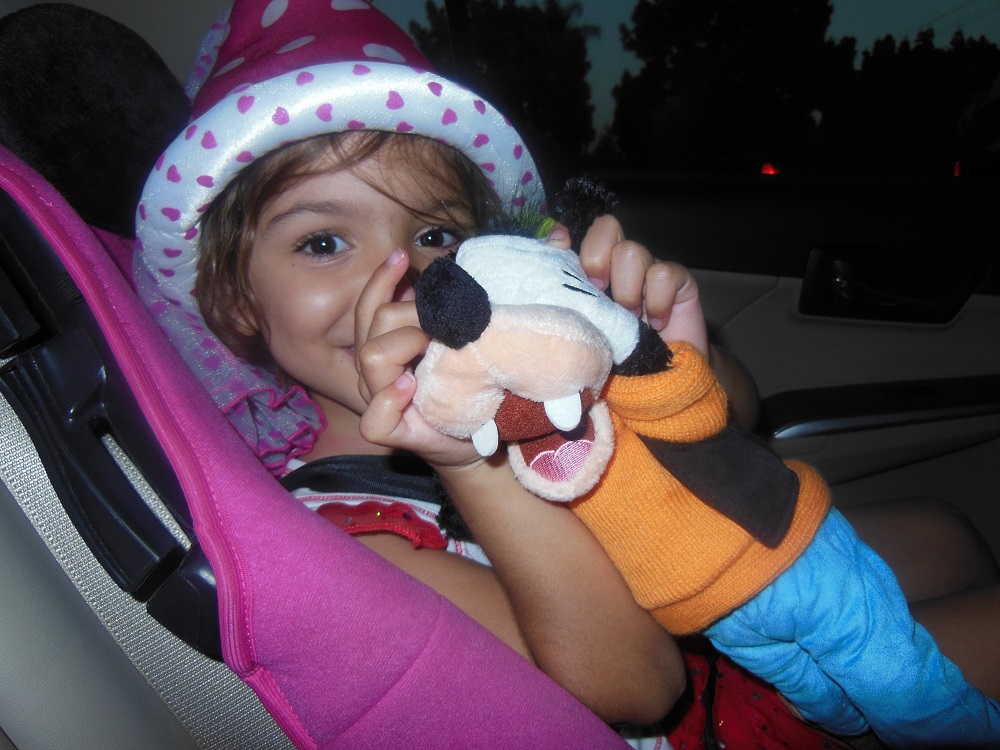
Disneyland has branded itself as a bringer of happiness, which fits its slogan, “The happiest place on earth.” My daughter doesn’t know the slogan, but she associates Disneyland with happiness: She was bouncing up and down, smiling in the car for a couple of hours on the way there.

The employees who interact with customers at Disneyland are obviously trained to place much emphasis on bringing a happy experience to customers. Another thing that’s very important is also subtle: Disneyland pays incredible attention to detail. There is evidently a high priority on cleanliness on their grounds. The service and ambiance are such a high priority in order to brand the happiness image that these details are vital to their success. Goofy came over and patted my daughter on her head during the parade – that’s a wow-factor.

I love Disneyland for attempting to make many people’s lives happier, even if just temporarily.

Of course, Amazon and Disneyland are huge companies which are geared toward making money. Aren’t all businesses striving to make money? The question is what goods and services they provide for the money, and whether or not it’s a good value.

Amazon supports the small guy in its aim to make money and Disneyland provides happiness in its aim to make money. Provided that the cost is reasonable, these seem like highly respectable ways – in my humble opinion – to go about making money.

These are positive images to brand.

Amazon and Disneyland aren’t perfect. Who is?

Personally, I would like to see Amazon become a little more like Disneyland. Wouldn’t it be awesome if Amazon were, say, “The happiest place online”? At least, a few steps in this direction would make for a nice improvement.

But, alas, in customer reviews, customer comments, and discussion forums, we sometimes see unhappiness. We sometimes see highly spiteful remarks (even though spitefulness is supposed to be a violation of the terms and conditions of use) or even cyberbullying.

This is odd, as it seems to contradict some of Amazon’s branding efforts. When I contact Amazon as a customer or author, they usually provide excellent customer service. If they’re so oriented toward great customer service, why not go all out and provide a great customer ambiance in the review and discussion forums, too? Why provide a rotten ambiance there, but great service by phone or email? It seems totally incongruent. So there is one way in which Amazon could improve, in my estimation.

Even as they are, I still love Amazon and Disneyland.

We can learn from their successful branding:

  • How do you want to be branded? You need this in the planning stages.
  • How do you want your product to be branded? Work toward this.
  • An image that people are likely to support on a wide scale (like supporting the small guy), which fits with your product or service, has much potential.
  • An image that people crave (like happiness), which fits with your product or service, has much potential.
  • Choose a title that fits this image.
  • Mickey Mouse is a simple image, easy to recognize, great for branding. (You can’t copy this image. Duh! But you can learn from the effectiveness of this simplicity.)
  • Pay attention to detail.
  • The product, service, marketing, blog, and even your daily personal interactions matter. Send a unified message that supports your branding.
  • Consistently brand the same image. Avoid changing the main title or picture. Choose these wisely in the beginning.

Chris McMullen, self-published author of A Detailed Guide to Self-Publishing with Amazon