Even Indie Authors Get Rejected

Rejection

One great benefit of self-publishing is that it’s a sure thing.

You don’t need to send out query letters or book proposals.

You won’t be rejected by agents or editors.

But that doesn’t mean you won’t feel rejected.

Formatting Rejection

Once your manuscript is complete, you spend several days hammering that square peg of a book into a round hole, trying to reshape it into acceptable formatting.

You might be rejected by Microsoft Word, refusing to number pages, format headers, or keep the layout the way you would like it.

The publishing service might reject your file because it didn’t meet the technical guidelines.

Kindle might show you a preview that doesn’t look anything like your Word file.

Smashwords might not accept your e-book into the premium catalog.

Editing Rejection

People may point out spelling and grammar mistakes in your writing.

They might suggest that you really need an editor.

You might receive some constructive criticism on your writing, which, even when it has merit, can be hard to swallow.

Even worse, when you seek to hire an editor, the editor can choose to turn down the job.

Technical Rejection

When you order printed books, there is a chance of receiving defective copies.

A customer can receive a defective copy. No manufacturing service is perfect.

Even an e-book customer can experience technical hiccups while downloading or reading a book.

When one of your few customers encounters a problem that’s beyond your control, it can be frustrating.

Content Rejection

You can’t publish anything.

Amazon has content guidelines.

CreateSpace has content guidelines.

Kindle, Nook, and Kobo have content guidelines.

If you probe the limits of your writing freedom, your work could get rejected.

Sometimes there isn’t a clear line between what is or isn’t acceptable, but a murky gray area.

Legal Rejection

If you quote a line from a song, you could receive legal notice to take your book down.

If your writing infringes upon the rights of others, your book could lead to a lawsuit against you.

Legal action could cause a retailer to stop selling your book, or the publishing service to stop distributing your book.

Article Rejection

With the hope of gaining more exposure among your target audience, you may submit an article for publication.

Just like submitting a book proposal, your article may be rejected.

Contest Rejection

If you enter your book into a contest, you might not win.

You might not even make the first cut.

Review Rejection

Critics can leave bad reviews.

They can post one-star reviews right on the product page, where every shopper can see it.

Where your family and friends can see it.

Where you can see it.

Those comments can cut deep.

Sales Rejection

There is no guarantee that you will sell a single copy of your book.

Many books never sell 100 copies.

Not 100 per month. Not 100 per year. Not ever.

There are books that have been on the market for over a year that have no sales rank.

To not sell any books must hurt worse than receiving thirty rejection letters.

Public Rejection

People you know can complain about your book.

Or about how you’re wasting your time pretending to be an author.

While you strive to build positive publicity for yourself, once you enter the public eye’s scrutiny, one false step can lead to negative publicity.

Bully Rejection

Cyberbullies can target you.

Family Rejection

Your own family might not appreciate your writing.

They might wish you did something more “meaningful” with your time.

Self Rejection

You could be your own worst critic.

You might regret your prior writing.

You might delete your work and start over before you ever finish.

You might not even find the courage to publish in the first place.

Approved!

You write, therefore you are an author: See “Intimidation is nine-tenths of the writer’s law,” by Ionia Martin.

You don’t need permission to share your passion. You are approved!

Don’t focus on the worst that can happen. Focus on readers who can benefit from your writing. Those are the people worth writing for.

Writing and publishing a book is a huge accomplishment, no matter how you do it. Give yourself a round of applause. Congratulations!

Grow a thick skin. Find a support system. Don’t let ’em bring you down.

When you feel rejected, turn it around. Use it as a motivator. Let it boost you up.

Support

Offer support to other authors.

Read. When the writing is good, leave positive reviews. Spread the word about good books.

Share your wisdom and experience with authors who seek help from you.

Provide emotional support where it’s needed. Oh, yes, it’s needed.

Applaud authors everywhere for working hard to create wonderful reading experiences.

Listen.

It’s faint, but listen.

Do you hear it?

Sounds like a clap.

More clapping.

It’s growing louder.

Applause.

Take a bow. That applause is for you.

Publishing Resources

I started this blog to provide free help with writing, publishing, and marketing. You can find many free articles on publishing and marketing by clicking one of the following links:

Chris McMullen, Author of A Detailed Guide to Self-Publishing with Amazon and Other Online Booksellers

Follow me at WordPress, find my author page on Facebook, or connect with me through Twitter.
Your Blog Traffic Includes Three Audiences

Audiences

Target Audience

It’s important to identify your target audience and prepare content for that audience.

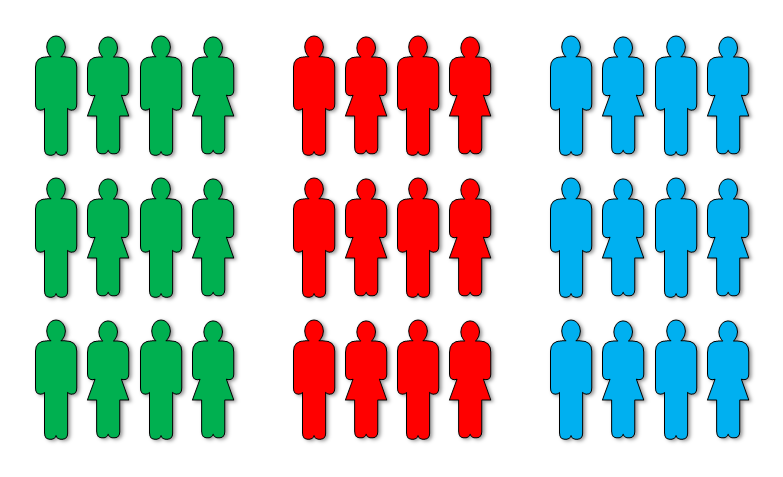
It’s also important to realize that your blog has three different audiences:

  • Active bloggers who frequently read your posts and contribute to the comments section.
  • Fans who stop by to check out your blog, who may find helpful content and continue to visit.
  • Potential customers who discover your blog through search engines, links to your website, etc.

Each audience is important in its own way:

  • Fellow bloggers who frequently like your posts and interact in the comments section give your blog life and personality. This activity makes you feel better and creates a great vibe when your other audiences discover your posts. Much of your following consists of other WordPress bloggers, Facebook followers, and Twitter followers.
  • Fans of your current books may discover your blog from the About the Author section of your books. They may be hoping to learn more about you, find additional content on your website, or receive updates about your works in progress.
  • People in your target audience who discover your blog through search engines are prospective customers. They didn’t already know about your book before discovering your blog. If the search terms they used are highly relevant for both the content on your website and in your books, your blog is working to help customers find you (rather than you trying to find customers).

Blog Traffic

It’s easy to get caught up in views, likes, follows, and immediate sales.

When you start out, these numbers can seem quite frustrating, since blogging tends to be very slow in the beginning.

Most of your likes, follows, and initial views are coming from other WordPress bloggers. Most of these bloggers aren’t in your target audience.

Fellow bloggers can provide amazing support, offer helpful advice, help to spread the word about you in the social media world, add to your following, and make your posts look engaging. You can also find wonderful friends among other bloggers.

But remember, most of these—totally awesome—bloggers aren’t in your target audience. Yes, some of your blog pals will support you with sales and word-of-mouth recommendations. But most of your potential customers aren’t to be found in your likes, follows, and initial views.

Your following will consist of some fans once you begin to attract readers. However, fans may represent a very thin slice of your total following. Much of your following may consist of ghosts, i.e. people who clicked the Follow button, but will almost never read your posts. But if you have readers and you direct them to your blog, some of them will show up as fans.

Tip: Don’t just include a link to your blog. Also add a reason to visit your blog. What will they find there that will make the trip worthwhile?

When you do a cover reveal, your fans will help you build buzz for the new release. When you release a new book, fans will help you with early sales and reviews. The larger your fan base, the better the potential of your next book launch.

Fans are people in your target audience who already know about your book. Bloggers mostly already know about your book, but aren’t likely to be in your target audience.

(Exceptions are fantastic, but they are still exceptions. Most of the books I’m reading now were written by WordPress authors that I met here. There are many WordPress bloggers who read books by fellow bloggers. This is all wonderful, but remember that most bloggers are outside of your target audience.)

Your website will be most successful in generating sales when it reaches people in your target audience who don’t already know about your book.

(Sales may not be the best measure of success, nor the best motivation for having a blog. Blog and write to share your passion. But in the interest of helping to share your passion through sales, the question of how to generate more sales may have some importance to you.)

That’s where the search engine can be a valuable tool. Prepare content that is likely to attract people in your target audience to your blog. The material has to be highly relevant both to your audience and to your books. Even if you write fiction, you can make some nonfiction posts that relate to the content of your books.

Test out keywords on Google. The keyword should be relevant to your post, relevant to your audience, searched for with some frequency, but not so popular that your post will be drowned out by many other articles.

When you see views of old posts every day, when your WordPress stats show that you have a large percentage of search engine traffic, and when the keywords searched for are highly relevant for your books, then you know that you’re doing some things right to attract people through a content-rich website.

This can start out very slow. If you write a post hoping to attract people through search engines, you might see dismal results in the beginning. It takes quality content and even then you must persevere through a long slow period.

After six months, if you have dozens of views every day coming from search engines, your blog traffic consists of hundreds of people per month who didn’t previously know about your books. There is incredible potential here, well worth the effort and the patience required to see it through.

Variety

On the one hand, you’re trying to establish your own brand, and this comes about from consistency and unity.

But on the other hand, variety helps to attract different parts of your target audience because even people who share some common interests do think much differently. Variety also gives you some flavor for your blogging.

It is possible to show variety while also being unified toward the same brand.

You want to prepare material for all three audiences, and to mix it up. This helps you engage everybody, such that when people stop by, on any given day one of your recent posts is likely to appeal to them.

  • Engage your fellow bloggers and interact with them.
  • Have content that will interest your fans and encourage them to visit your blog periodically.
  • Post content that will attract your target audience through search engines.

Publishing Resources

I started this blog to provide free help with writing, publishing, and marketing. You can find many free articles on publishing and marketing by clicking one of the following links:

Chris McMullen, Author of A Detailed Guide to Self-Publishing with Amazon and Other Online Booksellers

Follow me at WordPress, find my author page on Facebook, or connect with me through Twitter.

Kerning in Microsoft Word

Awkward

Kerning

The spacing between letters sometimes doesn’t look quite right to the eye. Kerning is the art of adjusting the spacing between individual letters in order to improve visual appeal.

Certain pairs of letters can be especially problematic. For example, consider the word WATER written in uppercase letters. If you look closely, you will see a noticeable gap in the pair WA, while the letters TE are nearly touching.

Water

Contents

  1. Kerning Example
  2. Does it Matter?
  3. Kerning in Word

1. Kerning Example

Inconsistent spacing between letters arises from the shape of the letters. The W is slanting toward the A, which slants away from the W. The process of typing generally creates each letter in its own little block. The W and A blocks force a minimum separation, unless kerning is applied. See the image below.

WA

Through kerning, the space between the W and A can be decreased, as in the following picture.

WA Kern

Note that the font above (Georgia) has a serif (that small line at the ends of each letter). When the WA pair is kerned, the space between the letters is decreased such that the end of each letter without the serif matches up with the end of the serif of the other letter. That is, look at the two red lines in the middle of the picture above and how they line up with the two letters.

See how kerning the WA pair improves the word WATER:

Water Kern

But it still isn’t perfect: It looks like there is too much space between AT, while TE seems crowded. These are adjustable, too:

WATER Kern 2

Does it look right to your eye now? It’s better, but for perfectionists, there is still a little room to work with.

2. Does it Matter?

The eye can tell when the font isn’t kerned properly. Even if you know nothing about kerning, if the letter-spacing is off, your eye realizes that something isn’t quite right. You may not know what it is if you’re not knowledgeable about typography, yet you know that something seems funny.

Kerning is most important on the book cover. The cover makes the first impression. If the shopper is thinking, “Something seems funny here,” this factors into that first impression.

The text inside the book is important, too, but the font on the cover is usually quite large (so that it can be read in the thumbnail image), such that improper kerning tends to stand out more.

When the interior is properly kerned, the design of the book offers a better reading experience and may even be easier on the eyes.

However, the more people read electronic text without kerning (although kerning is performed on some web-based text, for example), the more they are accustomed to not reading kerned text.

A book may have a hundred thousand words, whereas the cover only has a few. Manually kerning every word carefully in the interior file would be a tedious process. If kerning is important, using a desktop publisher with automatic kerning is highly convenient. When kerning manually, searching for letter pairs that are the worst offenders will help make the task more efficient.

There is a danger. Expert typesetters know what they are doing. It is possible for a novice to do more harm than good, with a result that’s worse than no kerning at all.

Here are my suggestions:

  • You should examine your title, subtitle, and author name on your cover. If there is significant inconsistency among letter spacing, try to resolve this. Get feedback from others about how the result looks compared to the original.
  • If you don’t have a program with automatic kerning, either don’t apply kerning or just look for the most notorious letter pairs, such as Te and ry. Note that a letter and punctuation mark may warrant kerning, as in T followed by a period or colon.

3. Kerning in Word

I will describe how to apply kerning in Microsoft Word. I will do this specifically for Microsoft Word 2010, which is very similar to 2007 and 2013.

Consider the following sentence (written in Times New Roman). Kerning is off, which is the default in Microsoft Word.

Sentence

In the sentence below, automatic kerning has been turned on:

Sentence KernedNotice that the word WATER looks much better. Automatic kerning is more efficient than working with one pair of letters at a time. Another significant improvement is that the period moved closer to the T.

This is actually automatic kerning (which involves pairs of letters) and not manual tracking (which lets you manually adjust the spacing between letters, not necessarily letter pairs). Word has both options, but first I’ll explain how to adjust the manual kerning.

Here is how to apply kerning in Microsoft Word 2007 and up:

  • If the text has already been typed, highlight the text (use Select All at the right of the Home tab if you wish to highlight the entire document).
  • Click the funny icon in the bottom right corner of the Font group on the Home tab (this is illustrated below).
  • Select the Advanced tab (the default is the Font tab).
  • Check the box next to Kerning for Fonts. You can specify a minimum font size.
  • If you want to get technical, for Open Type fonts you can play with the dropdown boxes at the bottom of the pop-up window.

Font Dialog

Font Advanced 2

Should you prefer to apply kerning manually to specific letter pairs, you can effectively do this through the manual tracking option (which technically is different from kerning, but if you apply it to the first letter of a single pair of letters, it effectively serves the function), highlight a single letter, then follow the instructions above, but instead of checking the box for Kerning, set the Spacing to Expanded or Condensed. (When you apply Spacing to an entire word, it’s called tracking, but when you expand or condense the space between a single pair of letters only, it’s called kerning.) Tracking can come in handy when you need to adjust the number of words on a specific line, e.g. to avoid a widow or render justification with smaller gaps between words.

If Microsoft Word doesn’t support automatic kerning for a font that you are using, you can still use the manual method.

Another option is scaling, but beware that Word’s scaling option (set by adjusting the percentage) in some cases also affects the line spacing (or the space between lines). I recommend trying automatic kerning first, then attempting manual tracking if that doesn’t satisfy your needs, and saving scaling as a last recourse (and check the vertical spacing carefully when you adjust the scaling, not just with what you see on the screen, but by printing it out, too).

Chris McMullen, Author of A Detailed Guide to Self-Publishing with Amazon and Other Online Booksellers

  • Volume 1 on formatting and publishing
  • Volume 2 on marketability and marketing

Check Your KDP Dashboard. Cool New Feature.

New 2

Finally!

Visit your Kindle Direct Publishing (KDP) bookshelf and check out the new, totally amazing Sales Dashboard.

It may not help you get more sales, but it will make it easier to track what sales you do get:

  • The best feature may be the running totals at the bottom (under the chart), showing you exactly how much you’re making in each country (well, borrows can’t be figured into this since). Change the period from the last 30 days to month-to-date and click the update report button to see how much you’ve made in each country this month.
  • A graph shows you your sales over a period of time. This will help to keep track of which days are better or worse for sales and how a promotion impacts your sales frequency.
  • For KDP Select authors, the graph shows borrows separately from sales (and if you do a freebie, those are shown separately, too). Uncheck a box at the bottom of the chart for any data you don’t want to see.
  • The left filter lets you see all marketplaces together, or you can pick a specific country.
  • You can also see data for a specific book rather than all titles.
  • Note that the report defaults by showing you data for the last 30 days. If you prefer to see what you’ve sold just this month, for example, change this to month-to-date. There are 5 time periods to choose from.
  • You can also create your own time period by using the calendars.
  • Click the button at the right (Update Report) when you wish to make a change.
  • Try the button at the bottom called Generate Report. This gives you a customizable Excel table.

I’d like to see one more thing in this report: Why not add a column at the bottom showing the total number sold in each country? If you’d also like to see this, send KDP an email. They won’t know if this may be a popular feature unless they hear from you.

What do you think of the new report?

Chris McMullen, Author of A Detailed Guide to Self-Publishing with Amazon and Other Online Booksellers

Follow me at WordPress, find my author page on Facebook, or connect with me through Twitter.

How to Draw Gold, Silver, Brass…

Colors Gold

COLORS

Whether you’re designing a book cover or creating an illustration for a blog post, you’re likely to run into the challenges of creating a very specific color.

For example, if you want to draw gold and silver, these colors aren’t easy to find on many software programs, such as Microsoft Word.

With the convenience of the computer, however, there are numerical methods of creating specific colors.

Two popular color schemes are RGB (red, green, blue) and web colors. If you’re working with Microsoft Word, you can create a specific color by entering the RGB values (click More Colors at the bottom of any of Word’s color palette’s to find this option). When designing on a website, web colors are more common (a 6-digit letter/number combination following the # symbol).

It’s easy to find the RGB and web values for many colors, even gold and silver. Here are a few examples:

  • Gold: R 212, G 175, B 55, web #D4AF37.
  • Silver: R 192, G 192, B 192, web #C0C0C0.
  • Brass: R 181, G 166, B 66, web #B5A642.
  • Chrome: R 227, G 222, B 219, web #E3DEDB.
  • Sapphire: R 15, G 82, B 186, web #0F52BA.
  • Ruby: R 212, G 175, B 55, #D10056.
  • Emerald: R 80, G 200, B 120, web #50C878.
  • Rose: R 255, G 0, B 127, web #FF007F.

You can find several tables of standard (and non-standard) web colors online. For example:

In some cases, it’s better to stick to standard colors when viable.

For example, if you’re creating an illustration that will be viewed on a device that can only produce 16 different colors, you’re better off using just those 16 standard colors (as any other color is apt to change).

Note that in Word 2007 and up, many of the colors on the palette are not standard, including a few rather common colors, like blue.

When printing in color, note that colors often appear much brighter on a color monitor and much darker in print. It’s wise to make several test prints to a deskjet printer (if you don’t have access to the same printer that will be used for the final image, as is the case with print-on-demand publishing, a deskjet can still offer some indication) to test the colors as you design your image. It’s very common for the designer to be shocked and frustrated after the art is complete, to see how much darker it appears in print. (If you’re making a book, you want to use regular paper and standard settings; using glossy photostock isn’t representative.)

Non-standard colors may be harder to reproduce than standard colors.

Copyright (c) 2014

Chris McMullen, Author of the Improve Your Math Fluency series of workbook and self-publishing guides

Author Central Description Reverting to KDP when Republishing

Blurb Formatting

Blurb Formatting

The image with this post shows that your Amazon description can include blank lines, boldface, and bullets. It can also include italics and numbered lists.

One way to do this is by formatting your book’s blurb through Author Central:

Not only does Author Central allow you to edit and format your Amazon product description, but it also provides a preview of what to expect—a feature that Kindle Direct Publishing (KDP) doesn’t offer.

Republishing Issues

It used to be that once you edited your book’s description at Author Central, it would become the only means of revising it in the future.

However, this has changed recently, and it’s causing some problems with Kindle e-books.

Presently, if you republish a Kindle e-book at KDP, the product description automatically reverts to whatever is entered at KDP.

So what’s the problem?

Suppose you just want to do something simple, like change your Kindle list price. You have to go into step 2 of the publishing process and “publish” your e-book again. When the price change takes effect (usually in about 12 hours for the US site), the formatting changes with it. That is, your Author Central formatting is stripped and replaced with your original plain KDP formatting.

If you’re just changing your price, it may not even occur to you that your description could change, too.

(At this time, CreateSpace paperbacks do not seem to be affected. However, it may be worth checking this, just in case things change.)

Solution

Before you republish a Kindle e-book, do the following:

  1. Visit Author Central.
  2. Find your book. Be sure to select the Kindle edition.
  3. Click the button to edit the product description.
  4. Click the HTML option.
  5. Copy and paste all of the code into Notepad.
  6. Save this file.

After you republish your Kindle e-book:

  1. Wait for the book to go live. (KDP usually sends an email.)
  2. Return to Author Central.
  3. Open the HTML version of your Kindle book blurb.
  4. If you see the old version there, replace it with the HTML that you saved in Notepad.
  5. Check several hours later to see if it took effect.
  6. Remember to check Amazon UK, too.

Rarely, you can get locked out of your Author Central description. This has happened once to me, and a simple email to Author Central resolved the issue.

Side Note

The best place to format the book description for CreateSpace paperbacks is at CreateSpace.

Why? Because if you use basic HTML at CreateSpace, the formatting will carry over to your eStore, BN.com, and some of the other online retailers that may pick up your book through the Expanded Distribution channel.

If you want to see an example of a CreateSpace paperback with HTML formatting in the Barnes & Noble product description, click here (then scroll down).

You don’t need to know HTML: Simply copy/paste the HTML from your Author Central description into your CreateSpace description. Be sure to remove the space from the <br /> tag, as CreateSpace and Author Central are inconsistent with this.

Important: After inserting HTML into your CreateSpace description, immediately run over to your eStore to view the description. If there are any problems (like a boldface tag that isn’t closed), you’ll be able to catch it and resolve the problem swiftly.

Chris McMullen, Author of A Detailed Guide to Self-Publishing with Amazon and Other Online Booksellers

Follow me at WordPress, find my author page on Facebook, or connect with me through Twitter.

Content is King

Content King

Content Marketing

Suppose you’re a writer who receives a visit from your fairy god-muse. Your fairy god-muse gives you a choice. Would you rather have:

(A) A fantastic cover, everything else just okay.

(B) A killer blurb, everything else just okay.

(C) 100 amazing reviews, everything else just okay.

(D) Incredible content, everything else just okay, and you have to start out with three horrible, gut-wrenching reviews.

I pick option (D). Nobody wants bad reviews, but content is king. If the content truly is incredible, I know all I need to do is get the book into the hands of the target audience and content will take care of everything else. Eventually, sales and good reviews will come.

The other options may do better short-term, but it won’t be lasting success. Option (D) will lead to long-term success and will help to sell other similar books.

Establishing Value

There is only one thing that determines the value of a product to a customer: Content.

Amazing covers tend to attract readers, but they will be disappointed if the content doesn’t live up to their expectations. A killer blurb might help close the deal; good reviews may make you feel better; but if the content doesn’t please the reader, this improves the chances of receiving critical reviews and losing out on valuable word-of-mouth sales.

Suppose you see a new candy bar in the store with an eye-popping wrapper that totally appeals to you. So irresistible! You just have to try it.

Sure, those other candy bars aren’t selling this week because everybody is trying the new one.

But if that new candy bar isn’t better than the others, once this craze ends, everyone will go back to what they prefer.

Packaging can help you reach your target audience.

But only content can establish value.

Customers want quality content.

Achieving Success

Pop quiz! Would you rather:

(A) Have pretty good sales right off the bat, then drop off and scarcely sell again.

(B) Have sales start out very slowly, but steadily grow and continue to sell for decades.

I’m going with (B) here as it has much more potential.

Not only will (B) bring lasting success, but:

  • The continued success of this product will help you sell all your other products.
  • The content must be better in (B), which will help garner valuable recommendations.
  • It may help your taxes not to make all your wealth in the same year, but to spread it over decades.
  • You feel better about producing a product that achieves long-term success.

Fashion Trends

Did you get caught up in the social media frenzy?

Are you keeping up with the latest changes in search engine optimization (SEO)?

Do you invest much time trying to stimulate reviews?

Maybe your time would be better spent creating valuable content:

  • Once you have several quality products on the market, each product will help sell the others.
  • As customers try your products out, word will spread and your brand will be associated with quality.
  • Exceptional content, especially at a good value, is more likely to earn recommendations and reviews naturally.

Content-focused marketing can start out very slowly, but it has amazing potential. It may be worth the wait. It can outlast the current trends.

With quality and value, you just need to get your products into the hands of your target audience and good things will happen much on their own.

Packaging is important, as it helps you attract your target audience.

Marketing is important, as it helps to get your target audience to try your products out.

But content reigns supreme.

Search Engines, Too

A website rich in content geared toward the target audience is a content-oriented way to market your products.

The idea is for the content to attract your target audience. This is successful when much of your website traffic comes from search engines, and when the searches are a good fit for the products you offer.

It can take months for this to show results, but can be a highly effective marketing tool because it’s based on content.

Why are the SEO trends constantly changing? Because the purpose of search engines is to provide the most relevant content to the customer, while businesses with mediocre or lousy content are trying to abuse the search criteria to get their results to show up higher in the results. The search engine companies are wise to this game, and therefore update their criteria in an effort to minimize the abuse (or, in some cases, punish it by driving those sites way down in the search results).

The client using the search engine wants to find valuable, highly relevant content.

The search engines want their clients to be happy, otherwise they will quickly run out of clients. The search engines do want to make $$$ from advertising, too, but they won’t be around long if people aren’t satisfied with the service.

Entrepreneurs (including authorpreneurs) want their websites to show up higher in search results.

If mediocre and irrelevant websites show up high in search results, this is bad for the client and the search engine. So the search engine will make some changes to try to fix this.

Everything is geared toward content. Quality content relevant to the target audience makes the client and the search engine happy.

It used to be all about keywords and categories. Now it’s more about finding keywords in the content. But consider this:

Garbage garbage garbage KEYWORD garbage garbage garbage KEYWORD garbage garbage garbage KEYWORD garbage garbage garbage KEYWORD garbage garbage garbage KEYWORD garbage garbage garbage KEYWORD garbage garbage garbage KEYWORD garbage garbage garbage KEYWORD garbage garbage garbage KEYWORD garbage garbage garbage KEYWORD garbage garbage garbage KEYWORD garbage garbage garbage.

Search engines aim to filter out the garbage and find quality, relevant content. They continue to make great strides to improve this.

Content is king. If the content truly is valuable and relevant, it will thrive in the long run.

Garbage won’t survive. It might try to find the right way to sprinkle signs of content among the garbage to look like quality, but it won’t last.

Don’t worry about garbage. It will eventually take care of itself. Focus on quality content and relevance for your target audience, whether you’re developing a website, writing a series of books, or creating products or services.

Publishing Resources

I started this blog to provide free help with writing, publishing, and marketing. You can find many free articles on publishing and marketing by clicking one of the following links:

Chris McMullen, Author of A Detailed Guide to Self-Publishing with Amazon and Other Online Booksellers

Follow me at WordPress, find my author page on Facebook, or connect with me through Twitter.

You know you’re an author when…(HBC)

Just in case you don’t already know… 😉

Ionia Froment's avatarreadful things blog

11550 You stand in line at Barnes & Noble to meet an author you have never even read a book by just to mention “I’m an author too.”

You check only blogs that mention someone selling books, hoping for a tidbit of information on how they are doing it.

You have had at least one serious relationship with a character from your books.

Your mind goes on auto pilot at all meetings and you begin seeing your characters as the other people in the room. Fizzle! Get down from there, this is the school board for goodness sake!

You identify with Poe for more than just his history of drinking.

You identify with Poe because of his history of drinking.

You feel guilty when you are on Facebook unless it directly relates to writing or promotion.

You don’t begrudge the other authors who are ahead of you on the lists any…

View original post 220 more words

Amazon: Experimenting with Review Changes..?

Amazon Review Changes

If you’ve shopped for Kindle e-books recently on Amazon.com or Amazon.co.uk, you may have noticed some changes to the way that search results are displayed.

Or maybe not. Not all shoppers have been affected.

Apparently, Amazon is testing something out with many customers, but not all customers. That would make sense, actually. Then Amazon would have data for two groups: a control group, shopping like normal, and an experimental group, experiencing the changes.

What’s going on?

This doesn’t apply to everybody. Many customers are observing the following:

The review tally and average star rating are not showing up next to Kindle e-books in search results for many (but not all) customers.

Just to be clear:

  • Reviews are showing, but only on the product page. Normally, you see the total number of reviews and average star rating before reaching the product page, but for those who are experiencing the change, you don’t see any review information until reaching the product page.
  • Print books are not affected. Only Kindle e-books are affected (and only for some customers).
  • Some customers who aren’t seeing the review info in search results were able to switch web browsers (e.g. from Internet Explorer to Mozilla FireFox) and then see the review info. The browser switches haven’t been consistent (e.g. for one person, going from Explorer to FireFox works, but for another, it’s FireFox to Explorer that does the trick). Some customers report that no browser changes resolved the issue.
  • The test applies to shopping for Kindle e-books on Amazon.com or Amazon.co.uk. (There are other ways to shop for Kindle e-books, such as right on the device. Most people shop for Kindle e-books from Amazon’s home page.)

The way we “know” this (of course, only Amazon “knows” for sure) is from various customers (including myself) observing this firsthand, and some authors (this time, myself excluded) contacting Amazon to inquire about this and receiving similar responses.

Will the World End?

Predicting the end of the world doesn’t come with many rewards. Whether you’re right or wrong, either way you seem to lose.

Right now, it’s evidently just a test.

Here is my pure speculation. I don’t have any evidence of the following; I just tried to reach a logical conclusion from what data I have. It might be like watching a news story break out: You hear eight theories for what happened, some of which seem reasonable, and they all turn out to be wrong. But sometimes it’s still fun to play along.

  • Amazon is probably looking at (A) sales data between the control group and experimental group and (B) any impact the changes may have on creating a positive shopping experience.
  • A positive shopping experience may include data on returns, review activity, customer complaints, and average review ratings, for example. Maybe they are also listening to publisher feedback.
  • If the changes lead to (A) increased profit or (B) improved shopping experience without any decrease in profit, it would seem logical for the changes to become permanent.
  • If the changes instead result in a decrease in profit or adversely affect the shopping experience, this will probably be a temporary change and things will soon return to the way they were.
  • It could be a long delay. It might take time for affected customers to get accustomed to the change before they return to their usual buying habits.

What’s going to happen? Would you like to call heads or tails?

I’m interested in the outcome, but I don’t feel strongly one way or the other, either as a customer or as an author.

I sort of like browsing through titles and thumbnails without that review tally in search results. I sort of feel that it may (at least, in principle) encourage authors to worry more about writing and marketing and much less about reviews (but in practice…). I believe there could be a few small benefits. But again, I don’t feel strongly about it. Either way, I won’t lose sleep over this.

Some books may benefit from the changes. Some books may be hurt by the changes. Probably, it will balance out to a large extent. If the changes persist, it probably means that it’s helping more books than it’s hurting.

Sales do fluctuate for all books. So any author whose books are presently on the downward part of a typical fluctuation are presently pulling out their hair. It might be pure coincidence that their sales are down, but if they noticed these review changes, they will surely blame the reviews. But those authors whose books are presently on an upward swing will be thinking that evidently the changes are helping them out. One author isn’t a good statistical sample. Even a handful is not a sufficient indicator.

Personally, I don’t expect things to change much if the changes are here to stay. Right now, you still see the reviews on the product pages, so it’s not like reviews have vanished; you just have to get to the product page before you see them.

Maybe some books that are getting clicked frequently because their ratings are really high won’t be clicked quite as frequently. Maybe some books that aren’t getting clicked as much now because the review ratings are really low will get a few more clicks. Maybe not.

Constant Change

There is only one constant in the publishing business: change.

Several months ago, Amazon eliminated the 4-for-3 program for print books. I expected that to hurt sales, but my paperback sales actually improved significantly after that. Perhaps it’s because Amazon started discounting CreateSpace paperbacks more after discontinuing the 4-for-3 program. Or maybe my sales were about to rise for other factors, such as new releases and marketing. It’s a complicated analysis.

Amazon changed the FREE Super Saver shipping price and the fee for Amazon Prime, but these don’t seem to have affected my sales.

Here are a couple of things to consider:

  • The change is fair because it affects all Kindle e-books. It’s not like they just did it to your e-book, but left all others like they were.
  • People still want to read Kindle e-books. Your book is still available. Customers are still shopping for books.
  • Reviews generally have much less impact than authors realize. Sometimes a negative review improves sales, sometimes a positive review deters sales, very often reviews don’t affect sales at all, and when sales do change, it might very well be because of some other hidden factor and a review just coincidentally showed up at the same time.

Don’t worry. Be happy. Just read and write more books.

You can’t change the change.

It may not change at all.

If it does, don’t sweat it.

There are probably more important things that you should be doing right now than worrying about this. 🙂

Publishing Resources

I started this blog to provide free help with writing, publishing, and marketing. You can find many free articles on publishing and marketing by clicking one of the following links:

Chris McMullen, Author of A Detailed Guide to Self-Publishing with Amazon and Other Online Booksellers

Follow me at WordPress, find my author page on Facebook, or connect with me through Twitter.

to Write is to Serve

Serve

Authors write books. A book is a product.

But authorship entails more than just making a product. Authorship is a service.

Ultimately, writers want their work to be read, and therefore they serve an audience. Please the audience and gain more readers.

The first step is for the content to please the audience, but it goes well beyond that.

Readings, signings, and other events allow authors to engage the audience in person.

Authors engage with fans online through fan clubs, blogs, and social media.

And let’s not forget one major service that most authors provide: marketing. Many writers spend several hours per week helping readers from the target audience find their books. This is a concerted effort that the author makes to help readers become interested in books that may be a good fit for them, but which they may have otherwise not discovered.

Feedback leads to yet another service: revisions. With the technology of e-books and print-on-demand, a book has become a dynamic product that can be updated anytime. It’s not just to correct issues, but in nonfiction is vital for keeping content up-to-date.

Our aim is to please readers. That’s why we sit at the keyboard typing for several hours per week for months or years. It’s why we revise, edit, and format. It’s why we try to find a cover and craft a blurb that will help the target audience find the right book for them. It’s our motivation to market our books. To serve our readers.

Good evening, Mr. or Mrs. Reader. Thank you for stopping by. We hope you’re having a wonderful time.

We’re at your service. Let us know if you need anything.

— authors everywhere

Chris McMullen, Author of A Detailed Guide to Self-Publishing with Amazon and Other Online Booksellers

Follow me at WordPress, find my author page on Facebook, or connect with me through Twitter.